Quick Mining Addon
- 1-10-2025, 14:38
- 10 976
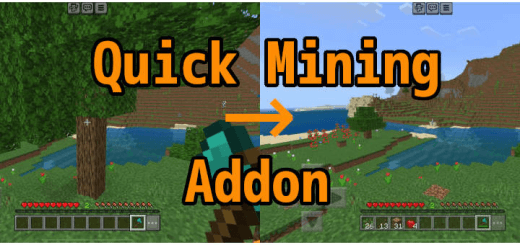
Quick Mining Addon helps you chop trees and mine ores and diamonds in Minecraft. Found a diamond vein hiding behind the first block? Quick Mining lets you collect connected ores and chop down trees faster in Minecraft Bedrock.


The basic move is easy to remember: sneak, then break a block with the appropriate tool. Use a pickaxe on ore or an axe on a log, and the addon can break connected blocks of the same type in a chain reaction. That means less time working around every side of a coal vein and fewer trips up a tree to collect the last few logs. You still need the right tool for the job; punching a trunk with an empty hand won’t trigger the tree-cutting feature. For miners, there’s another detail: Quick Mining respects tool enchantments. A Fortune pickaxe can yield extra resources, while Unbreaking can help your tools last longer. Experience from suitable blocks can also repair equipment with Mending. Bring the pickaxe you actually want to use before crouching at that vein, especially if you’ve been saving one with a useful enchantment.
Tree cutting has a little more going on than simply removing logs. The addon also breaks nearby natural leaves as a quick substitute for waiting for them to decay. Those leaves don’t use up axe durability, and the axe’s enchantments don’t apply to them. If you want to collect leaf blocks for a build, use shears or a Silk Touch hoe instead. Mangrove trees get special handling too: cutting their logs or roots can bring down the tree along with related moss carpets and propagules. That’s handy when you need a lot of wood for a project, though it’s worth looking around before starting near a tree you wanted to keep. Beyond ores and trees, the settings include options for other blocks and crops. Some groups, such as common stone and sand, are disabled by default, so check the preferences before expecting those to break in a chain.
You can adjust when quick-mining activates to suit your play style. The available modes include triggering it while sneaking, while not sneaking, always, or never. That makes it possible to keep the feature on for a big gathering session and use a more deliberate approach when you’re working around a build. There’s also an option to collect dropped items and experience automatically; items that don’t fit in your inventory drop nearby. To get started, enable the behavior pack in your world settings, which also enables its resource pack. The addon’s preferences are available through the /qmine-prefs command. Quick Mining is useful when you enjoy gathering your own materials but want a quicker way to handle connected veins and trees. Grab the proper tool, crouch, and let the chain reaction do the repetitive part. Then take your haul home and get back to the project that sent you looking for resources.
Installation:
- Download Mod;
- Open the downloaded file to install;
- Select it in the settings;
- Have fun!
Comments (0)