Food Expansion – More Food Mod / Addon
- 23-11-2025, 10:05
- 1 927
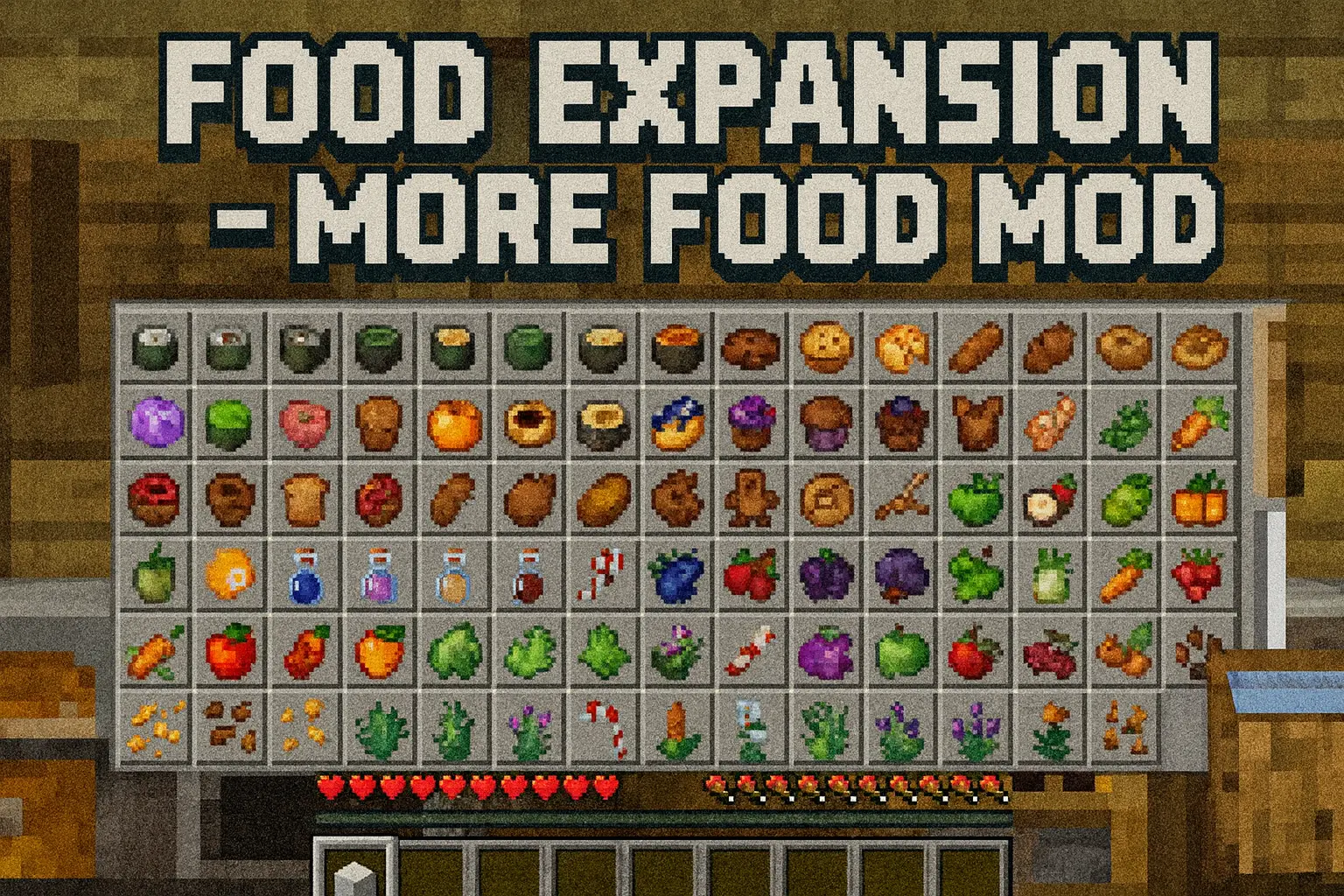
Food Expansion – More Food Mod takes the basic survival loop and gives it way more flavor without turning your world into a totally different game. Instead of just cycling through the same handful of meals, you suddenly have over 120 brand-new food items to mess with. There are new snacks, proper meals, quick bites you can eat fast when you’re in danger, and slower dishes that pay you back with better hunger and saturation. You’ll still recognize the core vanilla feel, but your inventory and farms stop looking like a copy-paste of every other world.
The addon doesn’t just dump items into a menu; it ties them into the world through new berry bushes, crops, and plants. You get eight new berry bushes to scatter around your base or find out in the wild, ten new crops to plug into your farms, and eleven new plants that help make your world look and play differently. On top of that, there are extra block and mob drops feeding into the system, so mining, exploring, and fighting mobs all have a better chance of giving you something useful for the kitchen. Over time, you go from basic bread spam to a whole lineup of cooked meals, baked sweets, and even sushi runs.
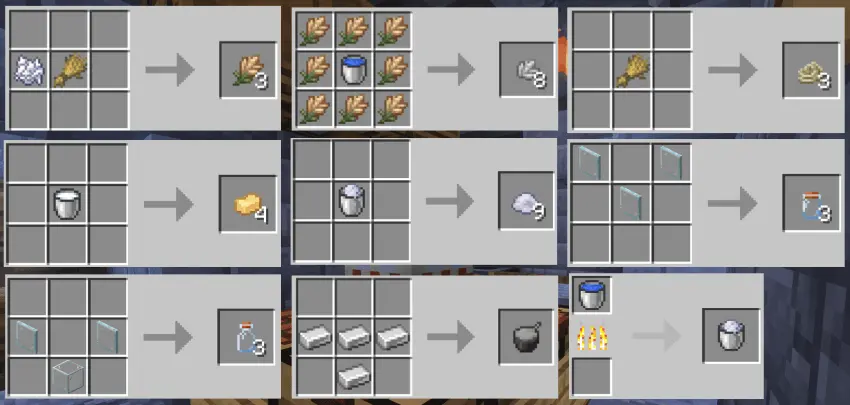
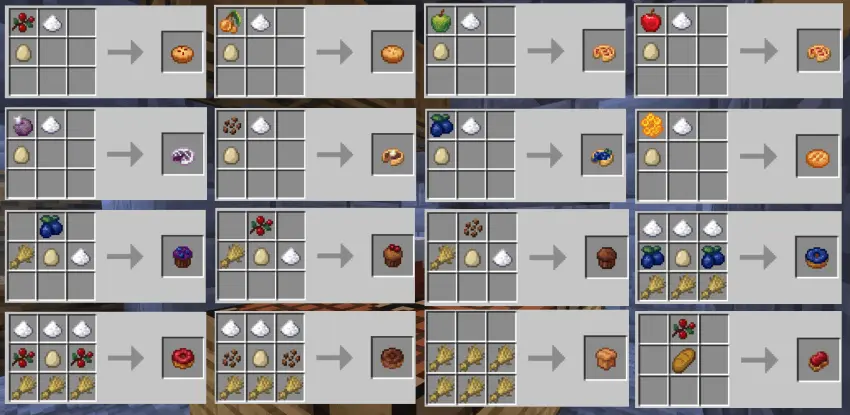
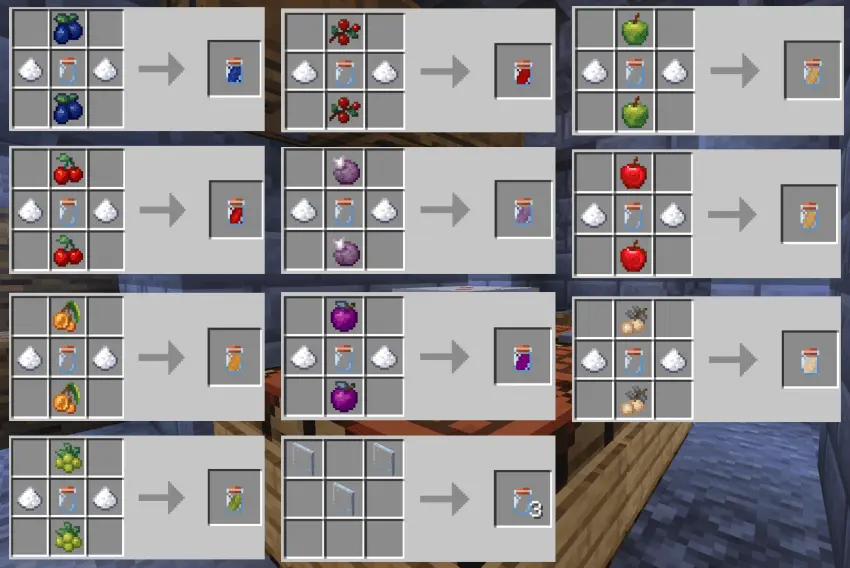
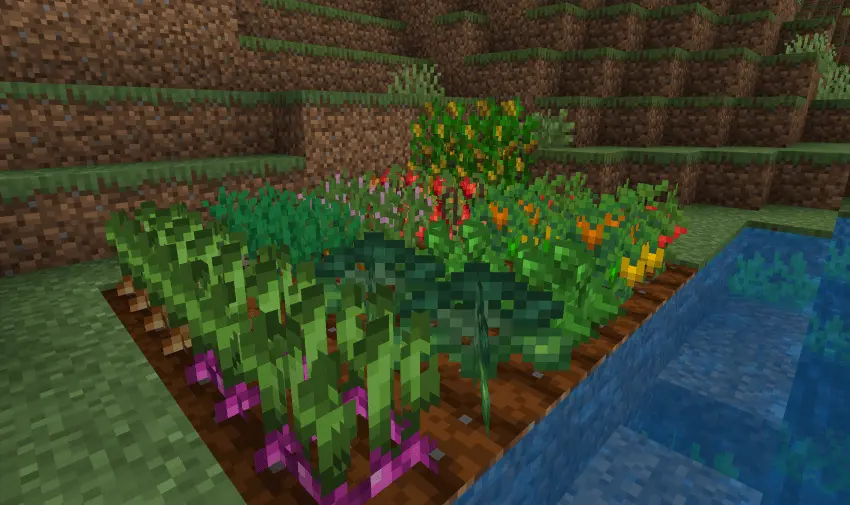
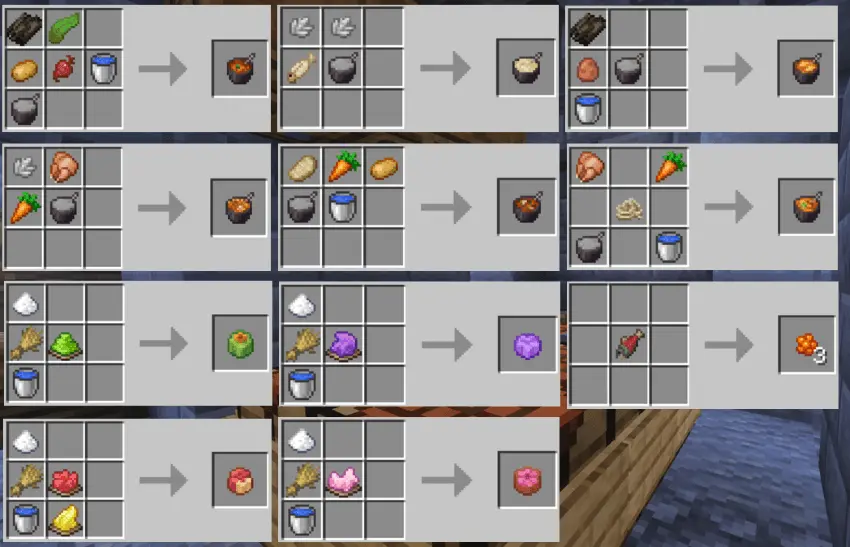
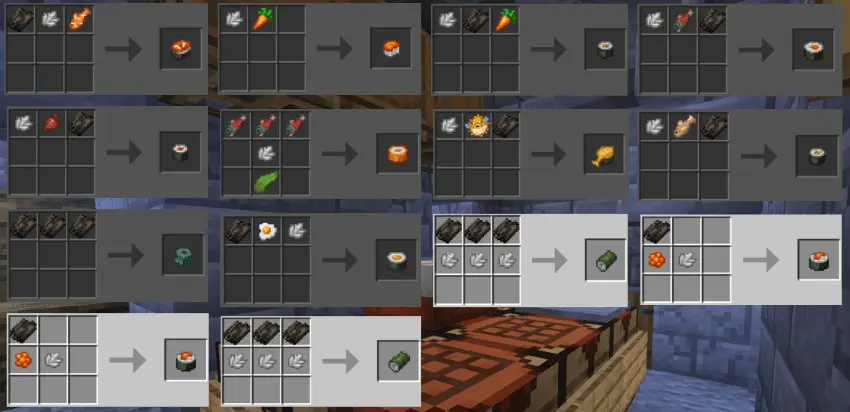

What keeps Food Expansion – More Food Mod so comfortable to use in long-term Minecraft Bedrock or MCPE survival worlds is how clean it is under the hood. It’s achievement friendly and doesn’t touch player.json, so you can run it in legit survival without breaking your progress or relying on weird client changes. The balance stays sensible: some foods eat fast, some sit heavier with better saturation, some are just fun alternatives to classic recipes. If you like farming, exploring for ingredients, or just flexing a full kitchen setup in your base, this addon quietly turns food from a chore into a whole side progression that actually feels rewarding.
Installation Mod:
- Download the .mcaddon / .mcpack;
- Open the file to import into the game;
- In World Settings → Resource Packs and Behavior Packs, enable it (turn on Experiments if needed);
- Have fun!
Comments (0)