Turbo Commands Addon
- 14-05-2026, 06:05
- 8 214
Mods 1.26 / Mods 1.21 / Mods 1.20 / Mods 1.19
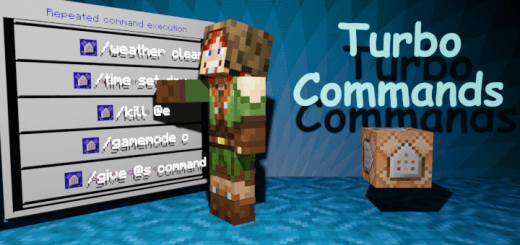
Turbo Commands is a useful addon, a new more convenient way to enter commands in Minecraft Bedrock using the menu.

Navigating through endless text strings just to set the time or clear out rain is one of the most frustrating things on Bedrock. Turbo Commands Addon replaces the sluggish typing routine with instant macros and streamlined shortcuts, saving you precious minutes during complex builds and chaotic server sessions.
Anyone who spends serious time in creative mode or runs a multiplayer world knows the drill. You try to test a redstone clock or clear weather, only to fat-finger a forward slash or misspell an entity target, forcing you to delete the entire line and start over from scratch. When you are on a console controller or a smartphone touchscreen, typing out twenty-character syntax commands kills your creative flow immediately. You waste valuable session time standing idle in front of menus instead of actually placing blocks or testing custom features. This tool tackles that friction directly, stripping away the bloat and turning tedious administrative chores into lightning-fast inputs.
Once the pack loads into your setup, the difference in everyday management is night and day. Common actions that usually require typing full strings suddenly compress into single, rapid executions. Switching between creative, survival, and spectator mode happens with minimal effort, which makes debugging large structures or checking underground redstone wiring incredibly fast. Instead of pausing your gameplay rhythm, you can clear junk entities, adjust daylight cycles, or wipe out unwanted weather hazards before they ruin your build site. It feels like upgrading an old mechanical keyboard to a fully programmable macro deck.
Server hosts and realm owners will appreciate the massive quality of life bump when keeping players under control. Teleporting across coordinates, handling spawn resets, and checking player statuses usually clutter the chat feed with awkward syntax errors when done manually.
Because the underlying framework hooks cleanly into native script mechanics, you do not have to worry about erratic tick drops or sudden packet loss while executing rapid actions. The scripts stay lightweight, ensuring that performance on budget phones and older consoles matches the speed of high-end PC setups. You can fire off multiple utilities in quick succession without seeing the dreaded input freeze that often ruins third-party utility packs. The whole interface stays out of your face until you actually need it, letting the core sandbox stay clean and uncluttered.
Getting the files activated requires a quick import into your world settings, followed by toggling your behavior packs and enabling the standard experimental switches on your chosen map save. Having these quick-access commands ready to fire will completely transform your build workflow, letting you focus on laying blocks and commanding your realm without the endless typing headache.
Installation:
- Download Mod;
- Open the downloaded file to install;
- Select it in the settings;
- Have fun!
Comments (0)