Explorer's Title Mod / Addon
- 15-04-2026, 13:46
- 1 601
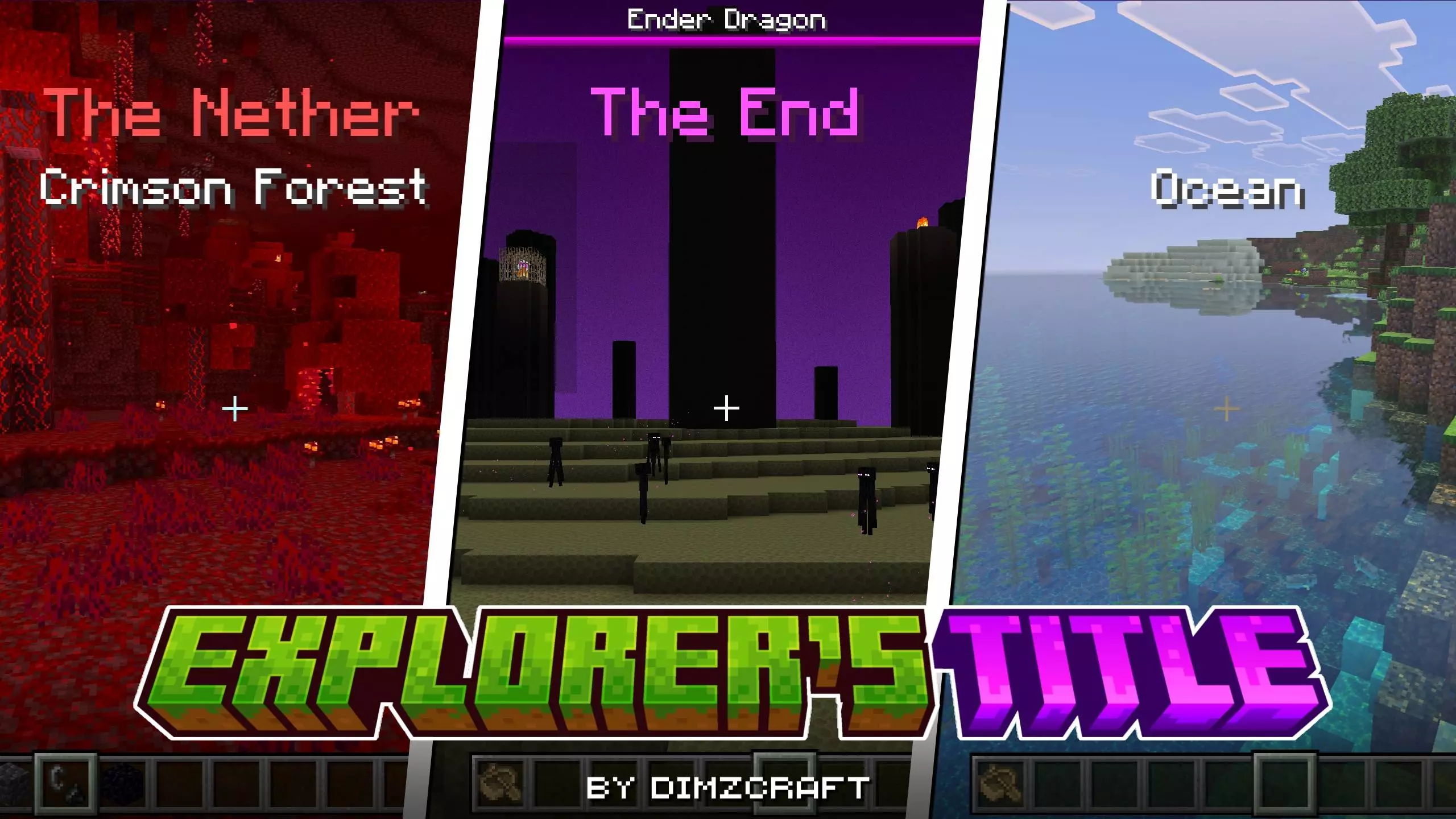
Step over a chunk border and get the vibe instantly. Explorer’s Title Mod turns exploration in Minecraft Bedrock into an RPG moment, flashing a crisp on-screen title the second you cross into a new biome or jump dimensions. It’s a tiny touch that changes the feel of travel—less guessing, more “you have arrived.”
Out in the Overworld, it’s awesome for route planning. You crest a ridge and the HUD quietly stamps “Savanna” before the acacias even fill in, so you start scanning for villages instead of squinting at grass color. Duck into a grove and the tag flips to “Cherry Grove,” which is your cue to grab petals and snag a screenshot. Slide underground and the title calls out Lush Caves or Dripstone Caves, so you swap tools and adjust your pace. Hit the portal and the tone shifts hard—“The Nether” lands across the screen and you’re immediately thinking fire res, warped vs. crimson, and safe lines to a fortress. The End is the same story: one look at the title and you’re in boss mode.
You crest a hill, the trees change, and a name appears on your screen: you’ve entered a new biome. Explorer’s Title gives Minecraft Bedrock a little RPG flavor by announcing the places you travel through, from Overworld landscapes to other dimensions.
The addon is easy to use because the announcement happens as you explore. Cross into another biome and its name appears on your HUD; enter a different dimension and you’ll see that location announced too. It’s a small detail, but it can make a long journey feel like a series of discoveries instead of one continuous sprint across the map. A trip that starts in a forest might take you through a savanna, across a river, and into a cherry grove before you finally find the place you were looking for. Now each change has its own moment on screen. If you’re the sort of player who heads out for ten minutes and comes home two hours later with a full inventory, those little reminders can make the journey more memorable.
The titles are useful when you’re searching for a particular landscape, too. Maybe you want to find a cherry grove for a new build, or you’re looking for a different biome to explore after spending weeks around your base. The on-screen name tells you when you’ve crossed into an area, which can be especially handy when neighboring biomes blend together. Underground, a title can also help you recognize that you’ve reached a lush cave or a dripstone cave while you’re busy watching for mobs. It won’t give you coordinates or lead you to a destination, so bring a map or note down a location if you want to find your way back later.
It’s lightweight and wildly practical for servers and Realms. Friends don’t need to ask “where are you?” every five minutes; you can call out biome names on voice as the title pops and meet up faster. For streamers and map makers, it’s a free layer of polish—your audience always knows the setting without chat spam or resource pack hacks. No stat creep, no menu bloat—just a clean HUD cue that keeps exploration readable and gives your world that RPG snap. If you live for discovering new biomes and want your Minecraft Bedrock sessions to announce the journey, Explorer’s Title Mod hits exactly the right note.
Installation:
- Download Mod;
- Open the downloaded file to install;
- Select it in the settings;
- Have fun!
Comments (0)