Valocraft Ascent (Valorant Inspired) Map
- 9-02-2026, 12:54
- 694
Adventure Maps / Creation Maps / Survival Maps

Valocraft Ascent (Valorant Inspired Map) is part of the VALOCRAFT series, a custom map project that rebuilds iconic maps from Riot Games’ Valorant inside Minecraft. This entry focuses on ASCENT, letting you walk through the full flow from A site to B site, scaled into block form so it still feels like a real map instead of a random maze.
The fun here is the recognizable layout energy. You’ve got the iconic sites from ASCENT, plus familiar angles and hide spots that make it easy to run casual matches with friends or just mess around exploring. Even if you’re not trying to “play the FPS,� you can still get a lot out of it as a tour map—checking corners, finding sneaky lines, and picking out the spots where you’d normally hold, swing, or bait someone into peeking.
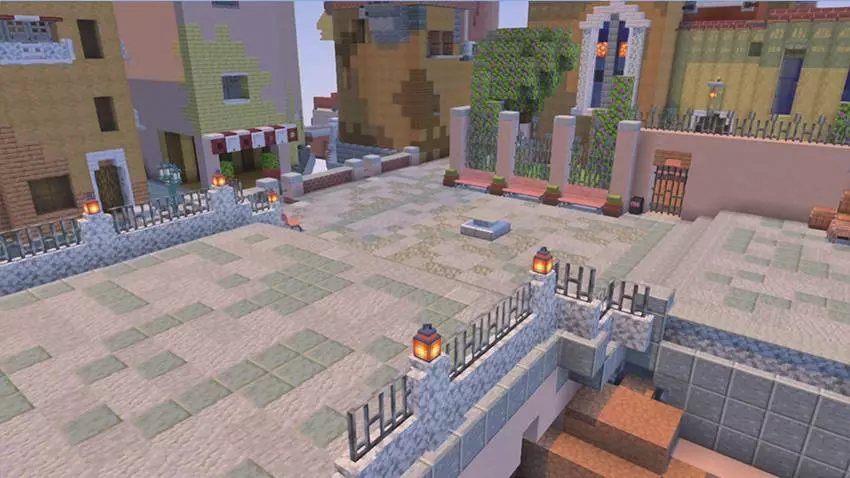


One of the coolest practical touches is that the map includes working gates and a lever setup, which makes it great for roleplay or custom rule games. If you’re hosting friends, you can set up simple challenges like “one team starts here, other team starts there,� then use the gates as your round start. Or keep it chill and do hide-and-seek runs where the goal is just learning the map and catching people slipping in weird corners.
If you want the best first impression, turn on Vibrant Visuals like the note suggests, then do a slow walk from A site to B site to get your bearings before you start sprinting around. Valocraft Ascent (Valorant Inspired Map) also mentions possible future upgrades if the map gets enough downloads, like extra detailing, more textures and assets, and even the idea of a fully playable Valorant-style game inside Minecraft, so this build is already a solid base for expansion while still being fun to explore right now.
How to install?
Android: you need to find the downloaded file on your phone, use any file manager for this and import the map into the game by opening it.
IOS: after receiving the map, the device itself will offer to install it.
Windows 10: go to the folder where the files are downloaded, find mcworld there and activate it.
Comments (0)