The Fantasy Kingdom Map
- 17-04-2026, 12:04
- 675
Adventure Maps / Creation Maps / Custom Terrain Maps / Survival Maps / CTM Maps
The Fantasy Kingdom is a large map with a fantasy world of the epic Kingdom for Minecraft Bedrock. The first thing I’d do in The Fantasy Kingdom is find a high spot and look back at the city. There are castle towers above the snowy rooftops, ships near the mountains, and enough streets below to keep you wandering long after you meant to log off.
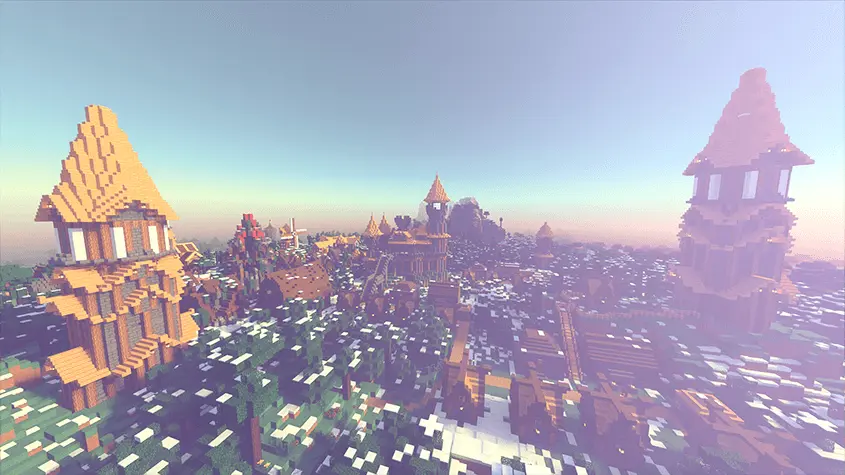
The castles are the obvious draw, and they deserve a proper look. Their tall spires stand out against the mountains, but I’d spend just as much time down in the streets. Follow the stone paths past the lanterns and see where they take you. Some of the best moments in a large Minecraft build happen when you stop looking for the biggest landmark and notice how everything around it fits together. A narrow street can be more memorable than a huge wall, especially when you turn a corner and catch another glimpse of the fortress above the rooftops. If you build medieval worlds yourself, pay attention to the shapes and materials along the way. You might spot a roof or a lighting idea that would work perfectly in your own village.
The snowy setting gives the kingdom a mood that changes as you move away from the buildings. One minute you’re following a warm line of lanterns through town; the next, you’re looking out toward forest and mountains. The ships add another reason to explore the coast rather than sticking to the castle. Pick a direction, walk until something catches your eye, and don’t worry about seeing the whole map in one go. I’d save a trip outside the city for later in the session, once I’d found a few landmarks I could recognize on the way back. And if you’re still exploring after dark, look up. The aurora over the snowy landscape is the kind of view that deserves a screenshot before you keep moving.
This is also a great world to load up with friends who can never agree on what to do in Minecraft. Let one person tour the fortresses while another heads toward the ships. Meet back in town afterward and show each other your favorite discoveries. If your group likes roleplay, the kingdom gives you a setting for stories you make up yourselves: a traveler arriving from the coast, a guard returning to the castle, or a merchant looking for somewhere to set up shop. You could add your own workshop or decorate a house to give your character a place in the world. The download is a ZIP, so check what’s inside after downloading. Open the .mcworld file with Minecraft to import the map, then find The Fantasy Kingdom in your world list. Once you’re in, take the first path that looks interesting. The castle will still be there when you get back.
How to install?
Android: you need to find the downloaded file on your phone, use any file manager for this and import the map into the game by opening it.
IOS: after receiving the map, the device itself will offer to install it.
Windows 10: go to the folder where the files are downloaded, find mcworld there and activate it.
Comments (0)