The Galactic Parkour Map
- 26-04-2026, 04:16
- 422
Adventure Maps / Custom Terrain Maps / Parkour Maps
The Galactic Parkour - parkour with a difficult task, jumping in a cosmic style Minecraft map.
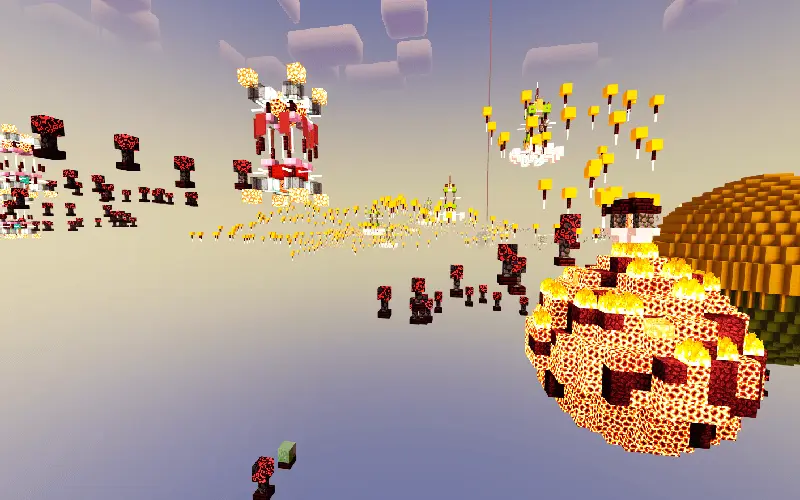
The next platform is right there, the stars look incredible, and you’re already halfway through a sprint when you realize you jumped too early. The Galactic Parkour sends you across a space-themed Minecraft course where your biggest enemy is that tiny moment of panic before a landing.
This Minecraft Bedrock map takes parkour into a world of floating planets and alien scenery. There are glowing nebulas, distant galaxies, and comets to look at while you make your way through the course. It’s the kind of setting that makes you want to stop for a screenshot, even when you know you should probably be paying attention to your next jump. The route takes you from one cosmic location toward another, so making progress feels like traveling through space instead of running laps around a familiar obstacle course.
There are no mobs to fight here, which means you can leave the sword-swinging reflexes behind. Your job is to read the jumps, control your movement, and keep going when a landing doesn’t work out. The map has checkpoints along the way, giving you a chance to recover your focus before taking on the next stretch. If a jump keeps beating you, try paying attention to where you take off and where you land. Did you clip the edge? Did you sprint too soon? A small adjustment can make a huge difference. And when you finally get past a section that had you stuck, you’ll probably want to stand still for a second and enjoy it before moving on.
Playing alone gives you room to settle into your own rhythm. You can take your time, admire the scenery, and work through the course without someone yelling that they’ve already reached the next checkpoint. Bring friends along, though, and you have the makings of a great race. Pick a starting point, agree on the finish, and see who can hold it together when the pressure kicks in. The player who nails every jump during practice might suddenly miss an easy one with everyone watching. The quiet friend who barely said a word? They might be waiting at the end while the rest of you are still arguing about whose turn it is to try again.
There are several versions of The Galactic Parkour, so check the file you download and its supported Minecraft version before importing it. The newer 1.4 release adds a control station at the spaceship spawn hub where you can switch between day and night and control the daylight cycle. Daylight can help you see the course clearly, while nighttime gives the space setting a darker look. Features may differ if you download an older release. Once you have a compatible .mcworld file, open it to import the map into Minecraft Bedrock and find it in your world list. Then take a breath, line up your first jump, and try not to get too distracted by the view.
How to install?
Android: you need to find the downloaded file on your phone, use any file manager for this and import the map into the game by opening it.
IOS: after receiving the map, the device itself will offer to install it.
Windows 10: go to the folder where the files are downloaded, find mcworld there and activate it.
Comments (0)