Villager Observatory Map
- 24-07-2026, 12:46
- 261
Adventure Maps / Creation Maps / Survival Maps

The Villager Observatory map drops you into a massive, fully decorated tower situated right in a chill plains biome. It is the absolute perfect starting hub if you want to skip the early building grind and instantly dive into trading.
Let’s face it, setting up a solid trading hall from scratch takes way too long. This Minecraft Bedrock map fixes that by handing you a massive, multi-level observatory already populated with active Cartographers and Librarians. You can start cycling through top-tier enchantments and map trades the second you spawn in. The creator didn't just build an empty shell, either. The interior is heavily detailed, and as you climb through the different floors, you will actually find hidden chests packed with valuable early-game loot and survival supplies.

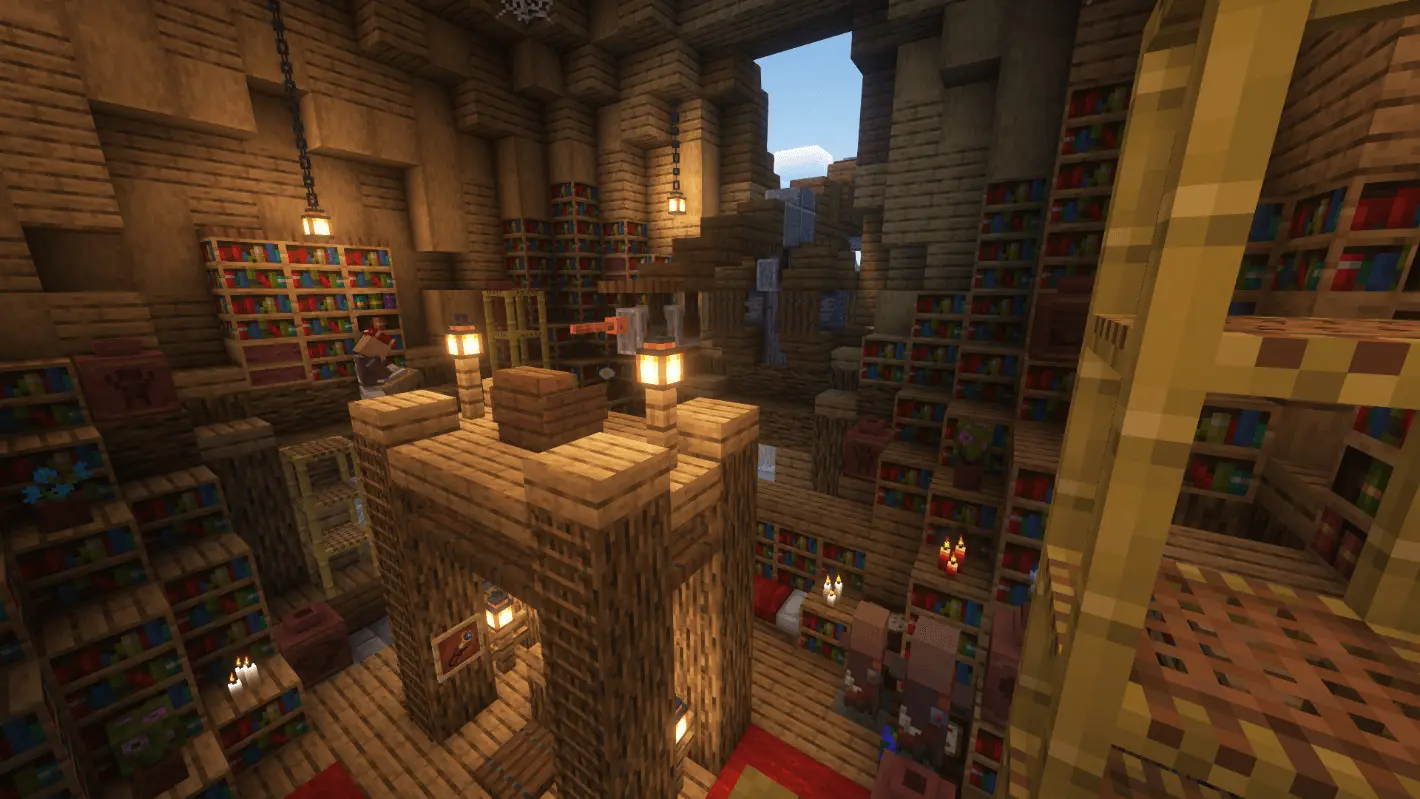
But this isn't just a hollow creative showcase designed for a few quick screenshots. The interior layout is actually built with sweaty survival mechanics in mind. You can easily repurpose the massive central floors into a hyper-efficient villager trading hall, locking down your mending librarians right under the massive telescope lenses. There is a ridiculous amount of room to stash your chests, set up auto-smelters, and build out your enchanting zones without ruining the exterior drip. Running this on a multiplayer SMP totally changes the vibe of your server. Instead of everyone building isolated shoeboxes thousands of chunks away, this structure acts as the perfect centralized hub where your whole faction can kick back, trade gear, and flex their loot.
You would normally expect a massive custom build like this to instantly nuke your server’s tick rate, but the optimization here is seriously clutched up. The creator stuck strictly to smart vanilla block placements instead of flooding the area with laggy custom entities or broken scripts. Whether your squad is loading in on massive PC rigs, a modern console, or just tapping away on a mobile screen, the framerates stay perfectly smooth. You get all the jaw-dropping scale of a mega-build without dealing with those nasty chunk-loading stutters that usually ruin heavy world saves.
Since it is built purely out of standard vanilla blocks without any bloated custom scripts running in the background, this MCPE survival map runs incredibly smoothly. You get a highly detailed mega-structure without sacrificing your frame rate or dealing with annoying chunk-loading lag, making it perfect for both solo runs and busy multiplayer realms.
If you want a gorgeous premade base with a built-in economy right out of the gate, download this custom Minecraft map. Secure the perimeter, crack open those hidden chests, and start leveling up your new villagers.
How to install?
Android: you need to find the downloaded file on your phone, use any file manager for this and import the map into the game by opening it.
IOS: after receiving the map, the device itself will offer to install it.
Windows 10: go to the folder where the files are downloaded, find mcworld there and activate it.
Comments (0)