Sky island without island+ Map
- 25-01-2025, 08:36
- 1 623
Adventure Maps / Creation Maps / Survival Maps

Sky island without island+ Map is a very interesting parkour map for passing in the sky block style in Minecraft. You’ve got one small island, a whole lot of empty sky, and no neighboring land to bail you out. Sky Island Without Island+ turns that lonely patch of ground into the starting point for a Minecraft survival challenge where every block counts.
Despite the name, you do start with an island—it’s the other islands that are missing. There’s no chain of floating biomes waiting for you to bridge across and loot. Your job is to take the little space you have and turn it into somewhere you can actually live. That changes the way you look at almost everything. A misplaced block isn’t just an eyesore when you’re building over the void, and a resource you use carelessly might be difficult to replace. Take a moment to look around, figure out what you have to work with, and plan your first moves before tearing into the island.
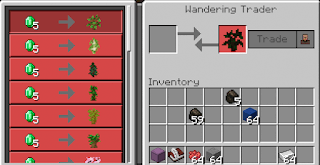
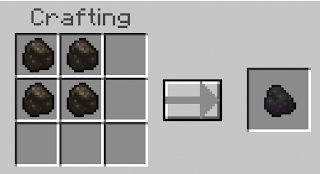
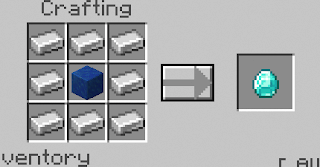
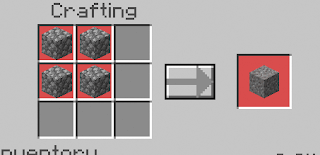
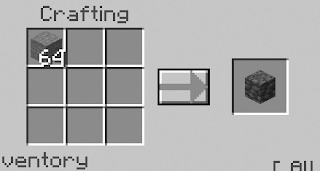
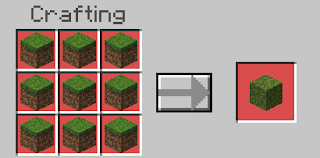
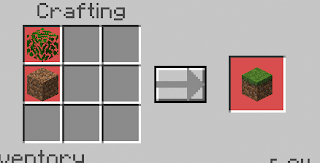
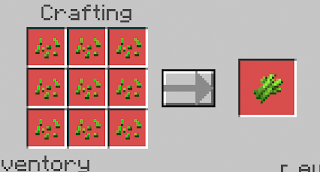
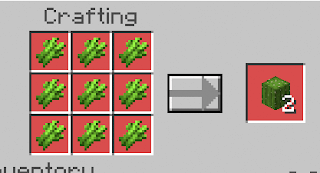
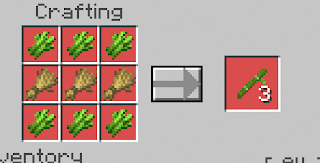
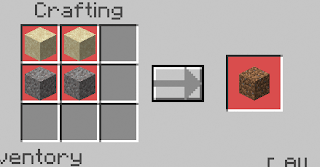
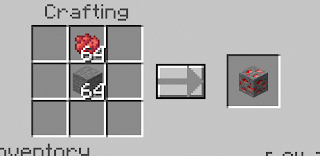
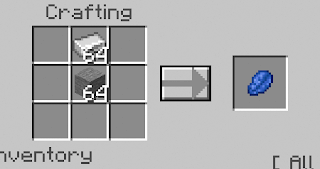
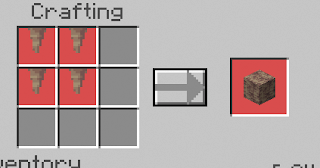
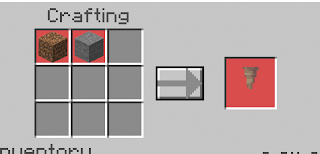
The map gives you custom crafting recipes that help make resources obtainable in a world where you can’t simply wander off and find another biome. That’s a big part of what makes this SkyBlock challenge tick. Check the recipes available to you and think about how each new item might help your next project. You may be able to turn materials you already have into something you’d normally struggle to obtain in a limited sky survival world. The recipes don’t mean you can stop paying attention to supplies, though. You’ll still have to decide what to craft now, what to save, and what might be more valuable later when your island has room to grow.
Building space is its own challenge. At the start, there’s only so much room for crafting, farming, storage, and whatever else you want to add. Expanding the island gives you more options, but it also means working near an edge where one careless step can ruin your day. Crouch when placing blocks over open space, think about where you want paths to go, and leave yourself room to move between work areas. Your first expansion doesn’t need to look impressive; a practical platform with enough space to work is a solid start. Once survival feels less frantic, you can replace the rough edges with a proper base, separate areas for projects, and a layout that makes sense for how you play.
Food and farming become much more interesting when you can’t run across a field whenever your supplies get low. As you gain access to suitable materials, think about setting aside space for a farm instead of filling every available block with buildings. A small growing area can be easier to manage than a sprawling project that eats up all your room and resources. The same goes for storage: keeping your materials organized helps you see what you can afford to use and what deserves a little more care. Progress may come one modest project at a time, but watching those projects connect is satisfying. A platform becomes a workspace, the workspace grows into a base, and eventually that tiny island starts to feel like a place you built from the ground up.
Sky Island Without Island+ also supports playing with friends, which means you can share the workload—or discover exactly who keeps walking too close to the edge. One player might focus on expanding the platform while another experiments with the custom recipes and a third plans a farming area. Agree on what to do with shared resources before someone spends them all on a giant decorative tower. If you prefer solo Minecraft Bedrock survival, the same setup gives you plenty of freedom to build at your own pace. Set yourself a goal, make a plan, and see how far you can take one small island when there’s nowhere else to go.
How to install?
Android: you need to find the downloaded file on your phone, use any file manager for this and import the map into the game by opening it.
IOS: after receiving the map, the device itself will offer to install it.
Windows 10: go to the folder where the files are downloaded, find mcworld there and activate it.
Comments (0)