One Block Map
- 8-05-2025, 23:02
- 3 911
Adventure Maps / Survival Maps
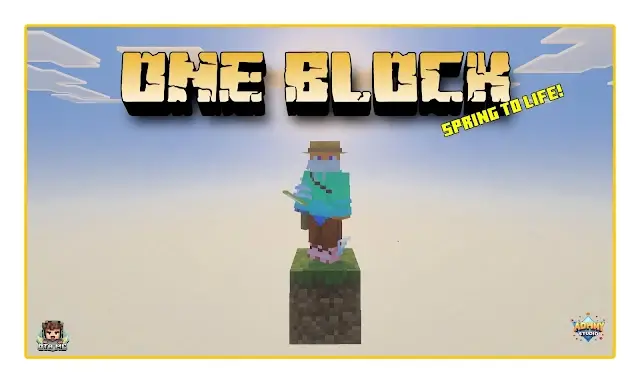
One Block (Spring to Life!) Minecraft map with survival on one block, it's really hard but very fun. One Block is a Minecraft Bedrock survival map built around a simple challenge: gather what you can from a regenerating block and use those resources to expand your island. Every bit of space you add makes the next task a little less nerve-racking. Your first priority might be a platform large enough to move around without accidentally stepping into the void. After that, you can start thinking about tools, storage, food, and a place that actually feels like home. Progress comes from working with what the block gives you, so the early game is full of small decisions. Do you use those materials to make more room, or save them for something you’ll need later?


One Block: Build Your Survival World One Break at a Time
Your first piece of land is barely big enough to stand on, and there’s a lot of empty sky below. Take a breath, break the block, and start building your way out.
Keep mining and the challenge moves through themed stages, bringing different environments into your sky survival run. The map includes areas inspired by plains, underground caves, snowy terrain, deserts, jungles, and oceans, along with themes such as the Nether, an ancient city, and a stronghold. You’ll encounter different blocks and mobs as you progress, so your tiny starter platform will need to grow alongside the challenges. A spot that felt roomy enough while you were collecting basic materials may feel a lot less comfortable when there’s a hostile mob standing next to you. Build with a little breathing room in mind, and keep your best supplies somewhere safer than the edge.
The map also brings some colorful plant life into the mix, including wildflowers, leaf litter, and cactus flowers. Once you’ve got the basics covered, those details can help turn a plain platform into a place you actually enjoy returning to. Make a garden beside your base, give your crops their own area, or plant trees where they won’t get in the way of your main work space. There’s something satisfying about looking back at a developed island and remembering how little you started with. You can focus on surviving each stage, but you can also take your time and make the island your own between mining sessions.
Before jumping into the challenge, take a look around the starting island: there’s a parkour course to try if you want a break from gathering resources. The map can be played solo or with friends, so you can divide up jobs and build an island together—or find out which teammate is responsible for the missing materials. To get started, open the downloaded world file in Minecraft and select the imported map from your worlds list. Then pick a direction, place your first few blocks carefully, and give yourself room to work. That little patch of ground has a long way to grow.
How to install?
Android: you need to find the downloaded file on your phone, use any file manager for this and import the map into the game by opening it.
IOS: after receiving the map, the device itself will offer to install it.
Windows 10: go to the folder where the files are downloaded, find mcworld there and activate it.
Comments (1)