Straight Line Skyblock Map
- 2-08-2025, 12:07
- 1 467
Adventure Maps / Survival Maps
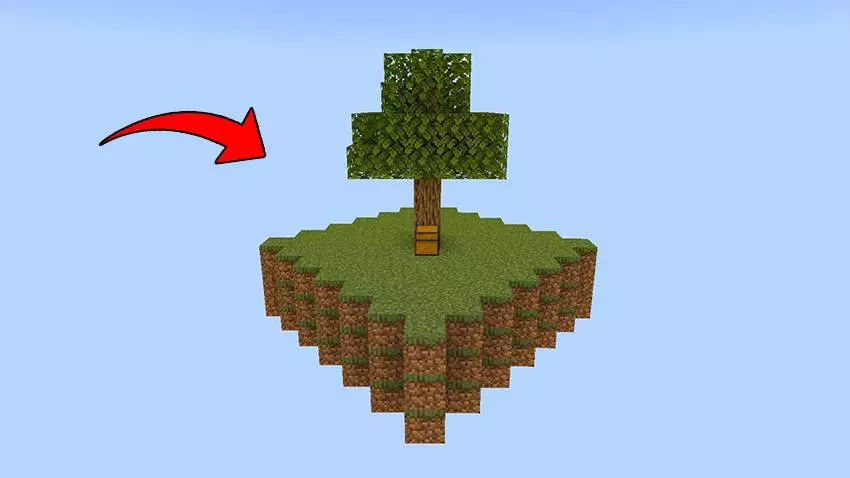
Straight Line Skyblock Map: Survival Just Got Real
Alright, so here's the deal: Straight Line Skyblock is gonna make you rethink everything you thought you knew about Skyblock. No more running around exploring every direction—you’re stuck on a straight line, and I mean, literally. You can’t step left or right; invisible barriers keep you on the z-axis, and that’s it. If you want to survive, you’ll have to figure it out on this one narrow path.
It’s not as easy as it sounds. You’ve still gotta gather resources, build up your island, and somehow defeat the Ender Dragon—all while confined to a single line. The challenge here isn’t just the usual Skyblock grind, it’s making sure every decision counts because your space is insanely limited. Every move, every block you place—it's all part of the plan to survive. Can you do it? Think you’ve got the skill to take this on? If you're down for a real survival challenge, Straight Line Skyblock is where it’s at. It’s Skyblock, but way harder and way more intense.


There’s an entire Skyblock adventure ahead of you, but there’s just one direction to go. Straight Line Skyblock locks your Minecraft Bedrock journey onto a narrow path, all the way from your first tree to the Ender Dragon.
You start on a small floating island with a tree, dirt, and a few basic supplies. Take a moment to look through what you have before using it: space and resources are limited, and a careless early decision can make the rest of the run much tougher. Gather wood, think about your tools, and get ready to leave the starting island. The challenge is waiting farther along the line.
Invisible barriers stop you from moving left or right, so there’s no circling around trouble or wandering off to find an easier route. You can move forward and back along the path, but your options become a lot tighter whenever an enemy is in front of you. Even familiar survival tasks need a little more thought when you have so little room to position yourself. One block can make the difference between keeping your progress and watching your supplies disappear into the void.
As you advance, you’ll reach dungeon islands with mobs and loot. Skeletons can pressure you with arrows, while groups of zombies test how well you can hold your ground. Later, you’ll run into Endermen, whose pearls are important for reaching the End. The Blaze dungeon is another major stop: surviving its fiery occupants gives you access to Blaze Rods, which you’ll need when it’s time to craft Eyes of Ender.
Every encounter is more interesting because your usual escape routes are gone. A skeleton at the far end of a narrow path is a different problem when you can’t simply strafe behind cover. Take your time, keep track of your health, and think about how you’ll deal with the next fight before running into it. The loot you collect along the way can help you prepare, but you’ll still need to make smart use of whatever fits in your inventory.
Your destination is a stronghold containing an End Portal. Gather the materials for Eyes of Ender, activate the portal, and get ready for the final showdown. Destroying the End Crystals and taking down the dragon is already a challenge in a normal world; doing it after surviving this restrictive route makes the victory feel earned. Open the downloaded world file in Minecraft, select the imported map, and see whether you can make it from that first floating island to the end of the line.
How to install?
Android: you need to find the downloaded file on your phone, use any file manager for this and import the map into the game by opening it.
IOS: after receiving the map, the device itself will offer to install it.
Windows 10: go to the folder where the files are downloaded, find mcworld there and activate it.
Comments (0)