Survival Modern House #44 Map
- 12-02-2026, 12:05
- 580
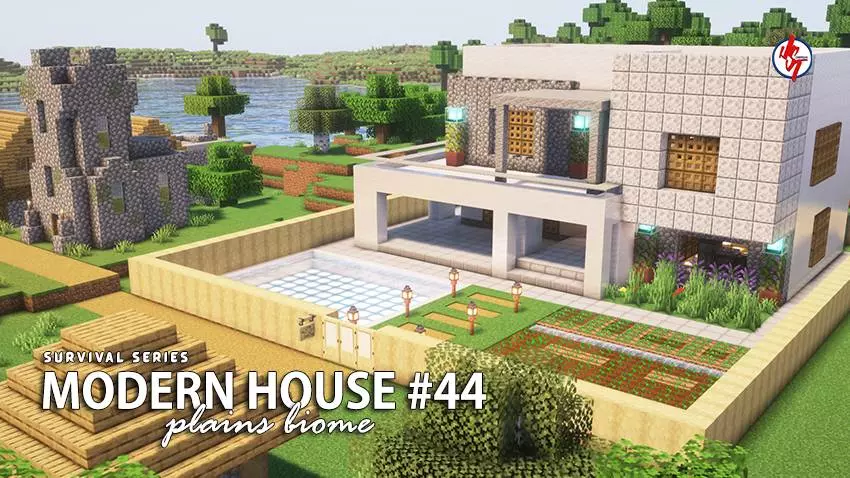
Survival Modern House Map is part of a Survival Series where each house is meant to be fully playable in survival mode and designed to match the biome around it. This one is the 44th house in the series, built as a Modern House theme in a Plains Survival biome, so you get that clean, modern base feel without dropping it into a biome where it looks out of place. Plains is also a super practical location for survival because you’ve got space to expand, easy visibility, and plenty of room to plan your layout.
The house is described as cozy and survival-ready, with both the interior and exterior already fully built. That’s perfect if you want to skip the boring early phase of living in a temporary box and jump straight into real progression. It’s also packed with plenty of useful items inside, which gives you a smoother start and helps you focus on exploration, mining, and building upgrades instead of scrambling for basics immediately after spawn.

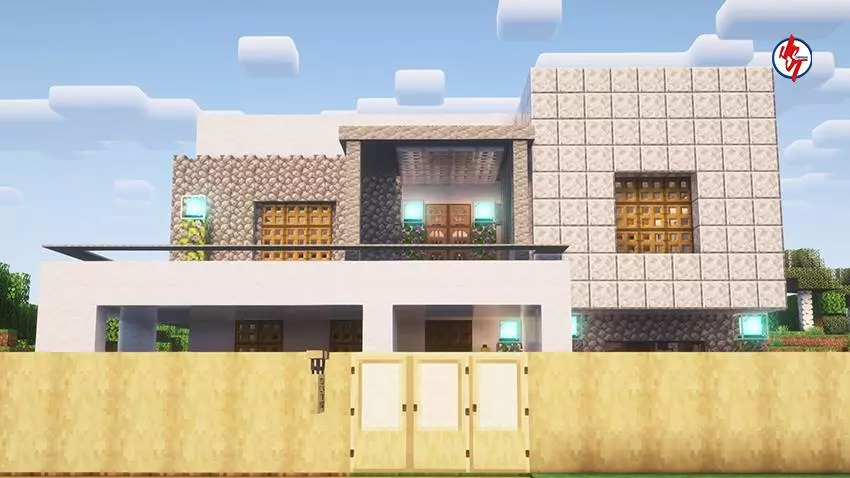


A big plus is that it’s built near an existing village, which adds life and atmosphere to the area. Even if you’re playing solo, being close to a village makes the world feel less empty and gives you a nearby point of interest to work around as you expand your home zone. The spawn point is already set inside the house too, which is a small detail that makes a huge difference—your home base stays consistent and convenient even if you go on long trips or have a rough survival moment.
The map suggests using your favorite texture or shader pack to enjoy it even more, which makes sense for modern builds where clean materials and lighting can really change the vibe. Practical tip: keep your upgrades modern and organized—build straight paths, clean storage rooms, and a tidy farm zone so the area stays stylish instead of turning into a messy survival yard. Survival Modern House Map is a solid pick for Minecraft Bedrock players who want a polished modern starter home in the plains with village atmosphere and a smooth, ready-to-play setup.
How to install?
Android: you need to find the downloaded file on your phone, use any file manager for this and import the map into the game by opening it.
IOS: after receiving the map, the device itself will offer to install it.
Windows 10: go to the folder where the files are downloaded, find mcworld there and activate it.
Comments (0)