Nether Biome Survival Map
- 1-05-2025, 10:32
- 1 884
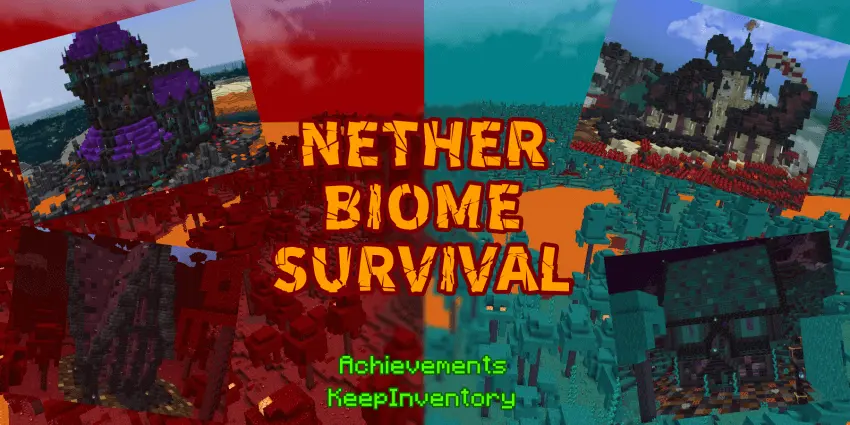
Nether Biome Survival - KeepInventory & Achievements Enabled - will add many different maps to survive in the nether world. Your new survival world isn’t waiting beneath a blue sky. Nether Biome Survival puts you among the colors and dangers of the Nether, where finding a safe place to call home is your first big project.
The map offers separate worlds built around Nether biomes, letting you choose the setting for your adventure. The Crimson Forest surrounds you with deep reds and huge fungi, while the Warped Forest brings an eerie blue-green landscape. If you want a harsher-looking place to settle, the Soul Sand Valley and Nether Wastes offer their own atmosphere. Each choice gives your Minecraft Bedrock survival run a different backdrop, whether you’re building a fortress or trying to make a small shelter feel like home.


A starter kit helps you begin, but you’ll still need to think carefully about where you go and what you use. Take a good look around before wandering too far, and make a plan for getting back to your starting point. A trail of blocks or a recognizable landmark can save you a frustrating search later, especially when the terrain starts to look unfamiliar. Once you’ve found a spot you like, build a secure shelter and give yourself somewhere to organize your supplies. It doesn’t have to be fancy on day one; a safe place to regroup is worth plenty when trouble finds you.
The Crimson and Warped Forests are great places to shape a base around the scenery. A walkway winding between giant fungi could lead to a hidden entrance, or you could build a lookout where you can take in the colors from above. In the Soul Sand Valley, a darker fortress might feel right at home. Choose materials that suit the landscape and gradually expand as you gather resources. A small outpost can become a network of paths, storage rooms, and defenses once you’re comfortable exploring farther from home.
These worlds are described as having Keep Inventory enabled while still allowing achievements. That makes it easier to recover after a disastrous encounter, though the trip back to whatever you were doing can still be an adventure of its own. The selection also includes Hardcore options for players looking for a higher-stakes challenge. Check the world you choose and decide what kind of survival run you’re in the mood for before heading out.
Bring friends along if you want to turn the experience into a group project. One player can work on shelter while another scouts the surrounding terrain, and together you can build routes between the places you visit most. A shared base in a warped forest or a fortress overlooking a hostile landscape gives everyone something to contribute. Nether Biome Survival is a chance to spend more than a quick supply run in these striking surroundings: pick a setting, make a plan, and see what kind of home you can build there.
How to install?
Android: you need to find the downloaded file on your phone, use any file manager for this and import the map into the game by opening it.
IOS: after receiving the map, the device itself will offer to install it.
Windows 10: go to the folder where the files are downloaded, find mcworld there and activate it.
Comments (0)