Survival House #10 Map
- 9-05-2025, 09:29
- 1 242
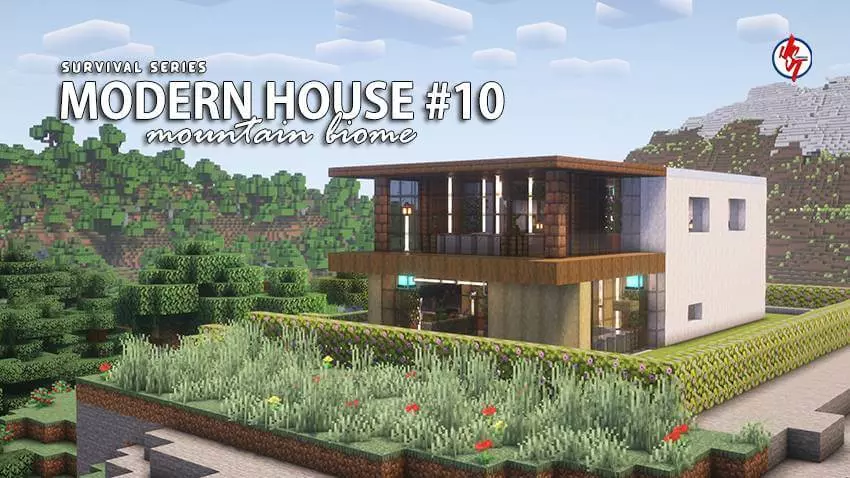
Survival House #10 - a new project with a map where a beautiful and modern house has been built for your survival start. Morning light hits the mountains, and your new Minecraft house is already waiting for you. Survival House #10 starts your adventure inside a finished modern home, with a village nearby and plenty of world left to explore.
The house is set in a mountain biome, giving it a setting that’s worth stepping outside to see. Its modern design feels right at home against the rugged landscape, and the interior is already finished when you arrive. There are useful items inside, too, so take a look around before deciding what to bring on your first trip. Your spawn point is set in the house, making it easy to get your bearings and plan what comes next.


Spend a little time exploring the rooms before heading out. Look at how the interior is arranged, find a spot for your own belongings, and think about what you’d change. Maybe you want a larger storage area, a dedicated enchanting space, or a room with a different view. The house is ready to use, but it’s still your survival base once you move in. Knock out a wall, add another floor, or keep the original design and build something new nearby.
The mountain setting is a great excuse to make the surrounding terrain part of your plans. You could carve a trail up a slope, build a lookout above the house, or make a safer route for getting home after dark. If you enjoy mining, those heights and rocky surroundings give you a fitting place to start looking for your next underground adventure. Bring back the materials you gather and use them to improve the base, or save them for a separate project farther from home.
A village sits nearby, so you won’t have to spend your entire first session looking for other signs of life. Visit the villagers, see what they have to trade, and decide whether you want to connect the settlement to your house with a proper path. It could become a regular stop on your trips, especially once you’ve started gathering supplies and planning bigger builds. Bring a friend along and you can divide your time between exploring the mountains and working on the area around your new home.
Achievements are enabled, which means you can keep working toward your usual survival goals while using the finished house as your base. Import the world into Minecraft Bedrock, load it up, and take your first look around. Whether you spend the day collecting resources or redesigning a room, you’ll have a comfortable place to return to when the sun goes down.
How to install?
Android: you need to find the downloaded file on your phone, use any file manager for this and import the map into the game by opening it.
IOS: after receiving the map, the device itself will offer to install it.
Windows 10: go to the folder where the files are downloaded, find mcworld there and activate it.
Comments (0)