Half Vision Parkour Map
- 25-04-2026, 11:18
- 397
Half Vision Parkour - a map where you will find very good parkour, a really cool project. You line up a jump, take off, and suddenly wish you could see a little more of where you’re going. Half Vision Parkour makes a familiar Minecraft challenge feel awkward in the best way: your view is restricted, the void is waiting below, and every landing demands your full attention.
The idea is straightforward. You move through a parkour course while dealing with limited vision, and the challenge gets tougher as you progress. That restriction changes how you approach even a jump that might look manageable under normal circumstances. You can’t rely quite as comfortably on a quick glance and a burst of sprinting. Instead, you have to make use of what you can see, judge your movement carefully, and commit. There’s a particular kind of frustration in knowing what you want your character to do while struggling to get the angle right. It’s also what makes a successful landing feel so good.
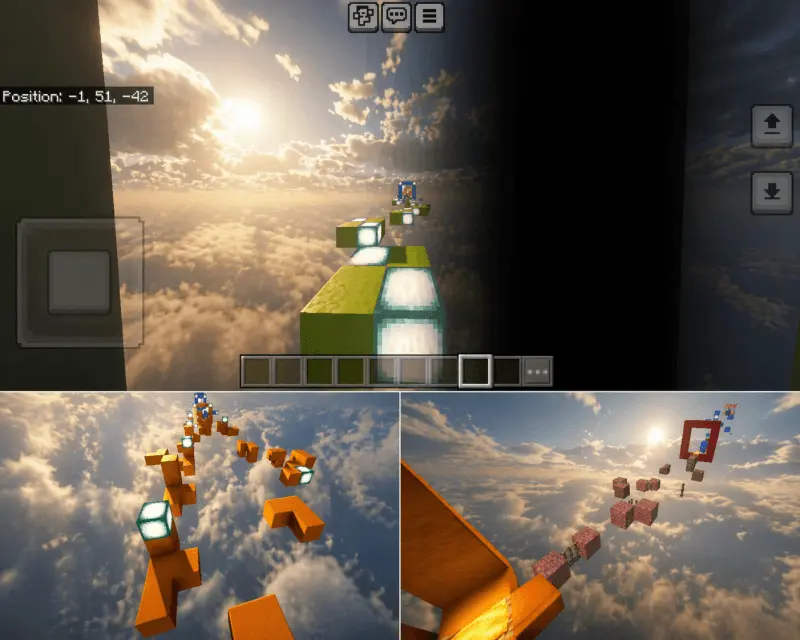
If you tend to charge through parkour maps, this one might convince you to slow down. Take a second before each attempt and pay attention to your position. Are you moving toward the center of the next block, or drifting toward the edge? Did you start your sprint with enough room? When you fall, think about what happened instead of immediately repeating the same jump at full speed. Of course, that advice is easier to follow when you haven’t missed the same landing five times in a row. At some point you might find yourself leaning toward the screen as if that’s going to reveal more of the course. It won’t, but I’d probably try it too.
The checkpoint system takes some of the sting out of a bad fall. You can make progress through the course and retry from a checkpoint rather than treating every mistake like the end of your session. That matters because the difficulty builds as you go, and learning a tricky section can take a few attempts. Once you understand a jump, try to remember the movement that worked; getting consistent is a different challenge from making it once. If you enjoy competing with friends, you could take turns on the map and compare how far each of you gets or how many attempts a section takes. Watching someone else play can be entertaining, especially when they sound completely confident right before dropping into the void.
Half Vision Parkour is a minigame for Minecraft Bedrock, and the available download is a .mcworld file. Open the file on your device to import it, then select the world from your Minecraft world list. The map is listed for Bedrock versions 1.20.50 and 1.21, so check the download details if you’re using a different version. Once you’re in, give yourself a little time to get used to the restricted view before deciding how fast you can go. The first few falls might be rough, but that’s part of learning how the course feels. And when a jump finally clicks, you’ll know it was your timing that got you across.
How to install?
Android: you need to find the downloaded file on your phone, use any file manager for this and import the map into the game by opening it.
IOS: after receiving the map, the device itself will offer to install it.
Windows 10: go to the folder where the files are downloaded, find mcworld there and activate it.
Comments (0)