Survival Aquadome House #65 Map
- 31-08-2025, 12:44
- 1 310
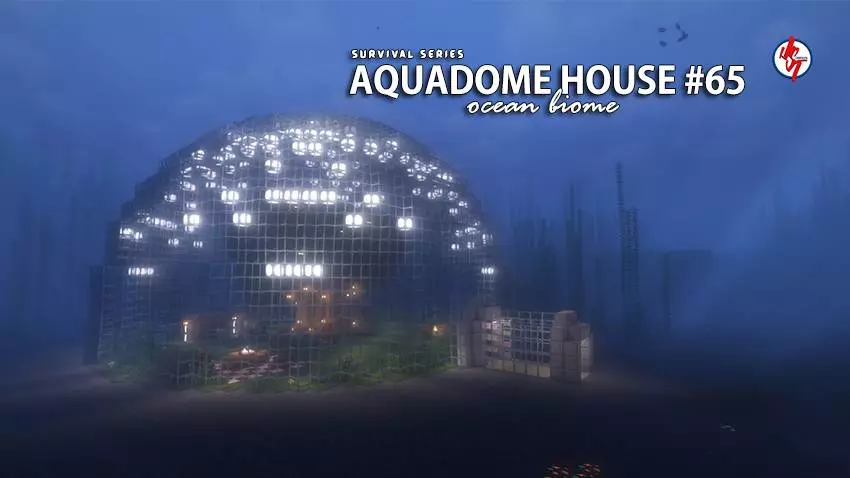
Survival Aquadome House #65 (Map) — an underwater home that actually works in Minecraft Bedrock
If you’ve ever tried living underwater in Bedrock and gave up after the fifth drowned with a trident, this is the base that makes it worth it. Survival Aquadome House #65 drops you into a clean glass habitat under the waves—fully playable in survival, no gimmicks, no creative-only nonsense. You get that “aquarium� view in every direction while staying safe, organized, and surprisingly efficient for early- and mid-game progression.
The dome isn’t just a pretty bubble. It’s laid out like a real home: a central hub for crafting and storage, tucked farming plots that actually grow, and smart paths that keep you moving without getting lost. Bubble columns make vertical travel painless, so you can pop outside, snag kelp or fish, and zip back in before the drowned even notice. Lighting is done right, too—the whole place glows at night, which keeps spawns out and turns the ocean around you into a calm, neon-blue panorama. I ran a full survival session here and never felt boxed in; it’s cozy without being cramped, and there’s room to expand wings for enchanting, brewing, or a tidy villager nook if you want to get fancy.
What sells the Survival Aquadome House #65 map is how naturally it fits the Bedrock loop. You start safe, stock up, and then push risk when you choose—hunting shipwrecks, raiding ocean ruins, running quick surface trips for wood and sand, or punching a short tunnel to place your first Nether portal. And because this release is part of a growing collection of themed survival houses, it ties into a bigger idea: bases that respect the biome they live in. Today it’s the aquadome; next upload might be a desert compound or a taiga lodge, and you can swap saves to match your mood.
If you want an underwater base that looks like a showcase build but plays like a practical starter-to-midgame home in Minecraft Bedrock, Survival Aquadome House #65 nails the balance. Drop in, watch the fish drift past your walls, and build a life where phantoms can’t touch you and the ocean is your front yard.


I know it sounds boring, but having somewhere familiar makes it easier to notice what's actually different. If I'm testing visual content, I can compare the same blocks and structures without getting distracted by an unfamiliar location. If I'm exploring another kind of addon, I can concentrate on figuring things out instead of looking for somewhere to stand. I've even started decorating the area a little. There's a bench beside a tree now, although my brother insists that putting a bench in a testing field makes absolutely no sense.
I don't understand why Minecraft makes me so protective of certain blocks. I've got stacks of valuable materials sitting in chests, but the moment somebody starts breaking the old wooden fence outside my starter house, I suddenly care deeply about preserving history. We were checking out some Bedrock content near my base when a friend suggested clearing a few structures to make more room. I told him he could remove almost anything except the little fence beside the garden. Naturally, he asked why. I didn't have a particularly good explanation beyond remembering building it during my first few nights in the world. He laughed, left the fence alone, and started working somewhere else. That's one reason I like experimenting in different locations instead of changing everything around my main house. Some things aren't valuable because of what they're made from. They're valuable because you remember being there when you built them.
How to install?
Android: you need to find the downloaded file on your phone, use any file manager for this and import the map into the game by opening it.
IOS: after receiving the map, the device itself will offer to install it.
Windows 10: go to the folder where the files are downloaded, find mcworld there and activate it.
Comments (0)