Jurassic World DLC Addon
- Today, 03:59
- 19 144
Mods / Addons / Mods 1.26 / Mods 1.21 / Mods 1.20
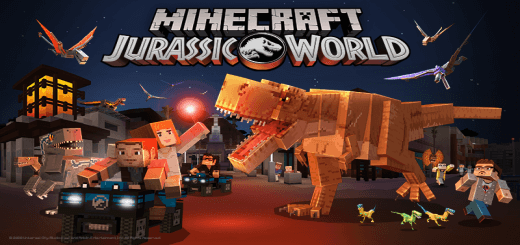
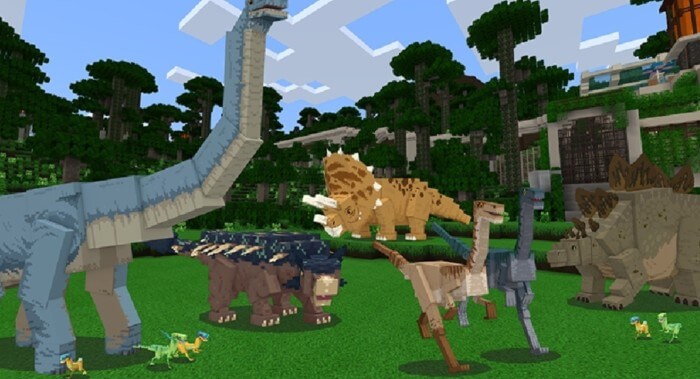
Jurassic World DLC Addon with dinosaurs, NPCs, cars and a wonderful Jurassic park. The park looks calm from the road—until a dinosaur comes into view. Jurassic World DLC brings prehistoric creatures, NPCs, cars, and a Jurassic-themed park into Minecraft, giving your next adventure a setting that feels very different from an ordinary village visit.
The dinosaurs are the obvious stars, but the park setting gives them a place in a larger scene. Instead of meeting a creature in an otherwise familiar landscape, you can explore an environment built around the idea of people and dinosaurs sharing the same destination. Take your time looking around and see how the park comes together. You might find yourself choosing a favorite spot to watch the creatures, then returning with a friend to show them what you discovered. The combination is easy to appreciate whether you’re a longtime Jurassic World fan or just want a Minecraft outing with something bigger than the usual farm animals waiting at the end of it.
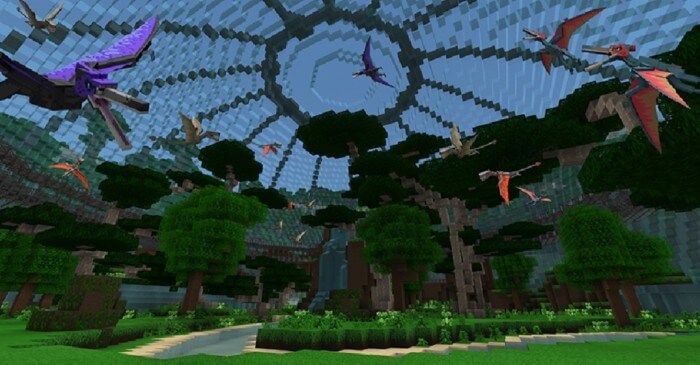
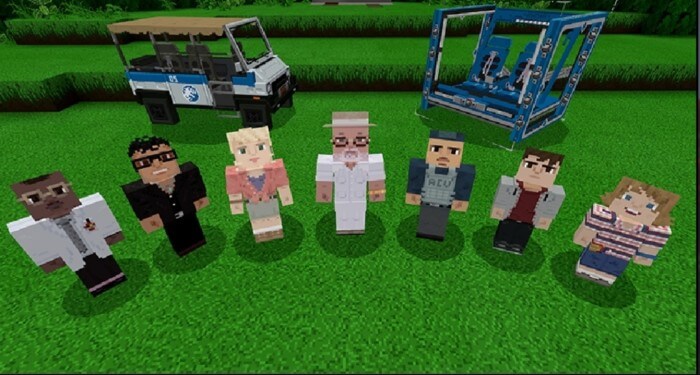
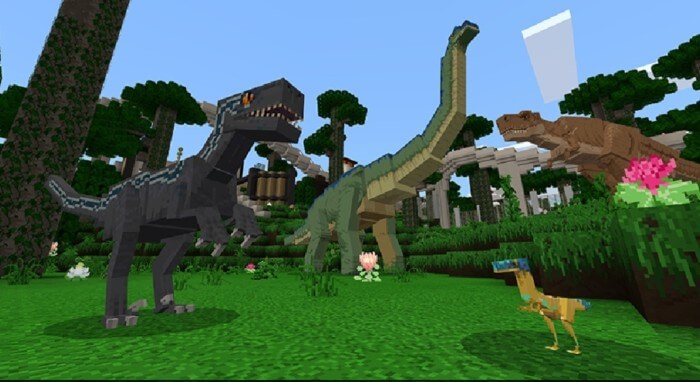
Cars and NPCs add to that theme. They help make the setting feel like a place people might actually visit or work in, rather than a collection of dinosaurs standing in an empty field. You can approach it like a tour, stopping to look around as you move through the park, or treat it as the backdrop for your own adventure with friends. Pick a meeting point, decide where your group wants to explore first, and let everyone choose what catches their attention. One player might be drawn to the dinosaurs, while another wants to check out the vehicles or get a better look at the park itself. The fun doesn’t have to come from a formal objective; sometimes seeing the setting together is enough.
For builders, the idea can also be a starting point for projects of their own. Imagine adding a visitor area, a place for vehicles, or paths that make a favorite section easier to reach. A viewing spot gives you somewhere to pause and take a screenshot, while a small entrance building can help frame the start of a tour. You could even design a rest area where your group gathers between outings, with enough room to compare discoveries and plan where to go next. Those are suggestions for your own construction, not extra features promised by the addon. If you’re playing with friends, one person can work on the surroundings while another shows the group around and points out the dinosaurs.
Jurassic World DLC is a good pick for players who want dinosaurs to be part of a broader Minecraft setting. The mix of creatures, cars, characters, and park scenery gives you several things to pay attention to, whether you’re wandering alone or making up a group adventure. Bring your curiosity, take a look at the park, and decide what kind of visit you want: a relaxed tour, a building session, or a role-play story with your friends. The dinosaurs may be the reason you arrive, but the world around them gives you somewhere to make the experience your own.
Installation:
- Download Mod;
- Open the downloaded file to install;
- Select it in the settings;
- Have fun!
Comments (6)