Kittys Instant Scoreboard Addon
- 2-04-2026, 01:27
- 1 785
Mods / Addons / Mods 1.26 / Mods 1.21

Kittys Instant Scoreboard Addon Scoreboard for various games like: Bedwars, SkyGens and others. Keeping track of everything happening in a Minecraft world gets harder as more players join. Someone wants to know how many people are online, another is comparing their PvP record, and the host is trying to remember which rank belongs to whom. Kitty’s Instant Scoreboard puts a selection of that information on a customizable scoreboard. You choose what matters for your world and adjust it through an in-game menu.
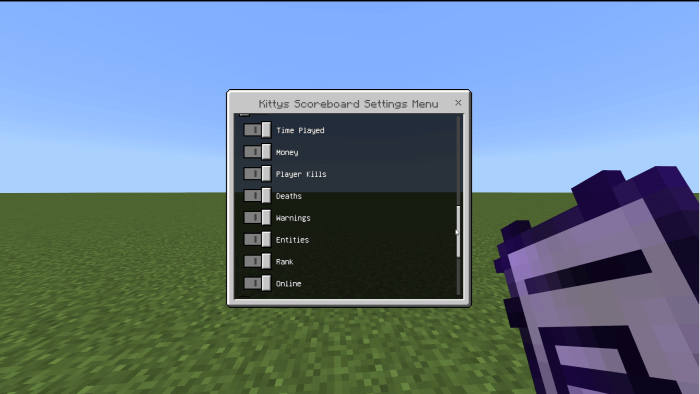
The scoreboard can show details such as player kills, deaths, kill streaks, total experience, money, and the number of players online. There are also options for tracking blocks placed, blocks broken, and items used. That gives you room to tailor the display to the way you play. A PvP world might benefit from kills, deaths, and a kill-to-death ratio, while a building-focused world could make more use of block statistics. You don’t have to put every available number on the screen; choose the ones your players will actually want to see.
For a competitive game with friends, a visible kill streak can add a little excitement without anyone having to keep count. Players can see how they’re doing as the match goes on and compare their results afterward. Deaths and the kill-to-death ratio offer another view of the action, whether your group is playing a short arena match or running a longer competition. If the game is more relaxed, you might prefer to show experience and online players instead, leaving the combat numbers out.
The add-on also supports ranks. You can create them through the menu and assign a rank tag to a player. To tag yourself, use the command /tag @s add followed by the rank name. For example, if you’ve created a rank called Builder, the command would be /tag @s add Builder. Take a moment to decide what the ranks mean for your world before assigning them. They can be a way to distinguish the host and helpers or simply give members names that fit the theme of your community.
There are settings for the scoreboard’s appearance and behavior, including colors, a welcome message, and how quickly the display updates. A welcome message can make a shared world feel a little more personal when friends join. You might use it to greet newcomers, remind players what kind of game is underway, or give the world a name that feels familiar to everyone who plays there. If you’d rather keep the screen simple, the welcome message can be turned off.
The add-on is suited to different kinds of multiplayer worlds, including Bedwars, SkyGens, factions, and ordinary survival. The same group might want different information for each activity. During a building session, block counts could be interesting to watch; when the group moves to a PvP arena, kills and deaths may be more useful. Adjusting the scoreboard lets you change the focus without asking players to follow a separate list of numbers somewhere else.
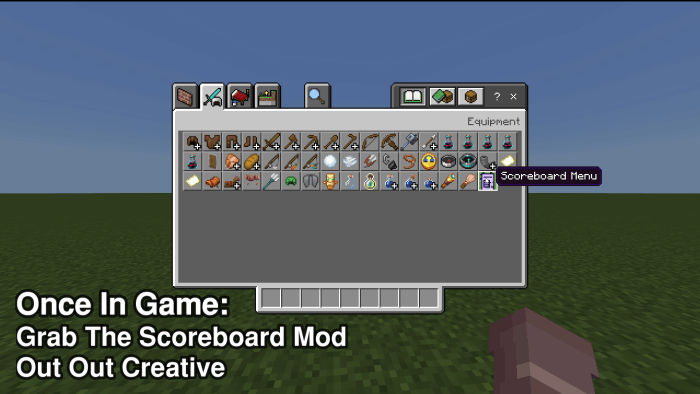
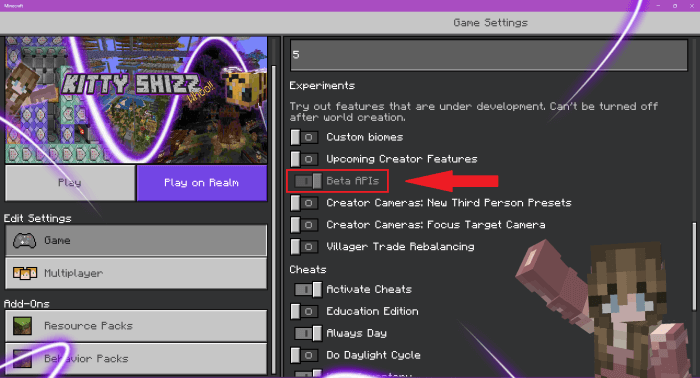
To get started, import the add-on, activate it in your world settings, and look for the scoreboard item in the Creative inventory. Use it to open the menu, explore the tracking options, and add any ranks you want to use. It’s a good idea to start with a few lines, join the world as a player, and see whether the information is easy to read. You can then return to the settings and make changes as your world and its community grow.
Installation:
- Download Mod;
- Open the downloaded file to install;
- Select it in the settings;
- Have fun!
Comments (0)