World Border Addon
- 6-04-2026, 06:32
- 9 257
Mods / Addons / Mods 1.26 / Mods 1.21

Dusty's World Border Addon Java function to set and manage borders in Minecraft Bedrock. A shared Minecraft world can become surprisingly quiet when everyone builds thousands of blocks apart. One person settles near spawn, another disappears into a distant jungle, and visiting a friend becomes an expedition. World Border lets you set a limit on how far players can travel, keeping activity within an area you choose. The addon provided here is Dusty’s World Border, which includes visible boundaries and settings for managing the playable space.
Choosing the size is worth doing before anyone begins a major build. A small area can make an interesting survival challenge, where people have to work with the resources nearby. A larger boundary leaves room for separate bases, farms and exploration while keeping everyone reasonably close. Think about what your group wants from the world, then look around the proposed area. Having a village, several biomes or a useful stretch of coastline inside the border might influence where you decide to settle.
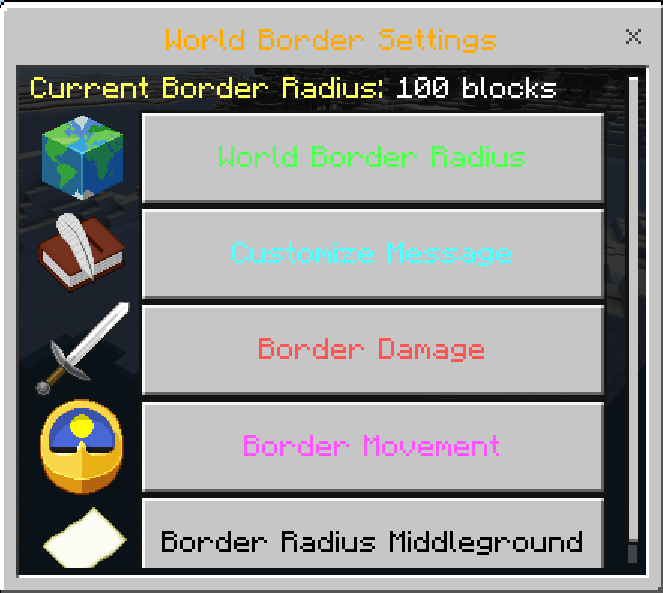
The boundary can be adjusted as your plans change. You could begin with a modest area around spawn, let everyone establish a home and expand the available land later. That gives the group something to look forward to when it’s time to explore again. Moving or shrinking a border is also possible, making it useful for organised games. If you’re planning a survival competition, for example, a gradually smaller playing area can bring the remaining players closer together as the match continues.
The available controls include knockback and optional damage, so you can choose an approach that fits your game. A relaxed building world may need only a clear limit, whereas a competitive arena might call for stricter consequences. Try the settings yourself before inviting everyone in, particularly around uneven terrain where a player could approach the edge from above or below.
Separate settings for the Overworld, Nether and End give you more flexibility. An area that feels generous around a group of houses may be too restrictive when you’re searching for something in another dimension. Plan each boundary with its purpose in mind, rather than assuming the same size will work everywhere. The menu provides a way to manage those choices without rebuilding a physical wall every time you want to make an adjustment.
Adventure maps can benefit from a border too. You might want players to stay within a valley, explore a particular island or remain near the buildings you’ve prepared for a story. A boundary helps keep the route focused while leaving you free to use the landscape as scenery. It also makes testing easier: you can check whether the playable area contains everything the adventure needs before handing the map to friends.
World Border gives you control over the space your Minecraft game takes place in. The most useful size depends on what you’re making, whether that’s a compact town, a long-running survival world or an arena for one evening. Start with a clear purpose, leave enough room for the activities you’ve planned and adjust the boundary as the world develops.
Installation:
- Download Mod;
- Open the downloaded file to install;
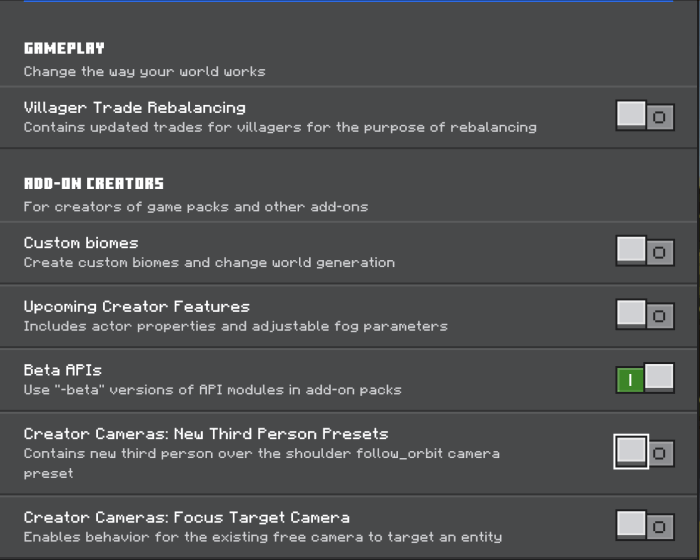
- Select it in the settings;
- Have fun!
Comments (0)