American School Furniture Mod / Addon
- 26-09-2025, 07:55
- 1 625
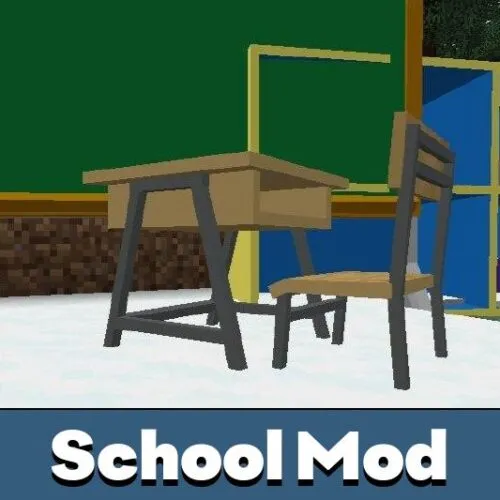
American School Furniture Mod — a simple, plug-and-play way to turn your Minecraft Bedrock world into a working campus. It’s all about outfitting spaces with furniture, appliances, and decor so your classrooms, offices, and corridors actually look like a school instead of a box with torches. Drop into creative, grab what you need, and start laying out rooms that read instantly: rows for students, a front spot for “teaching,” and enough detail to sell the vibe the second someone walks in.


The school building is finished, but the classrooms still look empty. American School Furniture gives Minecraft Bedrock builders a way to furnish their campus and turn those rooms into places worth exploring.
The add-on focuses on furniture, appliances, and decorative pieces for school-inspired builds. Start with a classroom: arrange the available furniture in rows, leave space at the front for a teacher, and make sure players can walk between the places you’ve set up. The layout alone can make the room feel like part of a school rather than just another square interior. From there, try giving each classroom its own personality. One might be neat and symmetrical, while another could have a more relaxed arrangement for a group project. Mix the add-on’s pieces with your favorite Minecraft blocks, and use the walls and floor to give each room a distinct color scheme. If you’re building a large campus, small changes like these help players remember where they are instead of walking through a hallway full of identical doors.
The spaces between classes deserve attention, too. A main corridor can connect classrooms to a staff office, a common area, and whatever other rooms fit your design. Leave the hallway wide enough for friends to pass through, then use decorative details to make it feel like a place people actually visit. A break room is another chance to put the add-on’s appliances and furnishings to use, while a shared area can become the meeting spot before your group heads off to its next activity. You don’t have to recreate a huge school all at once. Build one classroom, see which pieces you like, and expand the rest of the building around it. That approach also works if you already have a town in your world and want to add a school without taking over the entire map. Start with a small building and add another wing when you’re ready.
For multiplayer role-play, the finished campus gives everyone somewhere to make their own stories. One player can run a class while others show up as students, or the group can meet in the common area and plan what happens after the school day. You could even use the building as the setting for a mystery or a game of hide-and-seek once the hallways are finished. The source describes the collection in general terms, so explore the available pieces in Creative and pick the ones that suit your rooms. It doesn’t provide a detailed item list or confirm specific furniture interactions, making the add-on best approached as a decorating toolkit. Open the downloaded file in Minecraft, select the add-on in your world settings, and start furnishing. Whether you’re building a neighborhood school or a larger campus, the fun comes from deciding how every room connects and giving your friends a reason to visit.
The fun is in the flow. I like blocking the main hallway first, then branching off into classrooms, a staff office, and a commons area. With furniture and decor in play, you can stage morning homeroom, swap to a science period, and then meet your friends for “lunch” without moving to a different map. Appliances pull weight too—stick a few in the right corners and suddenly the break room feels lived in, and a media room looks like a place you’d actually hang between classes. It’s perfect for servers and realms where you want structured role-play: bells, passing periods, club meetings after “school,” the whole thing.
Getting started is straightforward: load the add-on in Minecraft Bedrock, open your inventory, and place pieces until the space clicks. Keep hallways wide so crowds don’t jam, use lighting that matches your theme, and leave sightlines from doorways so screenshots pop. If you’re playing survival, treat the school as your base—classrooms become storage wings, the office turns into your crafting hub, and the lobby works as a spawn-safe meetup. When you want a build that’s more than walls and chests, American School Furniture Mod gives you the parts to make a proper campus and the freedom to run it however you want.
Installation:
- Download Mod;
- Use Minecraft
- Open the downloaded file to install;
- Select it in the settings;
- Have fun!
Comments (1)