Advanced Dynamic Lighting Mod / Addon
- 24-11-2025, 12:16
- 1 522

Advanced Dynamic Lighting Mod — torch control the way it should feel in Bedrock. You keep your pick, axe, or blocks in your main hand and stash a torch offhand; when it’s time to light up, you drop a torch without breaking your build flow or mining rhythm. The addon follows a Java-like priority system, so torch placement behaves predictably instead of fighting your inputs, and you can swap the offhand torch with other items on the fly when the situation changes.
In survival, that translates into clean caving. You carve through deepslate, tag a corner with a torch from offhand, and keep swinging without opening inventory or juggling hotbar slots. Staircases, branch mines, and ravines all move faster because your lighting lives on a separate lane from your tools. Building gets the same boost: you can scaffold, place slabs, and spot-light problem shadows without your main-hand blocks getting overridden just because you’re holding a torch. The mod is careful about that—torches won’t hijack your primary placement.
You spot iron at the end of a dark tunnel, but a skeleton is standing between you and the ore. With a torch in your offhand and a sword ready, at least you can see what you’re fighting.
Advanced Dynamic Lighting brings handheld light and more useful offhand torch controls to Minecraft Bedrock. Hold a torch and the area around you lights up as you move, making it easier to see where you’re going without stopping to place one every few blocks. Put it in your offhand, and your main hand stays available for a pickaxe, sword, or whatever else the trip calls for. It’s a small change that you’ll notice quickly once you head underground.
Caving is where the add-on really earns its place. You can walk into a new passage with a light source already in hand, check the floor for a sudden drop, and get a better look at the walls before choosing where to mine. If you find a route you expect to use again, place torches along it as you go. The light you carry moves with you, so leaving torches behind is still a good idea when you want a tunnel to stay lit after you leave. They can also help you recognize the way back when several passages start looking the same.
The offhand setup is handy when you’re in the middle of a project. Keep your pickaxe ready while working through stone, or carry building blocks as you put together a staircase down to your mine. The add-on uses a Java-like system that gives appropriate priority to actions in your main hand, helping you use your tools and place blocks while keeping the torch close by. You can also place torches from your offhand when you need a more permanent light source. Once you get used to the controls, lighting a work area becomes one less reason to stop and sort through your hotbar.
Regular torches aren’t the only option in the version featured on this page: copper, soul, and redstone torches are supported as well. Try carrying a soul torch when you want a dimmer light, or use a redstone torch for a different look around a build. A moving light is useful outside the mines, too. Bring one when you’re checking the edges of your base at night, working on a roof after sunset, or looking for a safe path down a hillside.
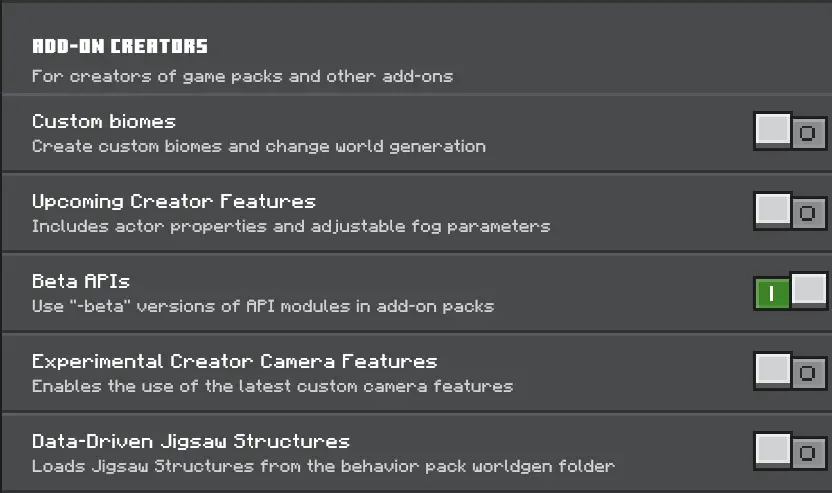
Import the add-on, activate it in your world settings, and try it somewhere dark enough to see the difference. Bring a few spare torches along on your next mining trip. You’ll still want to mark the tunnels you’ve explored, but getting your first look into the darkness becomes a lot easier.
On servers and Realms, Advanced Dynamic Lighting Mod keeps comms short and routes tidy. One player keeps torches offhand while the other lays the path; nobody pauses to fumble for light, and you don’t spam misplaces when you’re bridging or lining up stairs. It’s still vanilla-simple Bedrock, just faster, cleaner, and way less clunky whenever darkness shows up. If you want exploration and building to stay in one smooth motion, Advanced Dynamic Lighting Mod makes your torch work disappear into the background so you can focus on the run.
Installation:
- Download Mod;
- Open the downloaded file to install;
- Select it in the settings;
- Have fun!
Comments (0)