BedrockUtils+ Mod / Addon
- 7-10-2025, 06:46
- 821

BedrockUtils+ Mod — one slim action-bar line that tells you what matters so you stop pausing, stop guessing, and stop getting blindsided. In Minecraft Bedrock, the readout sits where your eyes already live, giving you instant coordinate clarity and a heads-up when danger’s close, without covering half the screen or turning your HUD into a dashboard. It’s lightweight, responsive, and built for long sessions where you want pure signal and zero clutter.
The difference shows up the first hour. I spun a new seed, bee-lined to Y-levels I actually needed, and never opened the menu to check position once. Crossing plains at night, the line kept me honest—quick glance, quick course correction, then back to sprinting between torch drops. In caves, that same single strip meant I could ladder down, read my location, and keep mining without fumbling for coords while a skeleton lined up a shot. When a creeper tried the usual silent shuffle, I wasn’t surprised; the awareness cue put me on edge in time to block, backpedal, and finish the corridor clean.
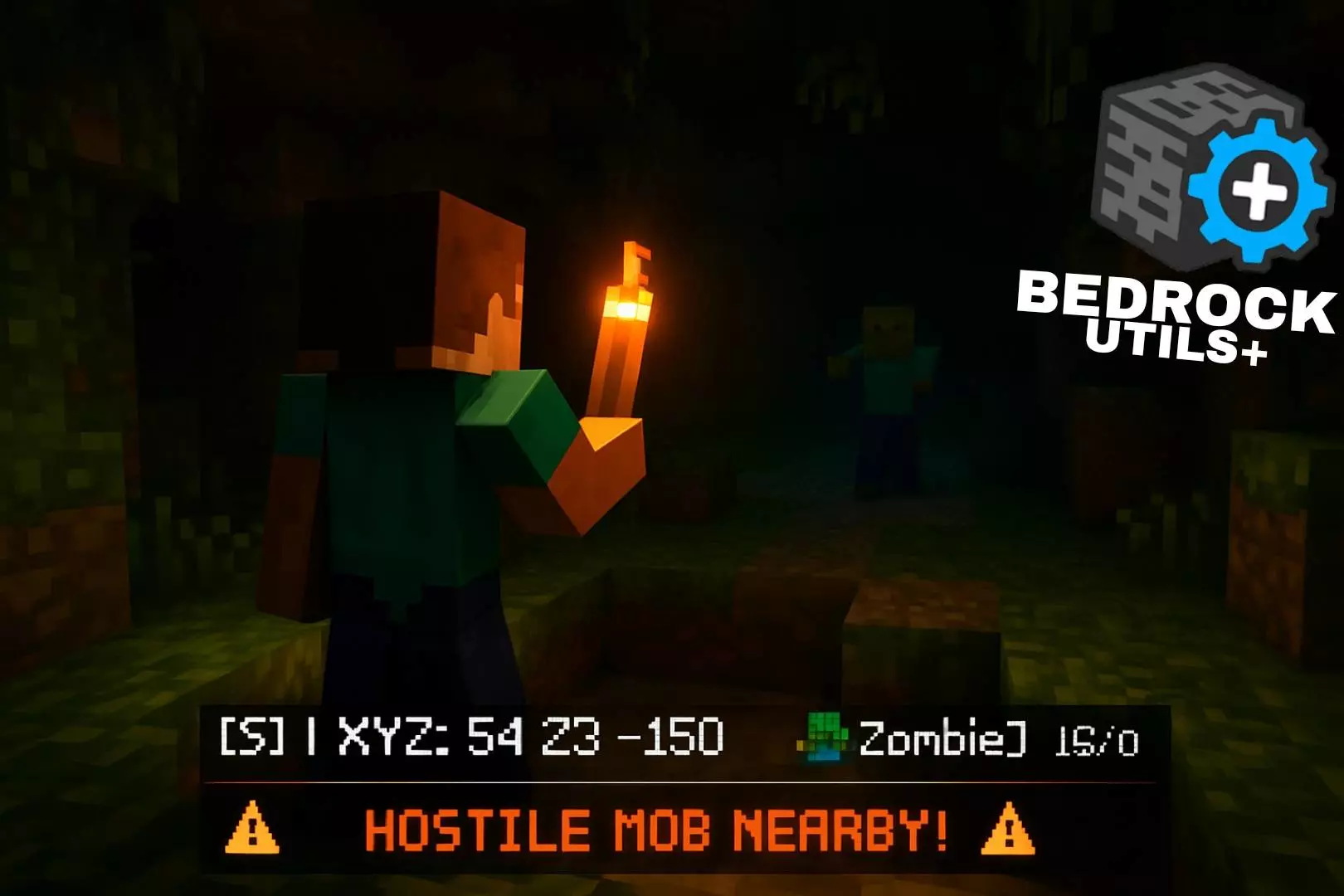
A creeper warning and your coordinates on the same screen? BedrockUtils+ puts both in your action bar, along with a compass and details about the nearest mob.
The Minecraft Bedrock addon gives you a steady stream of useful information while you play. Your XYZ coordinates update as you move, and the compass shows whether you’re facing north, south, east, or west. That’s handy when you’ve wandered away from your base chasing a cave entrance and can’t quite remember which direction you came from. Write down your home coordinates before heading out, then use the readout to find your way back with a backpack full of loot. The vertical coordinate is useful underground, too. If you’re looking for resources at a particular depth, you can keep an eye on your position while you dig instead of stopping to check a separate screen. It also makes it easier to tell a friend where you found that village or where you’re building a new mine entrance.
The other half of the display is for keeping tabs on nearby company. BedrockUtils+ detects the closest entity and shows its name, current and maximum health, and distance. In a fight, that health readout can help you judge how much punishment an enemy has left to take. It’s also useful when you’re trying to work out what’s nearby and how far away it is. Then there’s the hostile mob alert: when a threat comes within 15 blocks, a warning appears on the action bar. That little heads-up could give you a moment to stop mining, look around, and get your sword ready. The nearest entity readout and the hostile warning do different jobs, though. If a friendly animal is closer than a monster, the display may be tracking the animal while the warning tells you there’s danger nearby. You’ll still need to find the threat yourself, so don’t charge around a dark cave assuming the alert will tell you exactly where to swing.
To use BedrockUtils+, add its behavior pack to your world and enable Beta APIs under the experimental settings. Once you’re in, the information sits in a single action-bar line, leaving you free to get on with your usual survival plans. Bring it along on a long trek, use the compass to keep a tunnel running in the direction you want, or glance at the mob information before committing to a fight. The addon is especially appealing if you like having practical details close at hand without filling the screen with a large map or a stack of menus. It won’t fight a skeleton for you or magically lead you home, but it can give you useful clues while you make those decisions. And if that hostile warning pops up while you’re sorting through a chest outside at night, maybe finish organizing after you’ve checked behind you. Nobody wants to explain why the storage area suddenly needs a new wall.
On realms and co-op runs, it’s perfect for callouts. “Meet at x:-128, z:640” becomes muscle memory when those numbers live on the action bar, and raid nights get tighter because nobody detours opening settings mid-wave. Nether travel feels saner too—you can build highways with precise placement, snap portal math faster, and recover lost kits with a straight shot instead of a spiral search.
What I like most is how invisible it feels after a while. You’re still playing vanilla Minecraft Bedrock—mining, building, fighting—but your brain has the info it needs without extra clicks. No noisy overlays, no gimmicks, just that one clean line doing work every second you move. If you want pro-level situational awareness without the UI bloat, BedrockUtils+ Mod is the utility you’ll keep on in every world you care about.
Installation:
- Download Mod;
- Use Minecraft
- Open the downloaded file to install;
- Select it in the settings;
- Have fun!
Comments (0)