Props And Furnitures Mod / Addon (Outdoor Expansion)
- 20-01-2026, 13:02
- 1 463

Props And Furnitures Mod Outdoor Expansion — a clean way to finish yards, porches, and public spaces on Bedrock without breaking survival flow. Install the base Props & Furnitures pack first, then drop this expansion in to unlock a fresh set of outdoor props you can actually craft. It’s built for day-to-day play: gather materials, craft what you need, and dress up paths, courtyards, and build exteriors so screenshots pop and towns feel lived in.
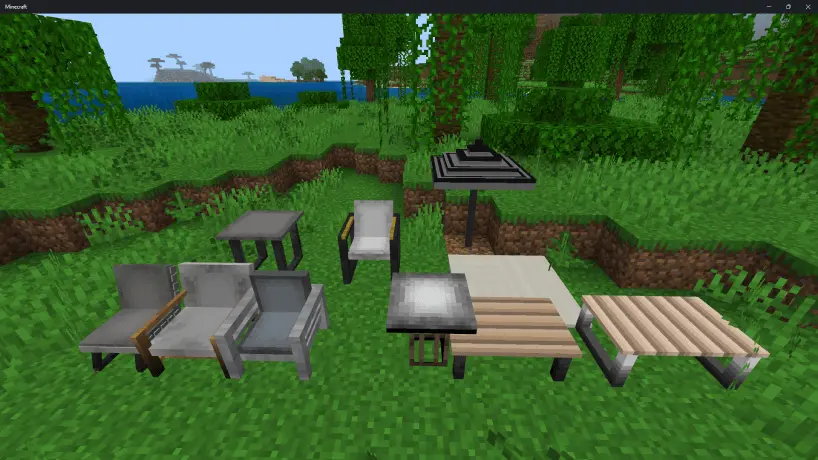
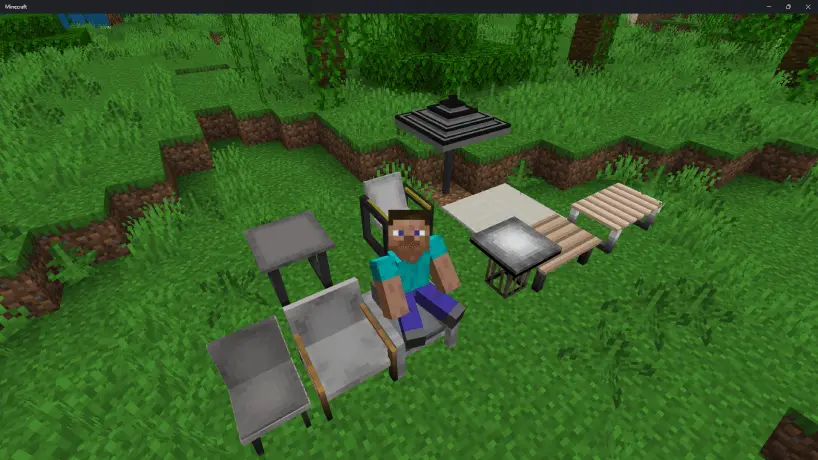
The house is finished, the garden path is in place, and the backyard still looks like everyone moved out yesterday. Props and Furnitures: Outdoor Expansion adds craftable outdoor pieces that give those empty spaces a reason to exist.
This pack is an expansion, so you’ll need the base Props and Furnitures addon enabled alongside it. Once it’s set up, you get more than ten outdoor furniture pieces and decorations to use in your world. The selection includes patio chairs and sofas, tables, benches, flower pots, mats, and umbrellas. The umbrellas come in blue, green, red, and white, giving you a few ways to match the colors around your house or town. You could use one color throughout a shared plaza, or give each house its own shade so the neighborhood has a little more personality. There’s also a barbecue grill for that backyard gathering look; it’s decorative, so don’t count on it to cook your dinner.
A patio is an easy place to start. Put a table near the house, arrange a few chairs around it, and add an umbrella to make the area look ready for a lazy afternoon. A sofa and a mat can give a covered porch a different feel, while flower pots help connect the furniture to the rest of the garden. You don’t have to fill every available block. Leave a path to the door, give the seating some room, and let a few well-placed pieces do the work. If the house overlooks a lake or a farm, arrange the furniture around that view and make it the focus of the space. Even a small yard can feel like part of the home instead of empty space waiting for another room.
The same objects can make a bigger community build feel more welcoming. Add benches along a plaza, place tables outside a café, or set up a little rest area beside the road between two bases. On a shared world, one player can plan the layout while someone else gathers materials and crafts the pieces. Since the expansion supports survival crafting, your outdoor spaces can grow at the same pace as the town around them. A simple porch today might become the starting point for a whole neighborhood once your friends decide they want their own places nearby. Leave a common area between the houses, and everyone has somewhere to meet before heading out on the next trip.
Props and Furnitures: Outdoor Expansion is for builders who enjoy the finishing touches after the walls and roof are done. It gives you a way to decorate outside with recognizable furniture instead of relying entirely on improvised shapes. Try a colorful umbrella by a garden table, a bench overlooking your farm, or a barbecue corner behind a modern house. The grill won’t actually cook food, but it can still help set the scene for a group gathering. With the required base addon installed, you can craft the pieces and turn an overlooked patch of grass into somewhere your Minecraft world feels ready to spend time.
In survival, the loop is simple—run your usual resource route, craft the new outdoor pieces, and place them as you expand a street, spawn plaza, or backyard. On co-op worlds, split roles: one player frames the layout while another crafts and places details to bring the scene together. Because it’s lightweight and craft-based, it slides into existing saves without forcing a restart, and it works across local Wi-Fi, community servers (Aternos, Shockbyte, etc.), and Realms.
Setup is straightforward: make sure the base pack is enabled, then enable this expansion; if you stack lots of packs, put visuals high in your resource order for clean rendering. No gimmicks—just more outdoor options you can earn and place naturally. If you want your towns and bases to look finished without leaving survival, Props And Furnitures Mod Outdoor Expansion gets it done.
Installation:
- Download Mod;
- Open the downloaded file to install;
- Select it in the settings;
- Have fun!
Comments (0)