Spears of Mayhem Mod / Addon
- 13-10-2025, 20:27
- 2 675

Spears of Mayhem Mod — treats the spear like a real mainhand, not a throwaway sidegrade. The rhythm is simple and satisfying: step in, poke, step out. You’re playing the gap instead of face-tanking—reading reach, timing stutter steps, and punishing overextends when a zombie or pillager leans too far. In survival, that extra discipline pays off right away in tight corridors where swords feel crowded and axes wind up too long.
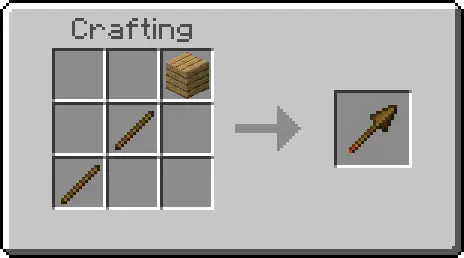
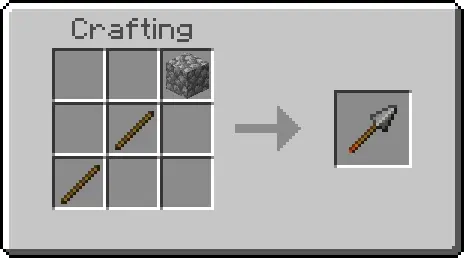
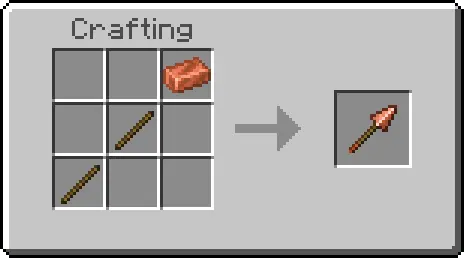
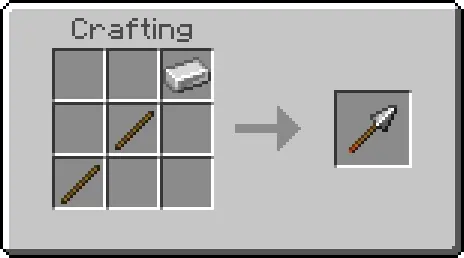
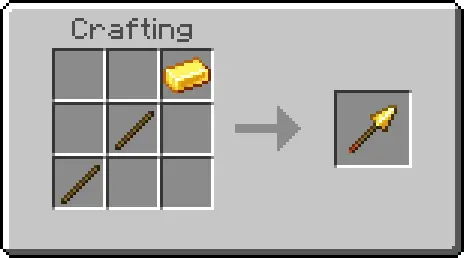
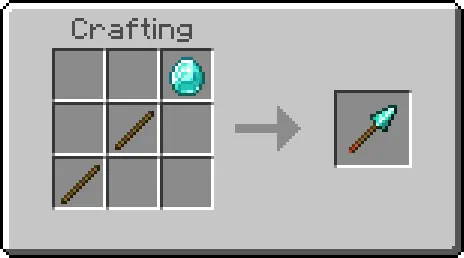
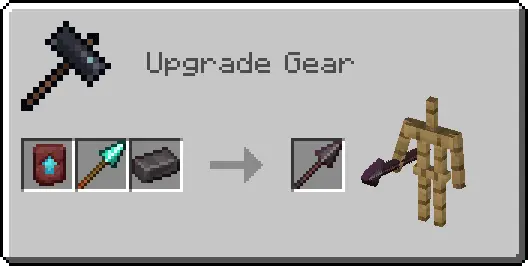
A zombie is closing in, but your spear reaches it before its arms reach you. Spears of Mayhem adds a weapon to Minecraft Bedrock that rewards good spacing and a well-timed charge.
The add-on includes seven spear types: wooden, stone, copper, iron, golden, diamond, and netherite. Each one offers two ways to attack. A jab is a quick thrust with greater reach than a sword, making it useful when you want to keep an approaching mob at a little more distance. Step into range, strike, and watch how the enemy responds before committing to another hit. That extra reach can be especially useful when you’re guarding a narrow approach or dealing with a zombie on the way back to your base. It won’t make you untouchable, though. A skeleton can still shoot from farther away, and a creeper is still dangerous if you let it close the gap. Learning when to jab and when to move is part of getting comfortable with the weapon.
The charge attack is where things get even more interesting. Hold the attack to prepare a lunge, then use your movement to put force behind the hit. Damage scales with your speed relative to the target, so a fast approach can hit harder than a slow one. You can experiment on foot or try a mounted charge if you have a ride ready. A charge can hit multiple entities along its path, which makes lining up your approach important when several mobs are in front of you. The spear also moves through visual stages during a charge: Engaged, Tired, and Disengaged. Those stages affect things such as knockback and the chance of dismounting a rider, giving you another reason to pay attention to timing rather than holding your attack indefinitely. Find an open area, try a few approaches, and get a feel for how the weapon behaves before taking it into a crowded fight.
In a shared survival world, spears give your group another option for planning an expedition. One player can practice jabs while another approaches with a charged attack, or everyone can bring a different material tier and compare the weapons they’ve made. You can also set up a simple course outside your base to practice approaching targets from different distances. Start slowly, then try a faster run once you’re comfortable judging the angle. The available description lists the spear materials but doesn’t provide a complete written crafting guide, so check the recipes in your game before gathering supplies for a particular tier. The add-on comes as a file containing its behavior and resource packs; import it into Minecraft and activate it in your world settings. Whether you’re exploring a cave on foot or lining up a charge across open ground, Spears of Mayhem gives you a fresh reason to think about distance, momentum, and the exact moment you strike.
Out in the world, the spear shines on mixed terrain. Down in dripstone, you can tag mobs across a gap and backpedal before they touch you; in the Nether, you kite over short bridges and jab anything that tries to rush the line. At bases, it’s the perfect patrol tool: circle the perimeter at dusk, peel strays off fences, and keep villagers asleep. On co-op nights, it becomes role-friendly—one player anchors the front with steady pokes while a buddy flanks or handles bow work from a ledge.
If you stack lots of packs, give this a test run on a copy to see how it feels with your current setup, and don’t assume achievements unless the author says so. Want combat that rewards spacing and patience instead of button-mashing? Spears of Mayhem Mod gives Bedrock that crisp, deliberate melee groove.
Installation Mod:
- Download the .mcaddon / .mcpack;
- Open the file to import into the game;
- In World Settings → Resource Packs and Behavior Packs, enable it (turn on Experiments if needed);
- Have fun!
Comments (0)