EasyStone Crafting Mod / Addon
- 14-10-2025, 17:29
- 770
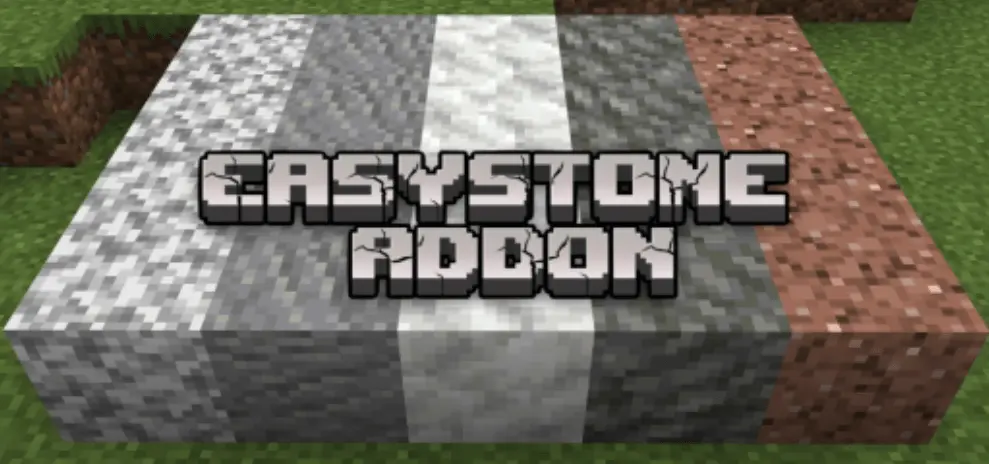
EasyStone Crafting Mod — built for the moment you realize every block in your shulker is the “wrong” kind because you ran Silk Touch all day. Instead of trekking back to mash ores and tear up terrain, you open a table and convert what you’ve got. The pack layers in a bunch of sensible recipes across stone, deepslate, and dirt families, so you can pivot from smooth to cobbled, from polished plans back to rough foundations, or swap in the exact slab/brick you need without breaking your build flow on Bedrock.
In practice, it changes how you prep. Quarry a vein with Silk Touch to keep things tidy, head home, and flip a chunk of it into cobbled deepslate for outlines, then craft the rest into stairs, walls, or bricks for texture passes. Mid-project tweaks stop being a chore—you’re not running to a blast furnace just to get basic cobble; you’re crafting, placing, and moving. If you love terraforming, the dirt-side additions help too: you can keep a single stockpile and branch into specific pathing or landscaping blocks on demand instead of hoarding every subtype.

You’re halfway through a stone wall when you realize the blocks in your chest have the wrong texture. EasyStone Crafting gives Minecraft Bedrock builders more recipes for turning the stone they have into materials they actually want to place.
The add-on is especially handy if you spend a lot of time mining with Silk Touch. You might return home with stacks of regular stone and deepslate, then discover your next project calls for cobblestone or cobbled deepslate instead. EasyStone adds recipes for both, using a combination of the regular block and its cobbled counterpart. That means it pays to keep a little of each material in storage rather than using every last piece as soon as you find it. The recipes also cover granite, andesite, diorite, calcite, and dripstone blocks, giving you more options when you need to stretch a building palette. Most of the recipes are shapeless, so you don’t have to arrange the ingredients in one exact pattern. Open the crafting menu, check the output, and turn part of your stone supply into the block your project needs.
There are useful options for darker and rougher builds, too. The recipe list includes blackstone, tuff, gravel, and mossy cobblestone. If you’re working on a castle wall, a cave entrance, or a path through an overgrown village, those textures can make a big difference when mixed together. Rather than stopping halfway through to search for another patch of a particular block, check whether the materials in your storage room can help you make more. The dirt recipes are worth a look if landscaping is your favorite part of a build. Rooted dirt and hanging roots both have additional crafting options, which can help when you want a garden, hillside, or cave wall to look less uniform. Keep some of the distinctive materials you find on your travels; several recipes use examples of the block you want alongside another ingredient.
EasyStone Crafting is the sort of addition that becomes useful in the middle of a project, right when you’re about to run short. Set up a crafting area near your storage, sort a few stacks of stone and deepslate, and keep your decorative blocks close enough to see what you can make. If you’re building with friends, one player can gather while another prepares materials for the next section of the build. You’ll still need supplies, but you have more ways to put them to work once they’re home. The add-on is listed as compatible with achievements, so it can fit into a survival world where you’re still working through your goals. Whether you’re making a neat stone house or a ruined pathway covered in moss, EasyStone gives you a reason to check the crafting table before heading back underground.
Co-op builds benefit the most. One player gathers clean with Silk Touch, another stands at the table converting to exactly what the designer calls out—“two stacks cobbled, one stack bricks, half-stack stairs”—and the wall goes up in minutes. This is a gameplay/recipe add-on, so don’t assume achievements; if your world is precious, spin it up in a copy first to check pack order and compatibility. If you want your mining habits and building needs to finally agree, EasyStone Crafting Mod is the fix your Bedrock projects have been missing.
Installation Mod:
- Download the .mcaddon / .mcpack;
- Open the file to import into the game;
- In World Settings → Resource Packs and Behavior Packs, enable it (turn on Experiments if needed);
- Have fun!
Comments (0)