Cosmetics + Mod / Addon
- 5-12-2025, 13:38
- 856
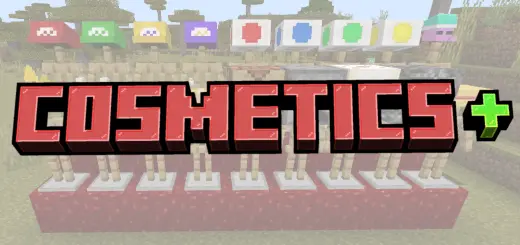
Cosmetics + Mod is made for players who are tired of walking around in the same armor skins every world. Instead of just stacking protection and calling it a day, you start building an actual look for your character while you play. Cosmetics drop from common mobs like zombies, skeletons, and piglins, so normal survival grinding slowly fills your collection. One minute you’re clearing out a cave or Nether tunnel, the next you’re walking back to base wearing a new hat, mask, or accessory you just looted in the fight.


That skeleton dropped something a lot more interesting than another bone. With Cosmetics+, a routine fight can send you back to base with a new look.
Cosmetics+ adds wearable items to Minecraft Bedrock that you can collect while playing survival. Hats, masks, and other accessories give you more ways to make your character recognizable, whether you’re exploring alone or showing up at a friend’s base. Some pieces can drop from zombies, skeletons, and piglins, so you have a chance to find something new during the adventures you’re already taking. A cave trip might begin as a search for iron and end with you sorting through a new accessory back home. Keep a little space in your inventory—you never know when a mob will leave behind something you want to try on.
The collection gives familiar fights an extra bit of appeal. Zombies and skeletons are still the enemies you know, but now there’s another reason to check their drops before moving on. Piglins add an option for players spending time in the Nether, where you can keep an eye out for cosmetics while gathering the resources you came for. Don’t expect every encounter to produce the exact item you want; part of the fun is seeing what turns up as you play. Once you’ve collected a few pieces, take them back to your base and compare them with your usual look. You might find one accessory that stays with your character for the rest of the adventure.
There are playful designs in the mix, including emoji hats, so you can choose an outfit that suits the mood rather than treating every trip like a serious expedition. Wear something ridiculous while helping a friend build a farm, pick a favorite mask for exploring, or put together a group look before taking screenshots. On a shared world, the collection can give everyone a way to stand out even when the group is using similar equipment. A chest at home makes a handy place to keep the pieces you’re not wearing, especially if you like changing your look between building sessions and trips into the Nether.
If a cosmetic you like gets worn down, you can repair it with leather at an anvil. That’s useful when you’ve found a piece you want to keep using instead of leaving it behind in storage. The add-on also introduces a villager who offers another way to obtain cosmetics through trading, giving you a reason to pay attention to the people you meet while exploring. Cosmetics+ fits into the regular rhythm of Minecraft: fight mobs, collect drops, visit your base, and gradually build a collection of things worth wearing. Try a few different combinations, keep some leather nearby for repairs, and see what kind of look comes together from the items you find.
All the cosmetics behave like proper survival items too. You can repair them on an anvil using leather, so that “perfect� piece you fall in love with doesn’t have to sit in a chest at 2 durability forever. If you don’t feel like relying only on drops, the addon also introduces a new villager type that spawns around the world. Track them down, trade with them, and you can expand your wardrobe through deals instead of just mob grinding.
In a Minecraft Bedrock survival world or Realm, Cosmetics + Mod is a really easy way to give each player their own style without breaking balance. You’re still fighting, looting, and trading like normal, but now your character slowly turns into someone recognizable—your own mix of armor, tools, and cosmetic pieces that show how long you’ve been out there.
Installation Mod:
- Download the .mcaddon / .mcpack;
- Open the file to import into the game;
- In World Settings → Resource Packs and Behavior Packs, enable it (turn on Experiments if needed);
- Have fun!
Comments (0)