Miners Helmet Mod / Addon
- 16-01-2026, 12:09
- 644
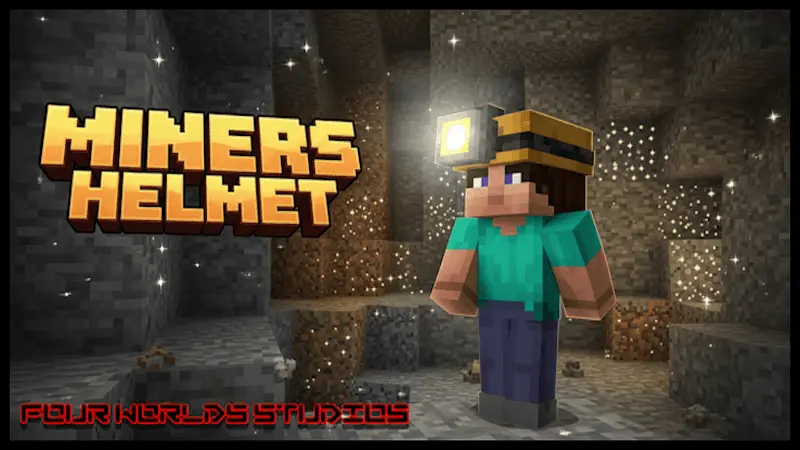
Miners Helmet Mod is a straight-up quality-of-life upgrade for anyone who’s tired of the torch life. You know the routine: you’re deep in a cave, your inventory is already packed, and you’re still carrying stacks of torches just to see where you’re going. This addon lets you swap that whole habit out for one item—the Miners Helmet—so lighting becomes something you wear instead of something you constantly place.


The mod keeps it survival-friendly by making the helmet craftable, so it’s not just a creative-only toy. Once you’ve got the materials and craft the Miners Helmet, you wear it in your head slot like normal gear. The big deal is that it will illuminate the dark for you as long as it’s on your head, letting you see all around you without stopping to spam torches every ten blocks. That’s huge for cave runs, strip mining, and any situation where you’re trying to move fast without getting lost in pitch-black corners.
Balance-wise, the helmet isn’t some paper-thin cosmetic. Miners Helmets have the same protection and durability as a Diamond Helmet, which means you’re not trading safety for convenience. You can actually take it into dangerous areas and still feel geared up, instead of wearing a “light hat� that gets you clapped the moment something hits you. That also makes it feel like a real replacement option, not just a gimmick you use for two minutes and ditch.
In actual Minecraft Bedrock gameplay, the biggest win is inventory space and flow. With a Miners Helmet on, your mining trips feel smoother because you’re focused on exploring and fighting, not on micromanaging light placement. A practical tip is to still keep a small torch stack on you for marking paths or lighting a base room, but let the helmet handle the moment-to-moment visibility while you push deeper. Miners Helmet Mod is exactly what it promises: craft it, wear it, and let the darkness stop being the main enemy every time you go underground.
Installation Mod:
- Download the .mcaddon / .mcpack;
- Open the file to import into the game;
- In World Settings → Resource Packs and Behavior Packs, enable it (turn on Experiments if needed);
- Have fun!
Comments (0)