Better Mace Mod / Addon
- 18-01-2026, 11:29
- 1 320
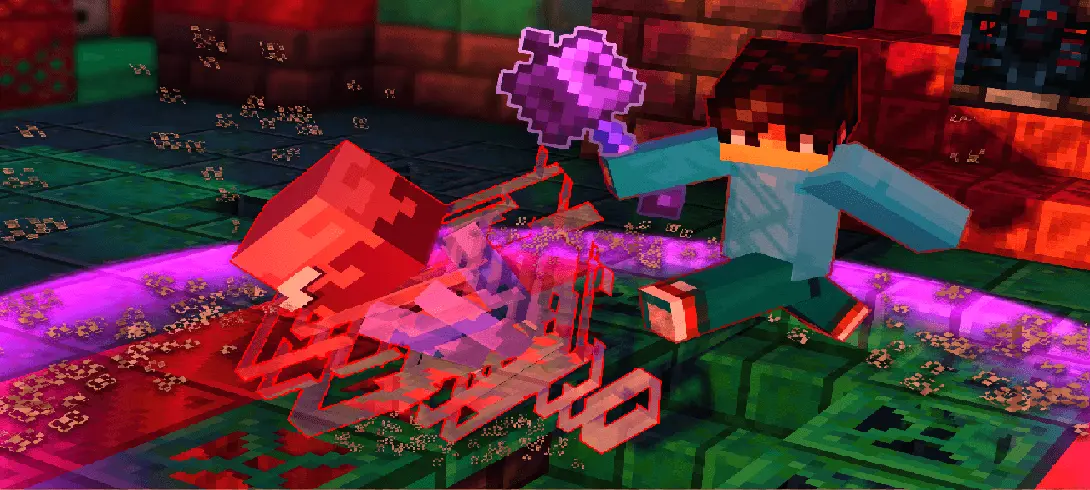
Better Mace Mod is basically a style upgrade for one specific action: the mace smashing attack. The add-on doesn’t claim to change damage, balance, or how the weapon functions; it just makes the smash look and feel more intense by layering in a cutscene and particle effects. If you like combat moments that look extra punchy on screen, this is the kind of add-on you’ll notice instantly.
In regular survival, the mace is already an “all eyes on me� weapon because it’s built around landing a satisfying hit. Better Mace Mod leans into that by turning each smash into a little highlight moment, which can make fights feel more theatrical even when you’re just clearing out mobs near your base or dealing with a night wave outside your walls. The particles help sell the impact, and the cutscene vibe makes it feel like the game is calling out the moment you commit to the swing.
The practical tip is to think about when you actually want that dramatic camera moment. If you’re fighting in a tight area, near edges, or in a chaotic situation where you need full awareness, a cutscene-style effect can be distracting, so it’s smarter to use the mace smash when you’ve got space and control. On the flip side, if you’re playing with friends, running mini-arena duels, or recording clips, Better Mace Mod is perfect because it makes the “finisher� hits look cooler without you having to edit anything afterward.
Another small thing to keep in mind is pacing. Because Better Mace Mod turns the smash into a big visual beat, it feels best when you treat the mace like a special move instead of spamming it nonstop. Use the dramatic smash when you want to punctuate a fight, break up the rhythm, or flex after a clean setup. Better Mace Mod is simple on paper—cutscene plus particles—but in Minecraft Bedrock it can make the mace attack feel like a moment you actually remember instead of just another swing.
Installation Mod:
- Download the .mcaddon / .mcpack;
- Open the file to import into the game;
- In World Settings → Resource Packs and Behavior Packs, enable it (turn on Experiments if needed);
- Have fun!
Comments (0)