City Streets + Mod / Addon
- 21-01-2026, 17:34
- 980
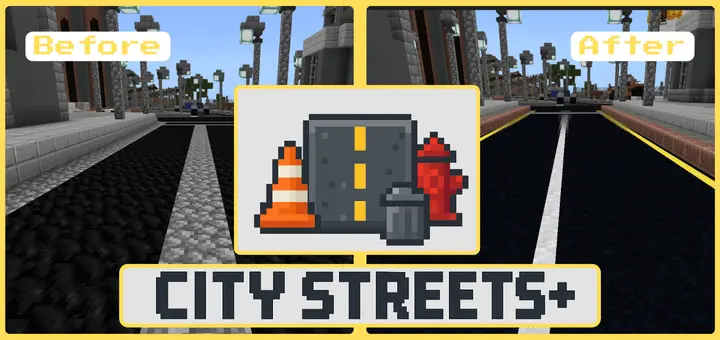
City Streets + Mod is built for anyone who spends more time laying out neighborhoods and road grids than fighting mobs. It’s a city-builder-focused pack that gives you street details that normally take forever to fake with basic blocks, so your builds can look intentional the moment you start placing roads.
The main draw is the block variety. You get over 40 unique blocks meant for urban builds, including things like traffic cones, bollards, fire hydrants, trash cans, and signs. The road tiles are where it really starts to feel like a real street layout, since you can use tiles with arrows, crosswalk markings, center lines, manholes, and other road details. Instead of covering everything in plain concrete and calling it done, you can actually design intersections, lanes, and pedestrian areas so your city reads clearly when you’re running through it.


In-game, City Streets + Mod shines when you’re building places that need “direction,� like a downtown block, a suburban loop, or a highway stretch that’s supposed to connect different districts. A practical move is to pick one road style and stick to it across a whole area, then use crosswalk tiles and arrows only where the flow changes—intersections, parking entrances, or the edge of a main avenue. It keeps your streets from looking like random patterns and makes your world easier to navigate, especially if you’re building a big map where you don’t want everything to blur together.
Another tip: use the little props (cones, signs, hydrants, trash cans) like seasoning, not spam. Drop them near construction spots, corners, and sidewalks to make scenes feel “used,� then leave open space where traffic would actually move. The add-on also says more block types will be added in future updates, so City Streets + Mod can keep expanding as you keep upgrading your city over time in Minecraft Bedrock.
Installation Mod:
- Download the .mcaddon / .mcpack;
- Open the file to import into the game;
- In World Settings → Resource Packs and Behavior Packs, enable it (turn on Experiments if needed);
- Have fun!
Comments (0)