Femboy Totem | Custom Skin Update
- 12-11-2025, 04:44
- 5 357
Mods 1.21 / Mods 1.20 / Mods 1.19 / Mods 1.18 / Mods 1.17 / Mods 1.16 / Mods 1.15 / Mods 1.14 / Mods 1.13 / Mods 1.12 / Skins / Textures
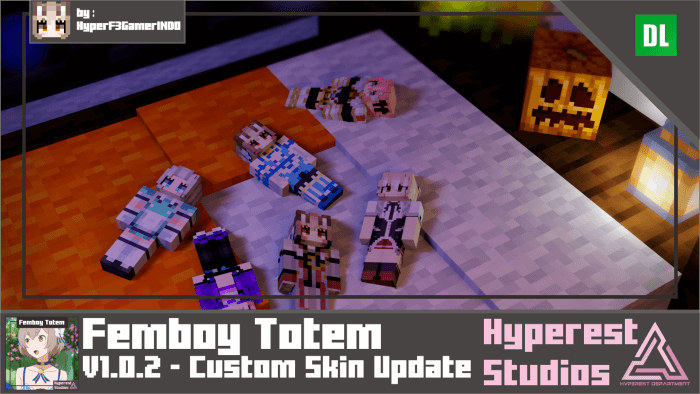
Femboy Totem | Custom Skin Update Addon new custom totems and skins for them in Minecraft. Your Totem of Undying is about to get a whole new look. Femboy Totem swaps the familiar item design for animated, anime-inspired character models in Minecraft Bedrock.
The pack is built around customization, with a selection of character looks and outfits to choose from. The listed presets include Felix Argyle in a blue dress or knight outfit, Astolfo in a purple outfit or rider look, Hideri in a maid outfit, Gasper in school clothes, and Venti in his default outfit. There are also two custom-skin options for different character arm widths. That range makes it easy to start with a recognizable preset and later experiment with a design of your own. The totem uses a three-dimensional animated model, so there’s more to the visual change than a different picture in your inventory. It gives a familiar survival item a different personality, whether you’re heading into a woodland mansion or carrying it on a long trip through the Nether. If you already have a favorite among the characters, the preset is a straightforward place to start. Otherwise, try a few outfits and see which one looks best alongside your usual gear.
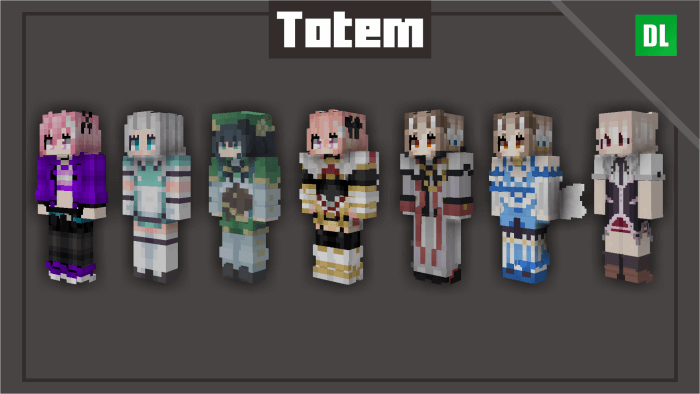
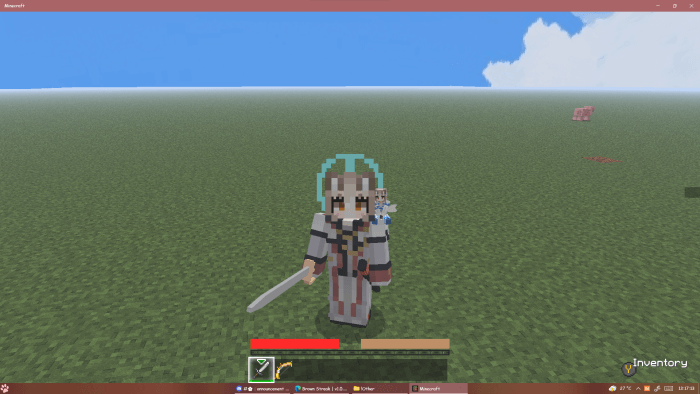
Choosing a preset is done through the resource pack settings. After importing the pack, open Global Resources, activate it, and select the gear icon to see the available visual options. Pick a character or custom-skin slot, then check the result in your world. If you like changing your setup between adventures, you can return to the settings and try another look. The custom options take a little more work than choosing a preset: the published instructions describe replacing texture files in the pack, rather than automatically copying whatever skin your player is wearing. There are separate options for the two arm widths, so choose the one that matches your intended design and consult the pack’s file instructions before making changes. Starting with a preset is a good way to see the model first and decide whether you want to customize it further. Keep a copy of your original pack files if you plan to experiment, so you can return to the starting textures later.
This is a resource pack for the Totem of Undying, not a new combat system. The character model changes the item’s presentation; it doesn’t give your chosen character special abilities or provide an unlimited supply of totems. You still need to obtain and carry a totem if you want its usual lifesaving effect. That makes the pack a fun cosmetic choice for players who enjoy personalizing the gear they already use. Pick a favorite character for your survival world, match a custom design to your own skin, or switch presets when you want a different look for a screenshot. The linked download focuses on the custom-skin release, while a later release lists additional animation changes, so check the file you choose before expecting those newer details. Activate the pack, choose a design, and give one of Minecraft’s most recognizable items a style that feels like yours.
Installation:
- Download Texture;
- Open the downloaded .mcpack to install;
- Select texture in settings;
- Done.
Comments (0)