Smart Turret Addon
- 16-02-2025, 16:44
- 2 602
Mods 1.21 / Mods 1.20 / Mods 1.19 / Mods 1.18 / Mods 1.17 / Mods 1.16

Smart Turret Addon helps protect your base with a turret that shoots at your enemies. A zombie wanders toward your front door, and your new security system opens fire before you reach for your sword. Smart Turret brings an automatic defender to Minecraft Bedrock, giving your base some serious backup when monsters come calling.
The turret guards an area by attacking hostile mobs, making it a useful addition to the places you visit most often. Put it near an exposed entrance, a busy path, or another spot where enemies tend to interrupt your work, then watch how it handles an approaching threat. Its targeting is automatic, so you can concentrate on building, sorting supplies, or dealing with another enemy while it fires. There’s one rule you’ll want to remember: hitting the turret can make it turn hostile toward you. That’s a rough way to find out whether your own defenses work, so be careful when swinging a weapon during a crowded fight. Give it space and pay attention to where it’s standing, especially if you’re fighting monsters near the entrance to your base.
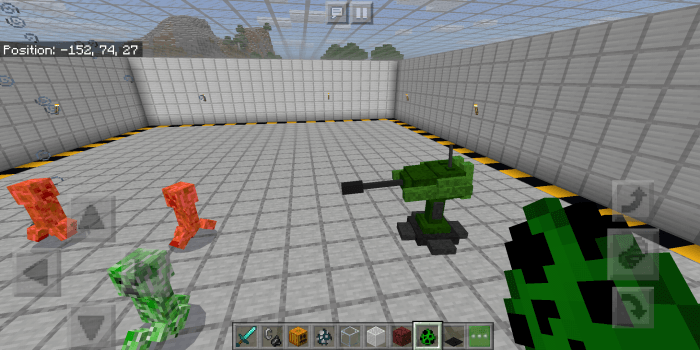
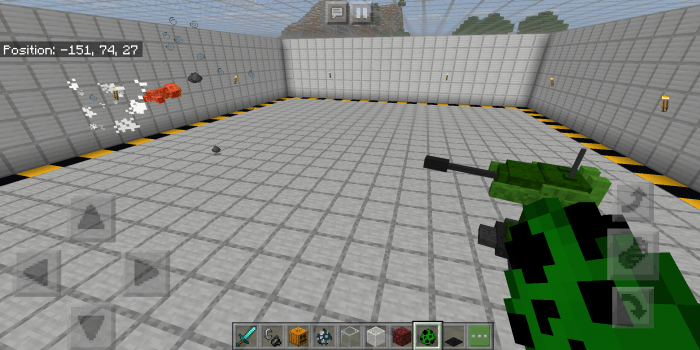
To bring a turret into the world, arrange four iron blocks upright in a T shape and place a jack-o’-lantern on top. If that setup sounds familiar, there’s a reason: this turret takes the place of the iron golem in the add-on. Consider where you want your defender before putting the blocks together. A position with a clear view of the approach to your base gives it a better opportunity to spot trouble than a cramped corner behind several walls. You can build a small guard post around it, but leave room for it to see the area you want protected. Try the setup with a manageable threat first and watch where the turret fires. That gives you a chance to adjust your layout before depending on it during a hectic night or placing valuable animals nearby.
Your front gate is an obvious place for a turret, but it’s far from the only useful spot. A mine entrance away from your main house can become awkward when you return from a long trip and find monsters waiting outside. A defended path between your base and a nearby village can make that route feel more secure, while a guard post beside an outlying farm gives you another place to deal with unwanted visitors. Think about the areas you actually use and where enemies can approach from, then plan your defenses around those routes. Walls, lighting, and a clear entrance still have their place; the turret adds another way to respond when a mob gets close. You can also make the installation part of the build by creating a watchtower, a fortified gate, or a security station that fits the style of your world.
The turret is fire resistant, so the Nether is another place to consider putting it to work. A guarded area near your portal could give you a more organized point to return to after exploring, though you should still bring your own equipment and stay alert for whatever is outside its reach. The available description doesn’t give an exact firing range or a complete list of targets, so test its coverage before assuming every corner of a large base is protected. In a multiplayer world, let your friends know not to hit it while they’re helping defend the area. Smart Turret is a straightforward way to give a base an active defender, whether you’re building a futuristic compound or just want an extra hand outside your survival house. Set up a position, see how it performs, and plan the rest of your defenses around what it can cover.
Installation:
- Download Mod;
- Use Minecraft
- Open the downloaded file to install;
- Select it in the settings;
- Have fun!
Comments (0)