Illager Villagers | Bedrock Edition Addon
- 25-02-2025, 19:19
- 1 309
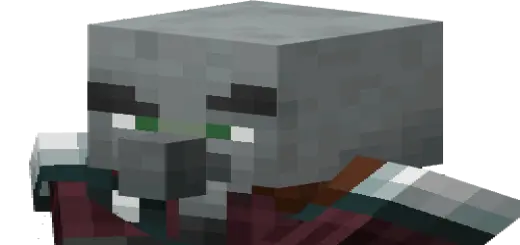
Illager Villagers | Bedrock Edition Addon of new Illager traders for settlements in the game Minecraft PE. You approach an illager expecting a fight, only to discover they have trades to offer. Illager Villagers brings a dangerous new kind of merchant to Minecraft Bedrock, and doing business with them isn’t always as peaceful as browsing a village market.
These newcomers look like illagers but share some familiar villager behavior, including the ability to trade. They have their own professions and offers, giving you a reason to get close enough to see what they’re selling. That doesn’t mean every meeting will be friendly, though. An illager villager may treat you as an intruder and call for help, turning a shopping trip into a fight if nearby defenders respond. Listen for battle horns and keep an eye on your surroundings before opening a trade menu. The add-on’s description doesn’t list exact prices or a complete catalog, so you’ll need to inspect the offers yourself to find out what’s available. Bring supplies, pay attention to your escape route, and remember that a trader who’s willing to show you their goods may still have friends who aren’t happy to see you.


The original Minecraft villagers remain in your world, which makes the contrast between the two groups more interesting. You can still visit ordinary settlements and trade with their residents, but illagers now have villagers of their own. That gives them a presence beyond the familiar sight of a patrol carrying crossbows toward a village. The new traders make an illager-controlled area feel more like a place with inhabitants rather than just a battlefield to clear. It also changes the decisions you make when you find one: do you try to inspect a trade, avoid the settlement, or approach prepared for defenders? There’s room for your own stories here, whether you’re protecting a group of regular villagers or investigating an illager presence near your base. The add-on gives those encounters a new twist without removing the villagers you already know.
Village raids can have bigger consequences, too. According to the add-on’s description, illagers can take over a village after a successful raid if its villagers and iron golems are defeated. That gives you a reason to pay attention when a settlement near your home comes under attack. If you arrive in time, helping the defenders can keep the village from falling; if the illagers win, you may have a fight on your hands when you return. The add-on also describes raiding villages claimed by illagers, leaving you with the challenge of dealing with their defenders and deciding what to do afterward. Bring armor, food, and a weapon you trust before charging in. A close look at the area can help you spot a safer approach, while a place to retreat gives you time to recover if several enemies respond at once.
For players who enjoy building stories around their survival worlds, an illager takeover can become the start of a longer project. You might return to a contested settlement, clear out its defenders, and repair damaged buildings as part of your own effort to reclaim it. Or you could keep your distance and observe the new inhabitants before deciding whether their trades are worth the risk. If you’re exploring with friends, split responsibilities: one player can watch for approaching enemies while another checks the area, then everyone can regroup before entering. Don’t assume every illager-looking mob is a merchant, and don’t assume a merchant will leave you alone once you step into their territory. Illager Villagers makes that uncertainty part of the adventure, giving familiar settlements a new source of tension and turning the simple question of who lives in a village into one worth investigating.
Installation:
- Download Mod;
- Open the downloaded file to install;
- Select it in the settings;
- Have fun!
Comments (0)