Destroy Wand Addon
- 14-03-2025, 19:08
- 1 382
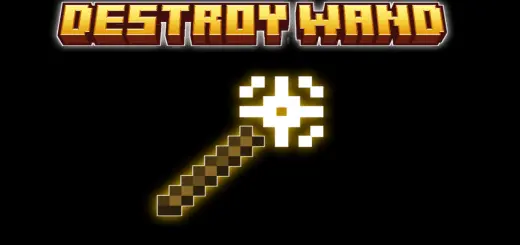
Destroy Wand Addon is a special tool to destroy everything around, like blocks and objects. That underground base sounded like a great idea until you realized how much stone was in the way. Destroy Wand lets you clear a whole section at once, so you can get to the fun part of your Minecraft build sooner.
The wand works by marking two opposite corners of an area. Once both points are selected, a confirmation menu appears with the number of blocks in your selection. Confirm your choice, and the valid blocks inside that space disappear. It’s a straightforward tool with a big impact: a job that would normally have you swinging a pickaxe for ages can be handled in moments. There are visual and sound effects when the wand does its thing, and unbreakable blocks such as bedrock are left alone. Still, take a good look at those corners before confirming. The wand clears an area, so a selection that stretches farther than you intended could take out part of the landscape you wanted to keep.

For builders, the biggest win is having more freedom to tackle ambitious projects. Want a wide basement under your house? Mark out the space and clear it instead of spending your whole session digging room by room. Planning a castle with a courtyard, a railway station, or a giant storage hall? Give yourself a clean construction site and start laying out the details. You can also make tunnels through hills, carve out room for a custom cave base, or remove an old structure when you’re ready to rebuild. The wand won’t decide what your finished project should look like, but it can make those first stages a lot less tedious. You get to spend more time placing blocks, testing ideas, and fixing that roof you’ve already redesigned three times.
There’s a useful trade-off for survival players: you’ll need a pickaxe nearby when using the wand, and using the tool consumes durability. That means your gear still matters when you’re taking on a major excavation. Keep an eye on its condition before committing to a big clearing job, especially if you’re working far from your base. You can approach a large project in smaller sections, checking your progress as you go and adjusting the shape before opening up the next area. That’s handy when you’re carving a tunnel that needs to meet another room or clearing land close to a build you want to preserve. The confirmation screen gives you a chance to check the size of your selection, but it’s still up to you to make sure you’ve marked the right space.
Creative players can put the wand to work on a different scale. Clearing a section of a mountain for a huge city, opening a space beneath a floating island, or making room for an arena becomes much easier when you can remove blocks by area. In Creative mode, the pickaxe requirement and durability cost are disabled, leaving you free to concentrate on the shape of the build. It’s useful when you’re experimenting, too: carve out a space, step back, and decide whether the proportions feel right before spending time on the walls and decorations. If the room needs to be wider or the tunnel needs a taller ceiling, you can clear another section and keep moving. For shared worlds, agree on the area with your friends first; nobody wants a surprise excavation next to their carefully landscaped garden.
Destroy Wand is especially satisfying when you already know what you want to build and the terrain is the only thing slowing you down. A mountain can become the entrance to a hidden fortress, a cramped hillside can open into a train route, and an empty underground space can become whatever your world needs next. Pick your corners carefully, check the selection, and clear the way. Your next big Minecraft Bedrock project is a lot closer when you don’t have to remove every block by hand.
Installation:
- Download Mod;
- Open the downloaded file to install;
- Select it in the settings;
- Have fun!
Comments (0)