Advanced Elevators Mod/Addon
- 2-04-2025, 19:43
- 1 327
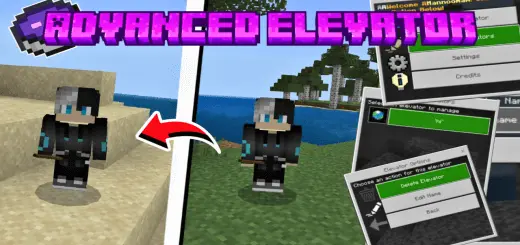
Advanced Elevators Addon is not just an elevator, a mega teleport that can move you to your favorite worlds of the Minecraft game. Forgot your pickaxe upstairs again? Advanced Elevators lets you link two locations and teleport between them, so getting around your Minecraft base takes a quick crouch instead of another trip up the stairs.
Advanced Elevators Add-on for Minecraft Bedrock
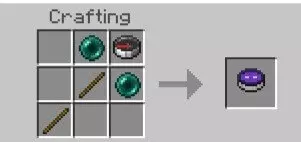
Start by crafting the Elevator Maker with two ender pearls, a compass, and two sticks. With the item in hand, crouch and select the block you want to use as your first destination. A particle marks the selected block, so you can see that the choice registered. Do the same thing with a second block, then use the Elevator Maker without crouching to open its menu. Choose “Create Elevators,� give your connection a name, and submit it. After that, head to either linked block and crouch on it to teleport to the other. You don’t have to type in coordinates, which makes setting up a connection much less of a chore when you already know exactly where you want the stops.
A tall build is an obvious place to try it. Link your ground-floor entrance to a room near the top of a tower, and you can go straight from your front door to your enchanting setup. Or connect the storage room in your house to the mine entrance below it, giving yourself a quick way to drop off ores before heading back underground. The system teleports you between the blocks, so there’s no need to leave space for a moving elevator cabin. That gives you more freedom with the layout: the entrance could be tucked into a corner of your bedroom, built into a workshop floor, or marked with a sign so you remember where it leads.
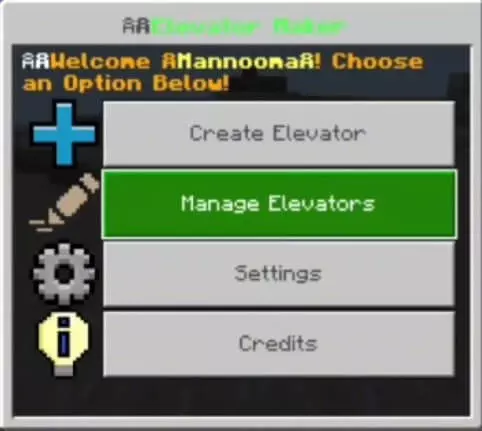
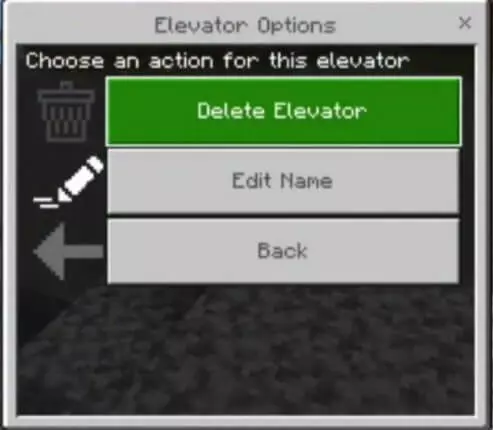
Advanced Elevators also works in multiplayer, and each connection has an owner. Other players can’t edit or delete an elevator you created, which is handy when several people are building in the same world. To review your own connections, open the Elevator Maker menu and select “Manage Elevators.� From there, you can rename or delete one if your base changes and the old route no longer makes sense. Give each connection a name you’ll recognize later; “Mine Entrance� will probably be easier to sort through than “Elevator 7� once your world starts filling up with builds.
You can create elevators in the Overworld, the Nether, and the End, giving each dimension its own shortcuts. Try linking useful spots within a base, such as a portal room and a storage area, or make a quick route between two parts of an End build. Put a distinctive block or sign beside each stop so you don’t forget where you placed it. The download page includes separate resource and behavior packs, so activate both in your world settings before setting everything up. Once you’ve made your first connection, those little journeys across a sprawling base become much easier to fit between the fun parts of your next Minecraft adventure.
Installation:
- Download Mod;
- Open the downloaded file to install;
- Select it in the settings;
- Have fun!
Comments (0)