SplitBlocks Mod / Addon
- 21-04-2025, 09:26
- 1 001
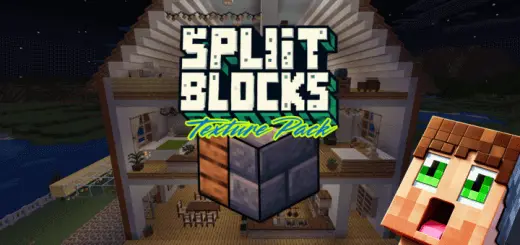
SplitBlocks is a useful mod for building, glue different blocks together using slime in Minecraft Bedrock. You’ve nailed the stone exterior of your Minecraft house, but now the inside looks like a dungeon. SplitBlocks lets you give that same wall a different look on each side without making it two blocks thick.


SplitBlocks: Two Materials, One Block, Better Builds
This building addon for Minecraft Bedrock combines two textures into a single block, opening up a lot of options for walls, floors, and ceilings. Picture a stone exterior with a wooden interior, or two neighboring rooms with different wall materials between them. Normally, getting that contrast can eat up space or force you to compromise on the design. With SplitBlocks, you can keep the footprint of a small house while giving the inside its own style. That’s especially handy when you’re building a cozy village home and every block of floor space counts. No more moving the entire bedroom wall because you suddenly decided the outside needed a different material.
There’s a lot to choose from, too. The addon includes 1,722 two-texture blocks made from a selection of 42 building textures, including familiar materials such as wood, stone, and concrete. It also adds 42 vertical slabs, which are useful when a full-width block feels too bulky. Try them around a doorway, along a hallway, or as part of a room divider where you want a thinner profile. A little detail like that can make a small build feel more deliberate without turning it into an enormous project. Spend a few minutes trying combinations in Creative mode and you’ll probably start noticing walls in your older builds that you want to redo.
The blocks are available for both Creative and Survival players, and you can craft SplitBlocks and vertical slabs at a regular crafting table. The addon includes a guide book to help you figure out the recipes, so you don’t have to guess your way through every combination. That matters when you’re planning a larger survival build: you can pick a palette, gather the materials, and make the blocks you need as the project takes shape. You can start with something simple, like giving your storage room a different look from the outside of your base, then carry the same idea into a workshop, bedroom, or upstairs hall.
What I like about SplitBlocks is how easily it fits into the kind of projects players already have going. A modern house can have a clean exterior and warmer rooms inside; a castle can keep its stone walls without making every room look identical. Floors and ceilings get the same treatment, which is great when the underside of an upper floor is also the ceiling of the room below. You still get to choose the layout, collect the materials, and make the build your own. SplitBlocks just gives you more ways to make those choices work when two rooms—or two sides of the same wall—need their own look.
Installation:
- Download Mod;
- Open the downloaded file to install;
- Select it in the settings;
- Have fun!
Comments (0)