PandaMine's Fullbright (Night Vision) – Addon / Texture Pack
- 13-07-2025, 19:00
- 4 549
Mods 1.21 / Mods 1.20 / Textures

🐼 PandaMine’s Fullbright – See Everything, Anywhere
No more wandering blind in caves or missing mobs in the dark.
PandaMine’s Fullbright is a super simple shader that makes the whole game fully lit — like you’ve got night vision on all the time, but cleaner.
Great for mining, exploring, or just never placing another torch again.
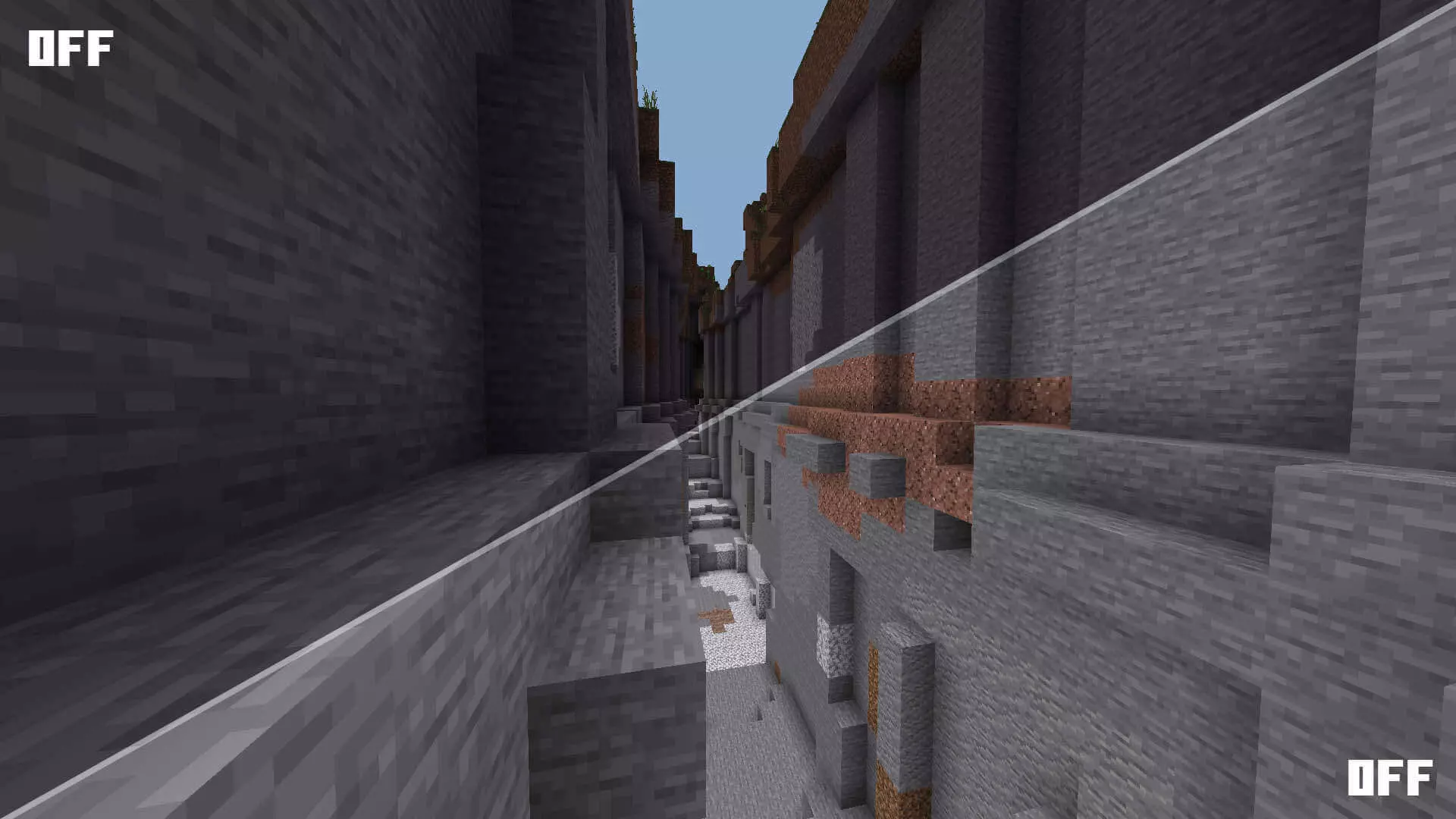
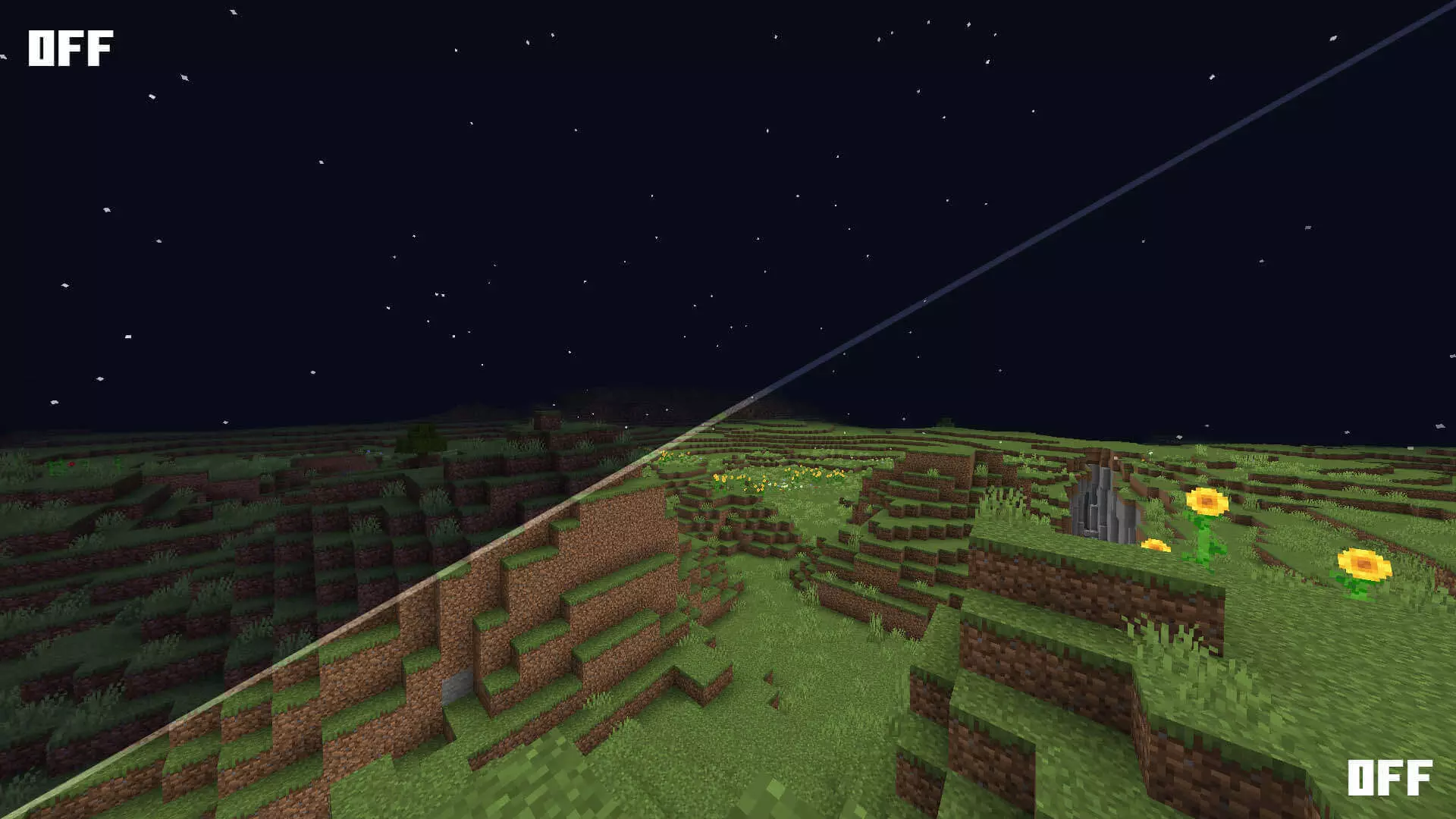
You’re halfway down a cave, your last torch is behind you, and something just moved in the dark. PandaMine’s Fullbright makes the scene easier to read, giving Minecraft Bedrock a night-vision-style look without asking you to keep a potion running.
The effect is noticeable as soon as you step underground. Instead of squinting at a nearly black tunnel, you can see the walls, the path ahead, and the mobs waiting for you. Ore exposed in a cave wall is easier to pick out, too, which is handy when you’re moving through a huge cavern and don’t want to inspect every block by torchlight. It doesn’t reveal diamonds buried behind solid stone, though. You still need to explore and mine for your haul; the pack simply makes the places you can already see brighter. That distinction matters when you’re deciding whether to bring it along for a survival world. Think of it as a visibility upgrade, not a shortcut through the entire mining process.
Fullbright changes the feel of an underground trip in other ways. You can scan a cavern before jumping down, spot openings in the walls, and get a better look at the terrain around a lava pool. If you’ve ever run past a side passage because it looked like a patch of darkness, you’ll appreciate having a clearer view of where the cave actually goes. There’s a catch, though: being able to see a creeper doesn’t stop it from sneaking up behind you, and a visible drop can still send you straight back to your respawn point. Keep your shield ready and watch your footing. Torches still have a job, too. Fullbright changes what you see; it doesn’t light up blocks for mob-spawning purposes. Place actual light sources around your base, farms, and tunnels if you want to keep dark areas from becoming monster hangouts.
The pack is also useful when you’re building in cramped spaces or checking the corners of a large underground project. Digging out a basement, planning a storage room, or following a half-finished tunnel is less of a hassle when you can see what you’re doing. On the other hand, if you love the tension of exploring by torchlight, the brighter look might take some of that atmosphere away. You can leave it off for a spooky adventure and bring it back when you’re ready for a long mining session. Check the installation instructions for the file you choose: the shader release lists a required companion resource and may need a shader loader depending on your device. Once everything is set up, head somewhere dark and see how the view feels for yourself. It’s a small visual change that can make a familiar cave a lot easier to navigate.
What It Does:
Full brightness everywhere (even deep underground)
Mobs, ores, and caves are all easy to spot
Doesn’t mess with anything else
Works on Minecraft Bedrock / MCPE
“Dropped it in my world and instantly found 3 veins of diamond. Not even kidding.”
– @XRayButFair
– @XRayButFair
📥 Download PandaMine’s Fullbright and forget the dark exists.
Installation:
- Download Texture;
- Open the downloaded .mcpack to install;
- Select texture in settings;
- Done.
Comments (0)