Working Projector Mod / Addon
- 22-07-2025, 13:02
- 1 564

Working Projector – Watch Real Videos in Minecraft
Yes, it actually works. With the Working Projector add-on, you can play real videos on a screen inside Minecraft. Just load your video through the linked WebApp, sync it with the projector block, and boom — the video shows up in-game, running live on the wall.
Use it in survival, creative, roleplay builds, theaters, or just flex it to your friends. Any video you want. Clean sync, smooth display, no weird glitches.
It’s simple to set up, wild to use, and easily one of the coolest visual add-ons out there. Watch, build, and vibe — all inside Minecraft.
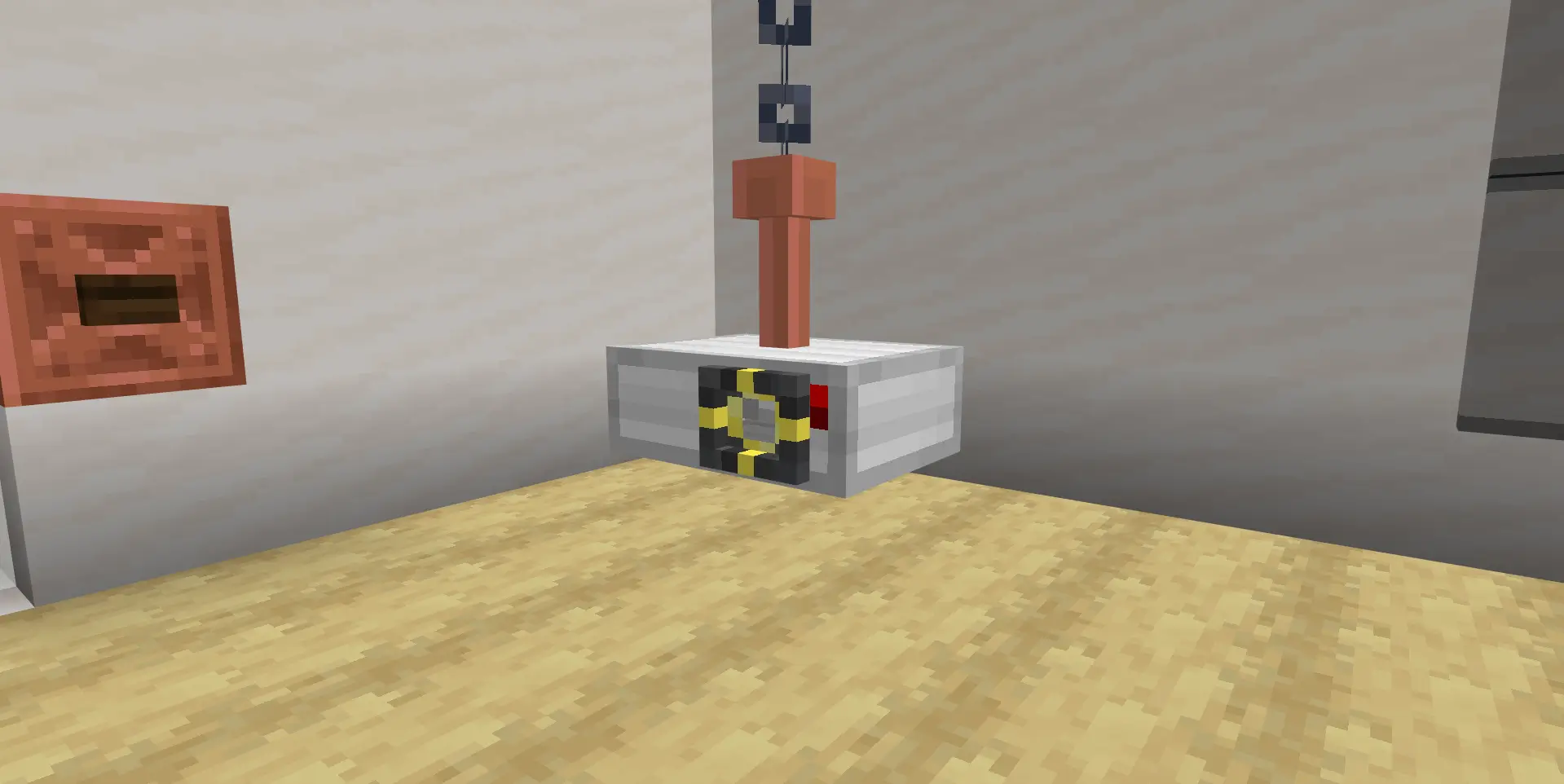
Movie night just found a new venue: your Minecraft base. Working Projector adds a projector block that can show your own videos on an in-game screen.
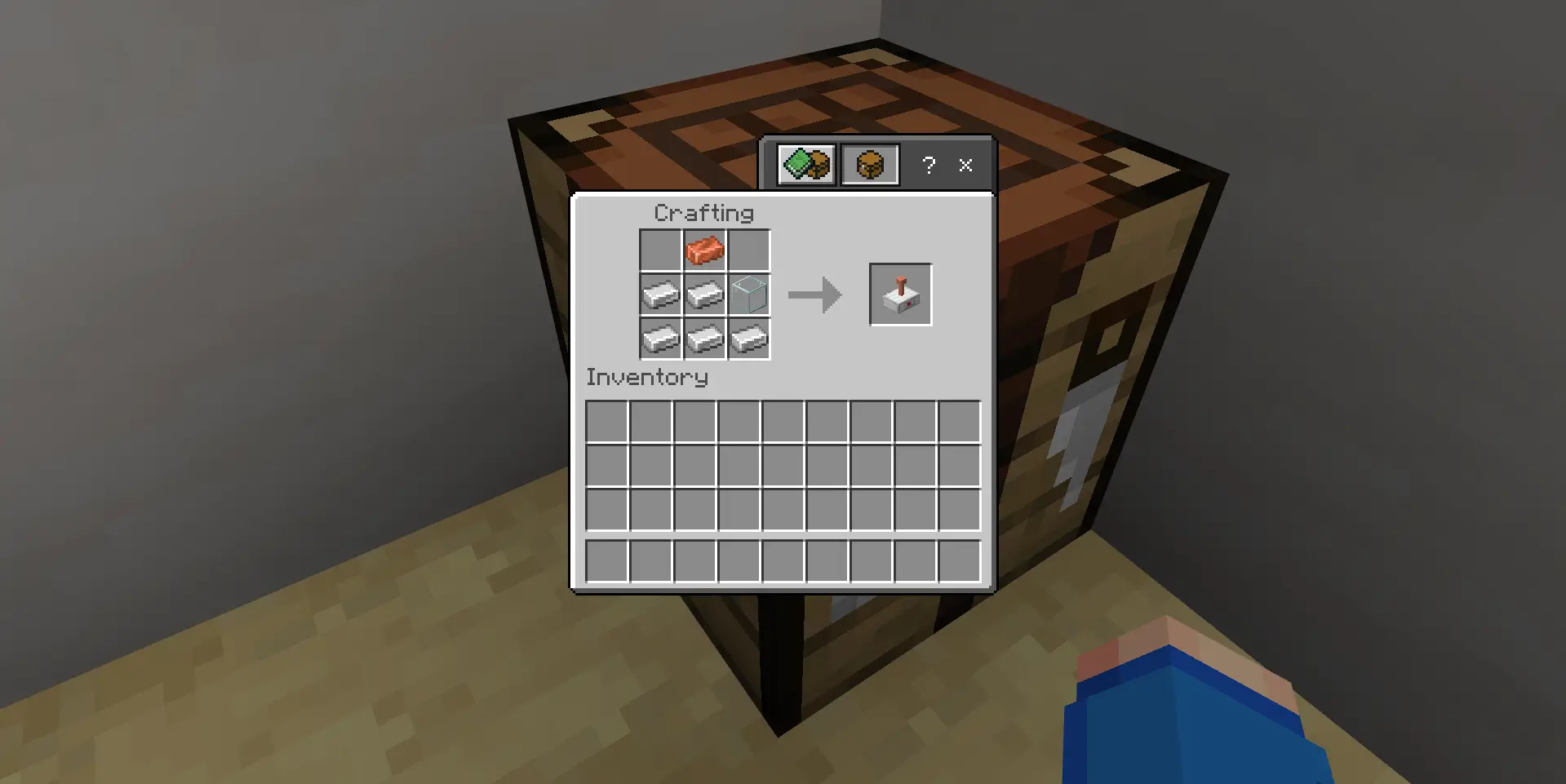
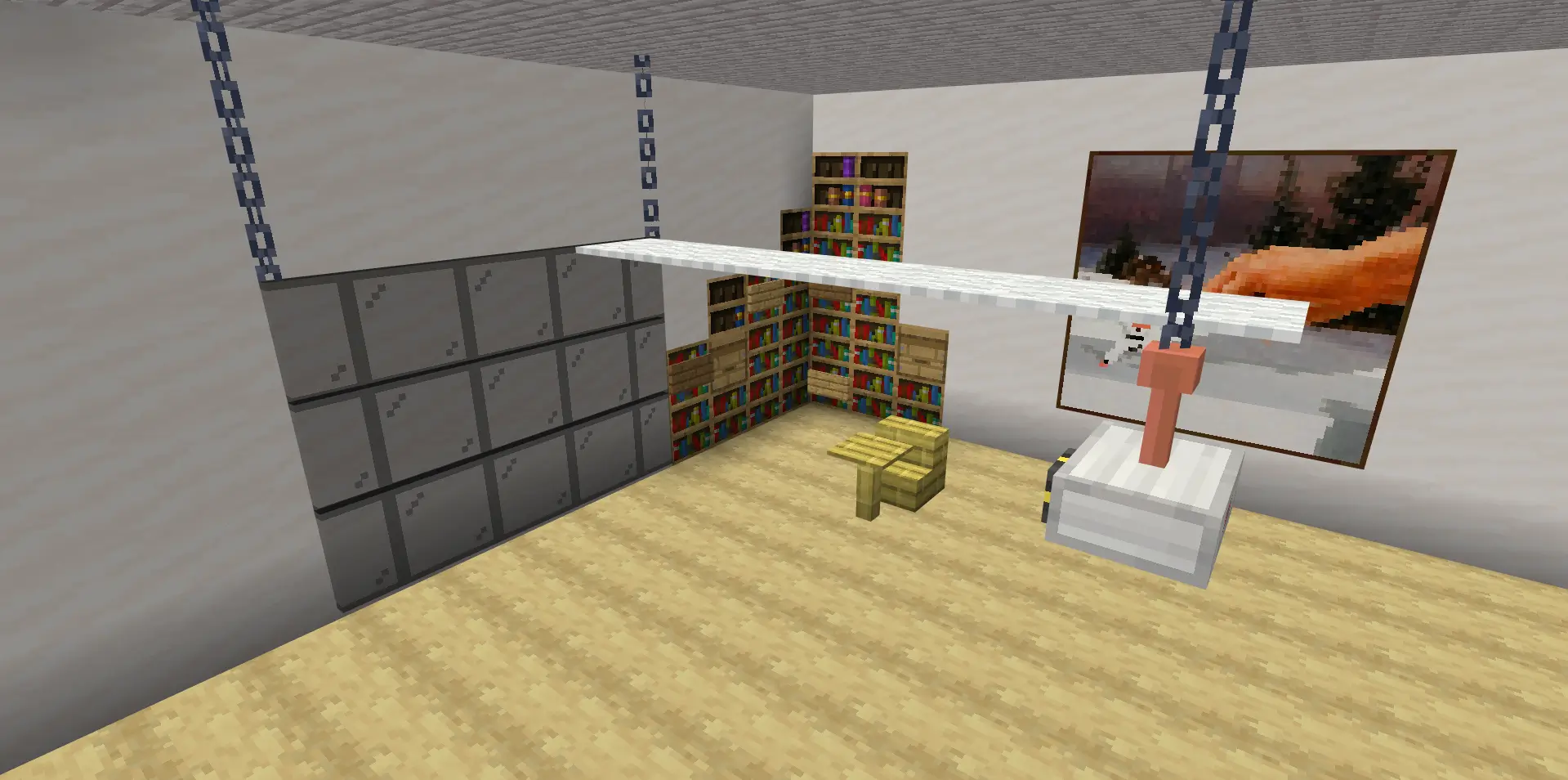
The setup starts with a bit of crafting. You’ll need five iron ingots, one copper ingot, and one glass block for the projector. Once you have it, choose a spot with room for a screen and place the projector facing it. The screen can be made from a block of your choice, so it’s up to you whether the viewing area belongs in a modern living room, a dedicated theater, or an outdoor cinema beneath the stars. Placement matters, though: the top of the screen needs to be at the same height as the projector, and the screen must be between two and sixteen blocks away. Keep those measurements in mind while planning your room. It’s much easier to leave space for the equipment before you’ve finished decorating every wall and arranging all the seats.
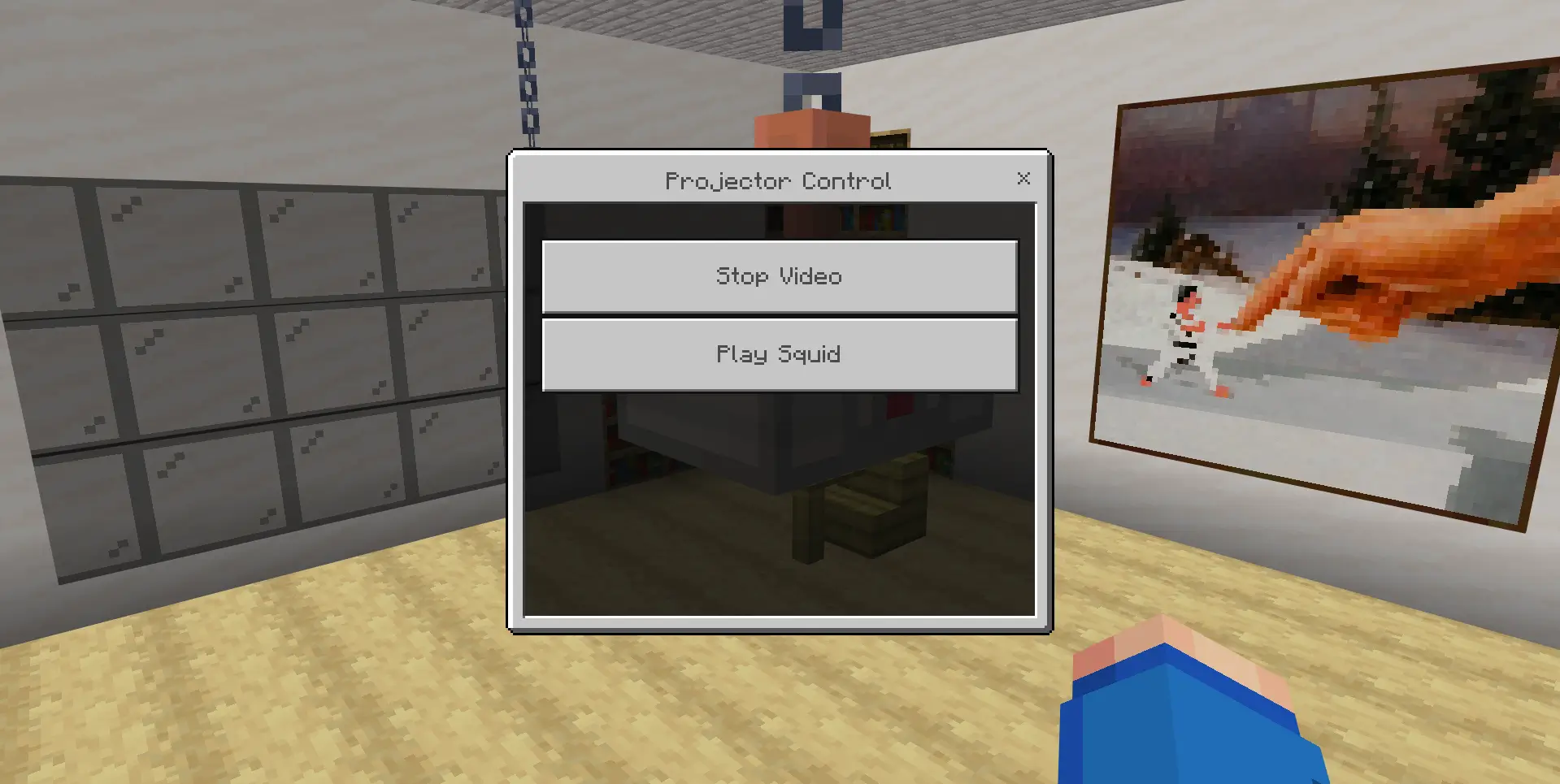
Your own videos need an extra step before they can appear in Minecraft. Use the addon’s web app to upload them, then open the Projector Control menu by interacting with the projector. From there, you can select a video you’ve added and play it on the screen. That means the projector isn’t simply a decorative block you place and forget; choosing what to show is part of the setup. You could prepare a clip for a tour of your world, put together a presentation for a roleplay build, or pick something to watch when friends visit your base. The source doesn’t specify every supported video format or file limit, so check the web app’s current instructions when preparing your upload. Start with a short clip if you want to get familiar with the process before building an entire theater around it.
The projector gives a shared space a reason to exist beyond looking good. Build a lobby with a ticket counter, arrange rows of seats facing the screen, and invite friends over for a premiere. Or keep things casual: set up a screen in the corner of your survival base and use it whenever you want a break from gathering resources. An outdoor showing could turn a courtyard into a gathering place, while a classroom or conference room might suit a roleplay world. However you style the space, remember to measure the projector’s distance from the screen and line up their heights. Once your video is prepared through the web app and selected in the control menu, the screen becomes the centerpiece of the room. It’s a fun project for builders who like making interiors feel useful, and for anyone who wants to bring a little of their own media into a Minecraft world.
Installation:
- Download Mod;
- Open the downloaded file to install;
- Select it in the settings;
- Have fun!
Comments (0)