Cinematic Editor Mod / Addon
- 25-08-2025, 13:45
- 1 343
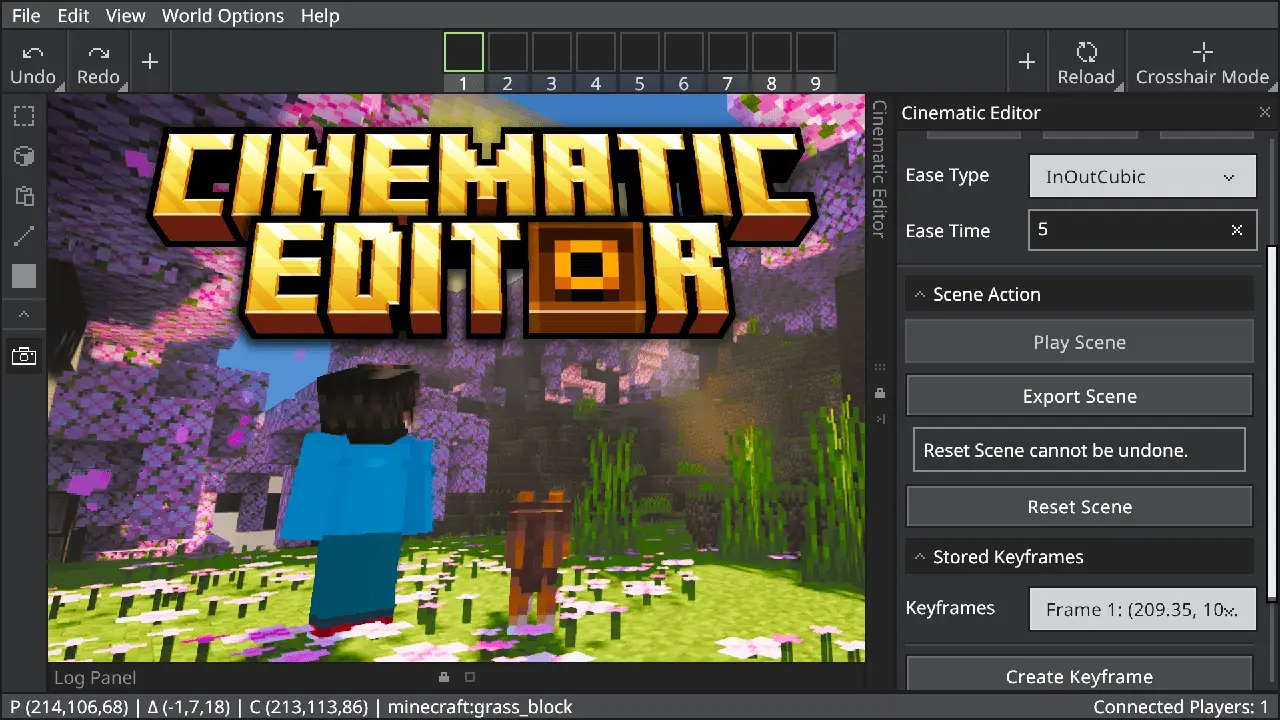
The Cinematic Editor mod by Jayly is the kind of tool that makes Minecraft Bedrock feel like a movie studio. Instead of running around with shaky third-person shots, you actually get to control the camera — smooth pans, angle swaps, and even full cinematic paths that look way more professional than vanilla recording.
I tried it while showing off a huge castle build, and it completely changed how it looked. Normally I’d just fly around clumsily in creative, but with the editor I set up a clean camera path that swooped across the walls, dipped through the courtyard, and pulled back to show the whole thing. Watching the playback felt like a trailer instead of a random clip.
The cool part is you can use it right inside Minecraft as a standalone addon, or push it further with the Minecraft Editor for more advanced stuff. Whether you’re making YouTube videos, roleplay intros, or just want to flex your builds to friends, the Cinematic Editor makes your world look epic. Once you use it, normal recording feels boring.


The funniest Minecraft building argument I've ever witnessed started over the location of a single lantern. A friend wanted it hanging from the ceiling, another insisted it belonged on the wall, and somebody suggested replacing the whole thing with glowstone. We were supposed to be checking out some Bedrock content inside a little underground base, but apparently interior lighting had become the most important issue on the server. I sat there listening for a while before putting the lantern on a table and asking whether we could finally continue. Everyone hated my solution. Eventually, we tried a few different arrangements and ended up changing the entire room. The result actually looked pretty nice, which annoyed me because it meant the argument had accomplished something useful. That's how our multiplayer sessions usually go. People notice completely different details, get stubborn about their ideas, and somehow turn a simple experiment into an afternoon of ridiculous negotiations.
Installation:
- Download Mod;
- Open the downloaded file to install;
- Select it in the settings;
- Have fun!
Comments (0)