Tree Facilities Mod / Addon
- 7-09-2025, 14:42
- 1 041

Tree Facilities Mod
Drop trees like a brush stroke. Tree Facilities Mod lets you pop a full forest or place one perfect tree in Minecraft Bedrock without waiting around for saplings.
From there, it’s all about control. Want a quick wood source near your starter hut? Place a couple of trees by the crafting table, chop, replant, keep moving. Need to fix a chewed-up hillside after a creeper mess? Spin up a small forest patch to hide the scars and bring the area back to life. I’ve used it to line a riverside path, throw shade around a farm, and frame a mine entrance so it feels like an intentional build, not just a hole in the ground.
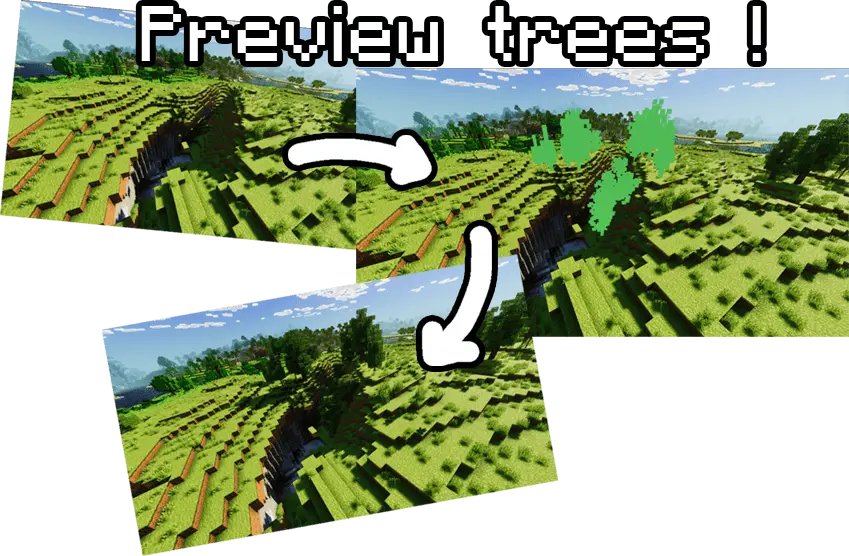
A bare hillside can become a forest without placing every leaf by hand. Tree Facilities gives Minecraft Bedrock builders tools for adding individual trees or creating wooded areas.
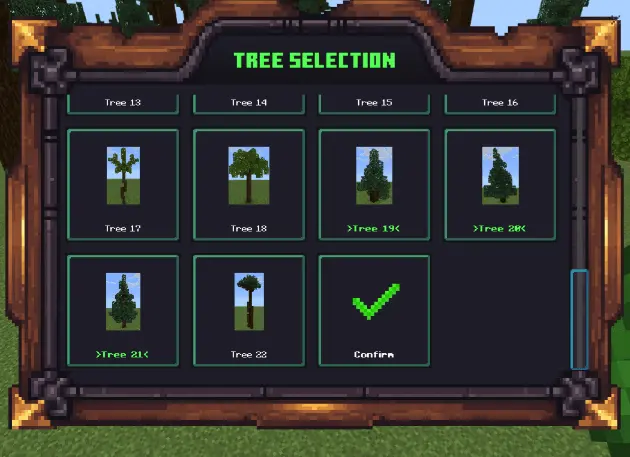
Choose from the available tree designs and decide where you want them in your world. A single tree can frame the entrance to a house, shade a village path, or make an empty courtyard feel more inviting. When you have a larger area to cover, the Forest Tool lets you generate a group of trees instead. You can also select trees for random placement, giving your landscape a less uniform look. That’s useful when you’re working on an adventure map and want the route through the woods to feel like a place players can explore, rather than a row of identical decorations. Start with a patch around your main build, walk through it, and see how it looks from the paths you use most. You can always add more greenery as your plans for the area take shape.
The add-on includes tree selection and placement settings, along with a preview that lets you inspect a tree’s position before generating it. That preview is handy near buildings: you can check how a tree sits beside a wall, bridge, or road before committing to the placement. Settings also include options concerning the replacement of existing blocks and the placement of air blocks, so pay attention to those choices when working around a finished build. For a forest, think about the spaces you want players to move through. An open route can lead toward a village or a tower, while trees placed around the edges help give the path a destination. You might create a small grove beside a farm, dress up the shore around a lake, or fill in the landscape visible from a castle window. Individual placement gives you a way to add a carefully chosen tree after the broader area is in place.
Tree Facilities is especially appealing for custom maps and Creative projects where the landscape matters as much as the buildings. Try placing trees around a campsite, shaping a woodland approach to a dungeon, or giving a town park a more established look. Mix open ground with wooded areas so your favorite structures remain visible from the angles you care about. If you’re working with friends, one player can focus on paths and terrain while another experiments with tree placement; then you can walk through the result together and adjust the layout. The project notes that Beta APIs experiments need to be enabled. After importing the add-on and activating it in your world settings, explore the selection and settings in an area where you have room to try them. Whether your project needs one tree beside the front door or a forest around an entire settlement, Tree Facilities gives you a way to shape the greenery around your builds.
In survival, the mod speeds up early progression and reforestation after big projects, so you’re not babysitting bone meal or praying for drops. In creative, it’s perfect for vibe checks: drop a few trees, step back, adjust spacing, repeat until the base, tower, or bridge reads right. Forest generation helps block sightlines for PvP arenas or create natural cover around villages, while single-tree placement gives you that one hero tree for screenshots. If your world needs fast greenery without grind, Tree Facilities Mod gets it done clean and simple on Minecraft Bedrock.
Installation:
- Download Mod;
- Open the downloaded file to install;
- Select it in the settings;
- Have fun!
Comments (0)