Glyphbound Mod / Addon
- 9-09-2025, 17:53
- 979
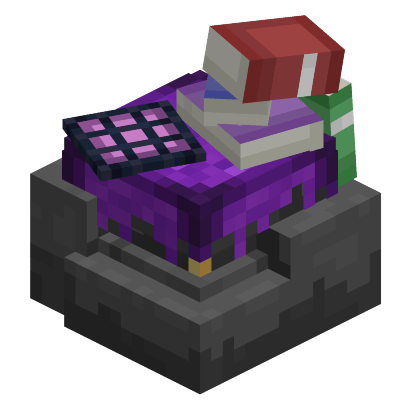
Turn your loadout into a build. Glyphbound lets you infuse gear with ancient runes in Minecraft Bedrock, pushing effects beyond vanilla enchantments and scaling power as you stack more active runes. It feels like proper theorycrafting: you’re not just slapping Sharpness on a sword—you’re tuning slot types, balancing bonuses, and chasing the perfect set for raids, bosses, or PvP nights.
The system is readable at a glance. Tools and weapons show Rune Slots right on the item, and each slot is keyed to a Rune Type—Armor, Combat, Utility, or Generic. Colors and shapes tell you what fits where, while symbols separate individual runes inside the same type. Take a netherite sword with three Combat slots and one Generic: fill two with your go-to combat runes, bridge the last with a situational pick, and use the Generic slot to round out your kit. The more runes you actively run, the stronger the effects feel, so there’s always a reason to refine.


That sword in your inventory might have room for more than another enchantment. Glyphbound adds ancient runes to Minecraft Bedrock, letting you customize weapons, armor, and tools with effects that grow stronger as you apply more runes.
Your search starts with two things: Runic Ore and Rune Ruins. Mine the ore to collect Rune Shards, then explore for ruins, the primary source of the Slates you’ll need. There are different types of Slates, and each determines the category of rune it can produce. Bring your finds home and craft a Runic Table, where the pieces finally come together. Infusing a Slate with a Rune Shard creates a randomized rune within that Slate’s type. The table also lets you apply runes to equipment and duplicate them, so a discovery you like can become part of a larger loadout. It gives both mining and exploration a purpose: finding a ruin matters because it supplies Slates, while another trip underground can bring back the shards needed to use them.
Before placing a rune, take a look at the slots displayed on your equipment. Glyphbound uses four categories—Armor, Combat, Utility, and Generic—and a slot accepts runes of the matching type. Colors and shapes help distinguish those categories, while the symbols identify individual runes within them. A sword, for example, can have several Combat slots alongside a Generic slot, giving you choices about how to fill it. The system gives you something to think about when putting a loadout together: do you use the runes you have now, or keep exploring for more Slates and try another infusion? Since the result is randomized, each new rune is a chance to see what turns up. As you build up your collection, you can duplicate a favorite at the Runic Table and consider where else it might fit. Pay attention to the available slots before spending your resources; even a rune you’re excited to try needs a compatible place on your gear.
What makes Glyphbound fun is that it gives your usual equipment room to develop alongside the rest of your survival world. A mining trip can end with more than a stack of iron, and a ruin can send you back to base eager to see what your next infusion produces. Keep a space near your storage for the Runic Table and sort your shards, Slates, and finished runes so they’re ready when you want to experiment. If you’re preparing for a dangerous expedition, check your armor and weapon slots before leaving; if you’re focused on gathering, take another look at the options for your tools. The addon is designed to work alongside other addons without changing vanilla behavior, though it’s still worth checking how your particular collection of gear works together. Glyphbound adds a reason to revisit the equipment you already rely on and make each upgrade part of your own build.
Progression loops are clean. Mine Runic Ore to pull Rune Shards, hunt down a Rune Ruin to stock up on Slates, then craft a Runic Table—the heart of Glyphbound. In the table, you infuse Slates with Shards to roll randomized runes by type, apply them to gear, and even duplicate favorites for alt sets or teammates. It stays friendly with other add-ons and doesn’t rewrite vanilla behavior, so your world remains stable while your buildcraft gets deeper.
Visuals get love, too. With full Vibrant Visuals support—metallic, emissive, and roughness maps—runes, items, and blocks pop without breaking the Minecraft Bedrock vibe. The result is a satisfying loop: explore to find Slates, mine to fuel the table, craft and resocket until your armor, tools, and weapons click. If you want a magic system that respects your time and rewards smart slotting, Glyphbound makes every upgrade feel intentional.
Installation:
- Download Mod;
- Open the downloaded file to install;
- Select it in the settings;
- Have fun!
Comments (0)