Lore Chat Mod / Addon
- 12-09-2025, 07:20
- 1 082
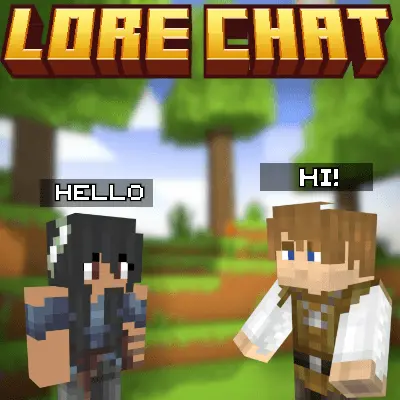
Lore Chat mod - Talk like your character actually exists in the world. Lore Chat swaps noisy global text for clean, above-head messages in Minecraft Bedrock, so conversations feel like scenes instead of console logs. It’s multiplayer-only by design: you join a world, get the Lore Chat item, pop the interface, and type. Your line appears under your name over your model—crisp, readable, and out of the chat box.
The rhythm is perfect for roleplay and events. Quick callouts? Leave them on the default timer and they vanish after ~15 seconds so the scene stays tidy. Need a shop sign, quest hint, or a “Guard on duty” vibe? Flip the permanent toggle and your message sticks above your head until you change it, turning your character into a walking label. We’ve used it to price stalls at a market, to mark raid leaders during a boss wave, and to keep team roles obvious during city builds without spamming anyone’s chat window.

Your Minecraft character finally has something to say. Lore Chat puts messages above players’ heads, bringing conversations into the middle of the action.
This Bedrock add-on is designed for multiplayer, so invite a friend into your world before trying it out. When you first enter, you receive a Lore Chat item that opens an interface for writing a message. Once you’ve entered your line, it appears above your character and below your name, where other players can see it. That makes it easy to tell who’s speaking during a role-play scene or a busy gathering. Picture two players meeting at a market stall: one offers supplies, the other makes a counteroffer, and their conversation appears right there beside the shop. The same idea works in a fantasy town, a modern city, or a survival base you’ve built together. You decide what your character says and where the conversation takes place. It’s a small presentation change that can give a shared world a little more personality.
Messages disappear after 15 seconds by default, leaving room for the next line when a conversation keeps moving. If you want something to stay visible, the interface also has a permanent-message option. That can be handy for a player acting as a guide during a tour, a shopkeeper advertising what they’re looking for, or a host identifying themselves at an event. Keep the message short enough for the people around you to read while they play, and use the temporary display for quick exchanges that don’t need to remain on screen. A guard greeting visitors at a castle gate might use a brief line, while the person organizing a building contest could keep their role visible during the event. The text follows the player who displays it, so it can travel with your character as you move through the world.
Lore Chat can be useful outside formal role-play, too. During a group project, players might use the display to show what they’re working on or where they need help. At a community market, a short message can introduce your stall before another player comes over to talk. Friends exploring a custom map can use it for in-character reactions as they move from one location to the next. Just keep in mind that a message displayed over your character isn’t a private direct message; consider who can see it before sharing anything sensitive. The download page provides separate resource and behavior pack files to import and activate in your world settings. After setting them up, join your friends, open the Lore Chat item, and try a line. Whether you’re organizing an event or simply giving your survival character a voice, the add-on puts your words right where the story is happening.
Losing the item isn’t the end of the world. Craft pen + paper and you’re right back to posting lines. Because the text rides over your head, everyone reads context at a glance—whispers over campfires, deals in back alleys, or a tour guide leading a museum group through a custom city. For minigames, it’s clutch: seekers and hiders can flip short taunts, referees pin “MATCH OFFICIAL,” and spectators don’t clog the log with commentary.
Nothing flashy, nothing heavy—just diegetic dialogue that respects immersion. If your server leans into storytelling, trading, or clean event hosting, Lore Chat makes Minecraft Bedrock feel like an actual social space: say it, see it, move on with the scene.
Installation:
- Download Mod;
- Use Minecraft
- Open the downloaded file to install;
- Select it in the settings;
- Have fun!
Comments (0)