Fuel Bits Mod / Addon
- 6-03-2026, 12:27
- 1 034

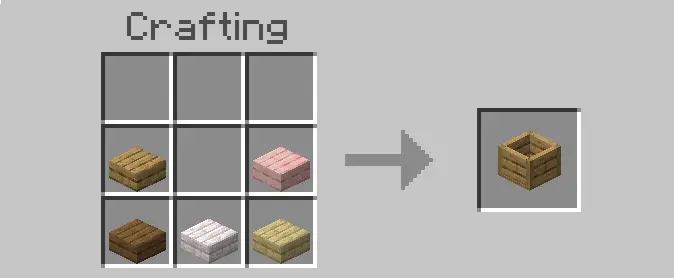
Fuel Bits Mod — small QoL tweak, big impact on how you keep furnaces humming in Minecraft Bedrock. I threw it into a fresh survival and the flow clicked immediately: instead of praying for a lucky coal vein, I had multiple, balanced fuel options that felt like they belonged in vanilla. The pack is tidy and focused—6 new fuel sources, 2 new blocks (including the peat block), and “many, many� recipes that slot right into the crafting book so you aren’t tabbing out to figure things out. A few naming cleanups make everything read better too: Turf is now Peat, Turf Block is Peat Block, and Pitch Black Concoction is now Black Oil; the old Fire wood item is gone, and the peat block texture got a polish.

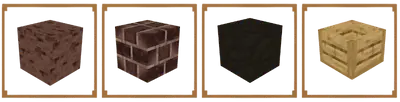
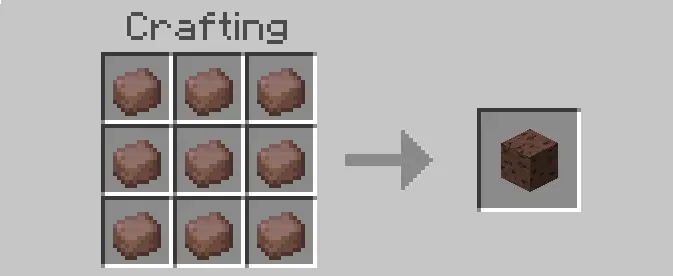
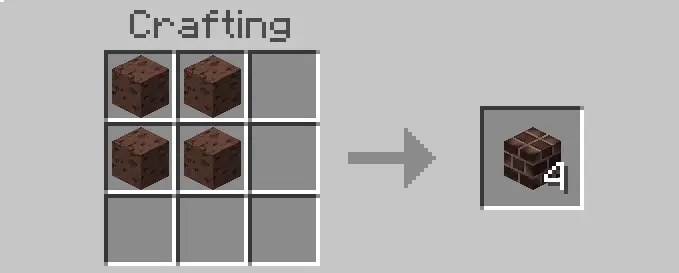
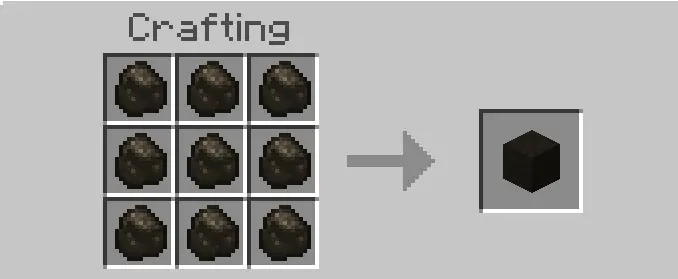
Out in the wild, Fuel Bits Mod shines during those early hours when your pick is garbage and every lump of coal is a choir moment. I was able to keep cooking food and pushing ore smelts without detouring into a mining marathon. Mid-game, when you’ve got a proper smelter line with hoppers, the variety lets you “budget� fuel by tier—save your best stuff for bulk ore, feed the everyday burns with the cheaper bits, and keep the blast going while you build. None of it feels busted; burn values are clearly tuned so lava and classic fuels still have a place, but you won’t stall out just because your coal chest is sad.
Using Fuel Bits Mod is dead simple: enable the addon, check your crafting book for the new recipes, and start stocking a fuel shelf next to your furnaces. The two new blocks slot into storage and base aesthetics cleanly (peat block looks right at home by a cellar or boiler room), and Black Oil fits the naming scheme better so you’ll remember what’s what at a glance. It stays light on performance, stays true to Minecraft Bedrock’s vibe, and quietly fixes the most annoying bottleneck in survival: keeping the fire lit without grinding yourself numb. If you want a vanilla-feeling boost to smelting that respects balance, Fuel Bits Mod is absolutely worth running.
Installation:
- Download Mod;
- Open the downloaded file to install;
- Select it in the settings;
- Have fun!
Comments (0)