Better Clear Glass Mod / Addon
- 27-02-2026, 08:48
- 639
Mods 1.26 / Mods 1.21 / Mods 1.20
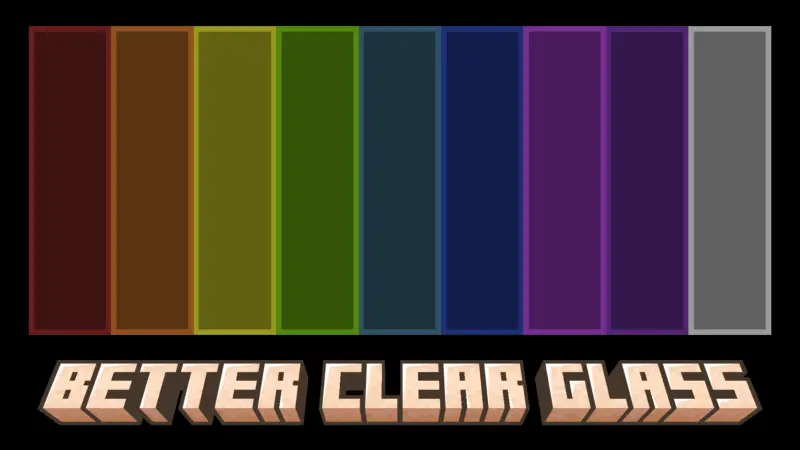
Better Clear Glass by bed Addon is focused on one small change that makes a huge difference in how builds look: cleaner glass. The default glass in Minecraft Bedrock has those edge lines that can make windows look busy and blocky in an annoying way, especially when you use a lot of panes or large glass walls. This pack fixes that by removing the edge lines, making glass look smoother and closer to real-life clear windows.
In actual gameplay, Better Clear Glass by bed Addon shines in any build where glass is a main feature. Modern houses, skyscrapers, greenhouses, aquariums, observation towers, and big base windows all look instantly cleaner because you’re not staring at outlines every time you look outside. It also makes interiors feel more open, since smooth glass creates a better “connected� view between rooms, balconies, and outdoor areas. Even small survival bases benefit, because a simple window becomes something you can actually see through clearly instead of a textured barrier.
This pack is also practical for survival safety, because visibility matters. If you’re watching for mobs outside your base at night or checking if an area is safe before stepping out, smoother glass helps you read the scene without visual clutter. It doesn’t change any mechanics or add new blocks, so it’s easy to keep on permanently as part of your normal resource pack setup.
A good way to enjoy Better Clear Glass by bed Addon is to test it in builds with large glass surfaces first, like a greenhouse wall or a panoramic window room, because that’s where the “no edge lines� effect is most obvious. If you want your Minecraft Bedrock world to look cleaner and your windows to feel smooth and modern, Better Clear Glass by bed Addon is a straightforward upgrade that does exactly what it promises.
Installation Mod:
- Download the .mcaddon / .mcpack;
- Open the file to import into the game;
- In World Settings → Resource Packs and Behavior Packs, enable it (turn on Experiments if needed);
- Have fun!
Comments (0)