Ferous 3D Sword Mod / Addon
- 4-03-2026, 04:15
- 691
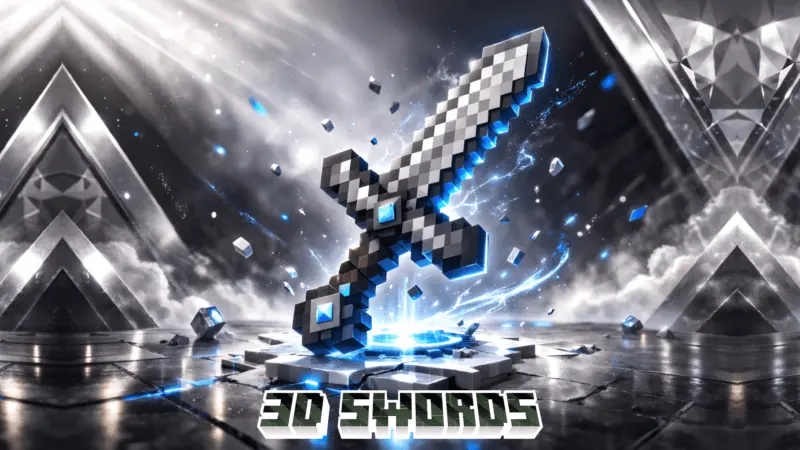
Ferous 3D Sword Mod [achievement friendly] is pretty straightforward at the moment. Right now, the add-on includes just one weapon: the Ferous 3D Sword. That makes this feel more like a focused weapon drop than a huge content pack, which is honestly fine when the main goal is giving one sword its own spotlight.
The crafting setup stays tied to late-game gear. To make the Ferous 3D Sword, you need a Netherite Sword plus Netherite Ingots, so this is clearly aimed more at players who are already deeper into survival rather than just starting out. With the way it is labeled around armor, tools, weapons, technology, survival, and PvP, Ferous 3D Sword Mod [achievement friendly] fits the kind of world where you want a sharper-looking custom blade without turning the whole game into something else.
You’ve already earned a netherite sword, but there’s one more blade worth making room for. Ferous 3D Sword adds a custom weapon with a three-dimensional model to Minecraft Bedrock.
The new sword is the centerpiece of this add-on. Instead of getting a huge collection of weapons to sort through, you get one distinctive blade with a more substantial look when your character holds it. That makes it an appealing choice if you care about how your gear looks during an adventure. Pull it out while exploring a fortress, bring it to a duel with a friend, or keep it ready for the next mob that wanders too close to your base. It’s still a sword for the Minecraft activities you already enjoy, with a design that stands apart from the familiar flat-looking equipment.
Getting your hands on it takes some serious preparation. The recipe calls for a netherite sword and netherite ingots, so you’ll need to work your way through the dangerous part of the Nether before you can make one in survival. If you’ve already spent time hunting ancient debris, you know that netherite isn’t something you casually throw into every recipe. Check the sword’s crafting recipe in-game, gather the required materials, and decide when you’re ready to use them. For players with a well-established world and resources tucked away in storage, it gives those hard-earned ingots another purpose.
The 3D model is worth a closer look once the sword is yours. Equip it and switch to third-person view to see how it looks with your armor and skin, then try it in the kind of fight you normally prepare for. A custom blade can give your character a stronger identity, whether you’re playing a heavily armored warrior or a traveler who spends most of the day away from home. It could also fit into a multiplayer world where everyone has their own favorite equipment and likes showing off what they’ve made.
Ferous 3D Sword keeps its focus narrow, which makes it easy to fit into an existing adventure. You don’t have to build a new base or learn a whole system of magic to use the weapon. Gather the materials, craft the sword, and take it wherever your next trip leads. If you’re curious about its combat performance, try it against mobs or in a friendly duel and see how it feels alongside your usual gear. For anyone who has reached the netherite stage and wants a blade with its own three-dimensional style, this is a goal to add to the list.
Installation Mod:
- Download the .mcaddon / .mcpack;
- Open the file to import into the game;
- In World Settings → Resource Packs and Behavior Packs, enable it (turn on Experiments if needed);
- Have fun!
Comments (0)