Elytra+ Fx – Addon / Texture Pack
- 6-03-2026, 04:04
- 984
Mods 1.26 / Mods 1.21 / Textures
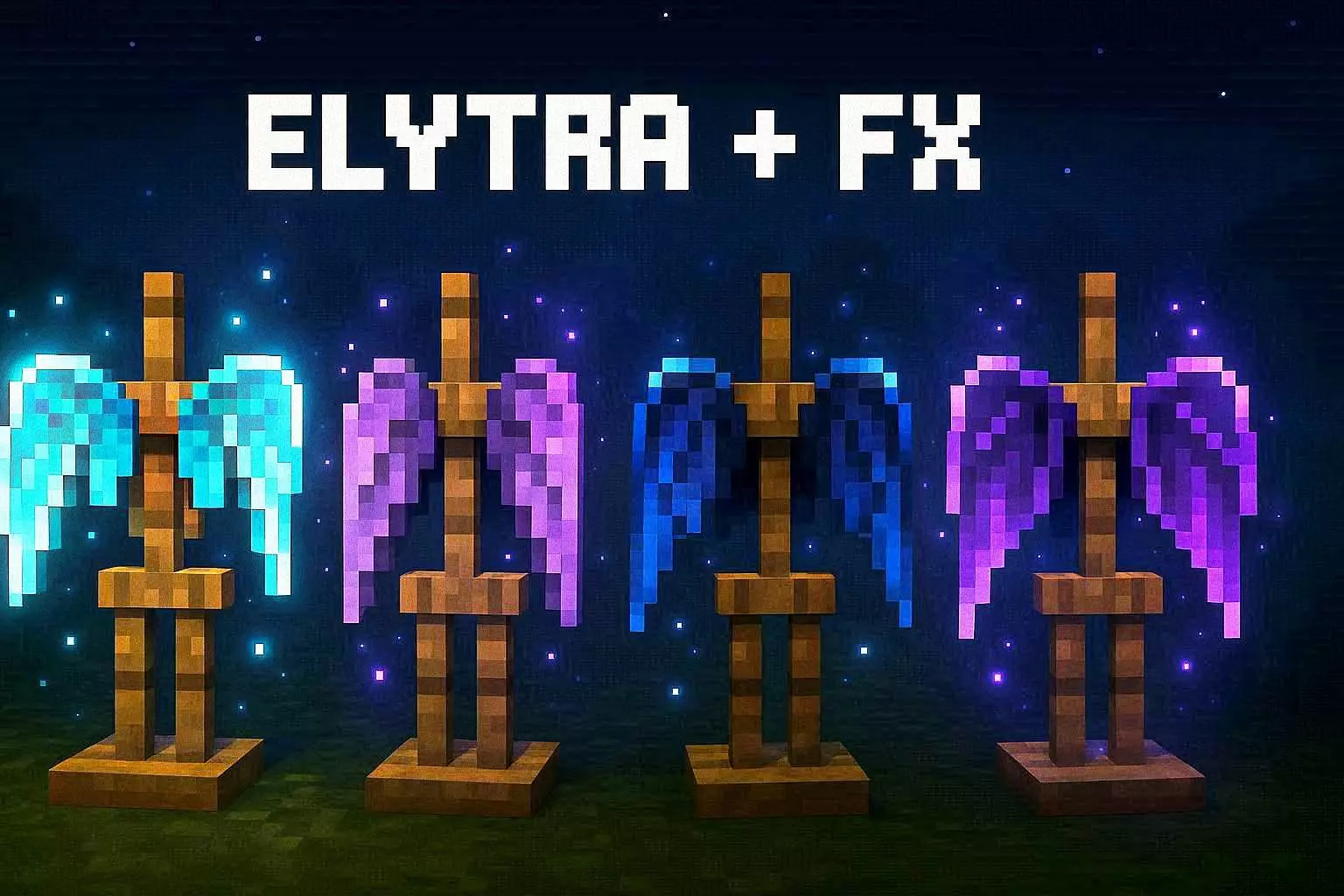
Elytra+ Fx Addon new Elytra texture options in Minecraft Bedrock. Download the mod and get very beautiful and stylish Elytra for Steve. You fought the dragon, crossed the End, and finally got your hands on an Elytra—those wings deserve a look that matches the journey. Elytra+ FX gives Minecraft Bedrock players a selection of glowing wing designs inspired by creatures they’ve met along the way.
The Allay design brings a cyan glow to your flights, while the Vex option leans into a purple, magical look. Phantom wings have a darker spectral blue style, and the Dragon design goes for violet energy. There’s also a Dragon Inferno look with red-orange coloring and dark edges if you want something bolder. Each one gives the same piece of gear a different personality, so your choice can match your skin, your favorite armor, or just whatever looks coolest when you launch off a mountain. A dragon-inspired design feels right at home after a trip through the End; the Allay style might suit a brighter character and a peaceful build.


Switching looks is handled through the resource pack’s subpack selector. After importing and activating Elytra+ FX, open its settings and choose the design you want to use. Then equip your Elytra and check it from third-person view to see how the wings look on your character. Try standing still first, then jump from a safe height and take a flight over your base. The glowing details are part of the wings’ visual style, and they can stand out especially well against a darker sky. If you play with friends, a flight together is a good excuse to compare designs: circle a tower, head toward a distant village, or line up for a screenshot before launching. The pack changes the Elytra’s appearance; you’ll still need your own wings and your usual supplies for a long flight.
For survival players, that makes Elytra+ FX an easy way to personalize a hard-earned item you’re likely to keep using. Pick a design after finding your wings in an End city, then take it on your next trip between bases or out to explore new terrain. If you’re building a fantasy world, the different styles can also help give your character a distinct look without changing the rest of your surroundings. Creative players can test the options more quickly and settle on one that fits a map or roleplay character. To install the pack, open the downloaded file in Minecraft and activate it in your resource pack settings. Select a style, equip the Elytra, and take off. Whether you’re racing friends or just cruising home with a full inventory, the wings will look a lot more like a prize you worked for.
Installation:
- Download Texture;
- Open the downloaded .mcpack to install;
- Select texture in settings;
- Done.
Comments (0)