DAMAGE INDICATOR Addon
- 11-08-2026, 15:41
- 538
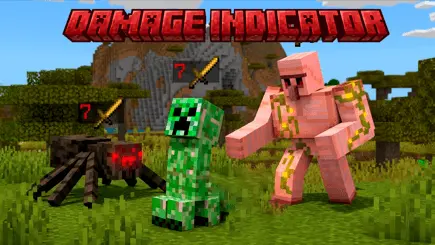
DAMAGE INDICATOR NQ Addon - Trash your guessing games and completely dominate combat with a hardcore, real-time RPG damage tracking system.
Let’s be completely honest, blindly swinging a diamond sword at a massive raid boss without knowing if you are actually making a dent is a painfully outdated mechanic that completely kills the tactical vibe of a heavy survival run. If you are tired of the zero-information vanilla combat loop and want to actually inject some sweat-inducing, precision RPG mechanics directly into your world, the DAMAGE INDICATOR NQ .mcaddon completely trashes the standard UI limitations. This pack drops a highly optimized, dynamic floating text system directly into your active chunks. You are no longer just guessing if your custom enchantments, critical hits, or splash potions are actually registering properly. Every single time you strike an entity, you get immediate, hardcoded visual feedback showing the exact numerical damage dealt floating right above the monster's head.
This completely overhauls how you calculate your TTK (Time to Kill) during massive faction raids or heavy PvE mob farming. You get the massive tactical advantage of instantly knowing which weapons in your hotbar are underperforming and exactly when to swap to a secondary loadout. It fundamentally upgrades your combat awareness, letting you actively gauge a mob's remaining health pool and aggressively min-max your DPS output without wasting precious weapon durability on unnecessary swings.
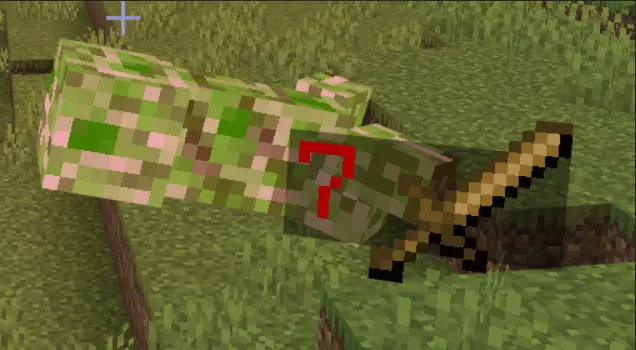
Injecting real-time, dynamic floating UI elements directly tied to moving entity hitboxes usually instantly bricks your framerate and completely destroys your server-side tick rate, but this back-end code is aggressively optimized specifically for the Bedrock engine. To get these precise RPG damage numbers rendering flawlessly, you absolutely must apply both the Behavior Pack and Resource Pack directly to your active .mcworld or multiplayer Realm. Aggressively double-check that every required Experimental Gameplay toggle is flipped on before you load in, otherwise the dynamic text rendering and hit-detection scripts will flat-out fail to trigger. You can run massive, high-speed faction wars and heavily optimize your mob grinders alongside your entire squad without causing severe input delay or crashing the game for your friends stuck on mobile devices and older consoles.
What really makes this MCPE addon a staple for any serious loadout is just how lightweight and responsive it feels on your screen. Clunky interface mods often spam your field of view with massive, ugly bars that tank your FPS during heavy mob farm grinds. This one keeps the aesthetics tight, minimalist, and readable without breaking your visual immersion. The pop-ups float up smoothly and vanish instantly, giving you instantaneous feedback on your DPS output. That means testing custom enchantments, figuring out your optimal sword-versus-axe damage rotations, or checking weapon falloff at long range becomes effortless. You immediately spot whether that strength buff is actually pulling its weight or if your bow shots are landing at full charge.
Beyond sweat-tier PvP arenas, this tool is an absolute lifesaver for casual survival grinders pushing deep into high-tier content. Taking on the Wither, clearing out trial chambers, or tracking a Warden's absurdly stacked health pool becomes far more strategic when you can actively monitor their remaining hit points. You no longer overcommit to risky melee trades because you know the exact hit count required to secure the kill. It gives you the tactical confidence to hold your ground or back off and pop a golden apple before things go sideways.
If you’re ready to ditch the guesswork and turn your world into a clean, RPG-style combat arena, grabbing this pack is a total no-brainer. Download the Damage Indicator Addon, drop into your survival world, and finally start seeing the real numbers behind every hit.
Installation Mod:
- Download the .mcaddon / .mcpack;
- Open the file to import into the game;
- In World Settings → Resource Packs and Behavior Packs, enable it (turn on Experiments if needed);
- Have fun!
Comments (0)