Advanced Storage Network Addon
- 20-03-2026, 03:17
- 5 120
Mods 1.26 / Mods 1.21 / Mods 1.20
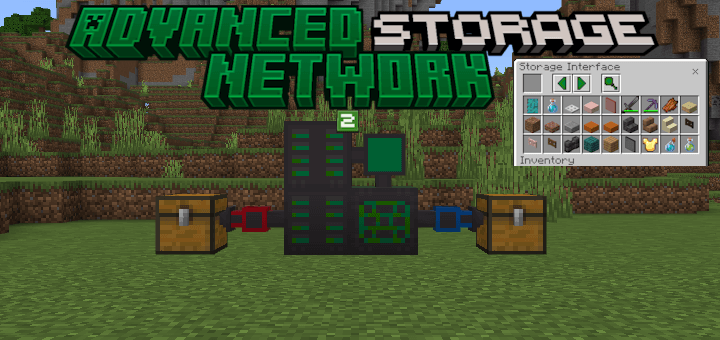
Advanced Storage Network Addon will allow you to create an advanced storage network in Minecraft Bedrock. A Minecraft base has a way of filling up with chests before you notice. One holds stone, another has tools, and somewhere there’s a chest with the redstone you need for a build. Advanced Storage Network gives you another way to manage those supplies: create a connected system and access its contents through a storage interface. Instead of checking containers one by one, you can keep your resources in the network and take out what you need from one place. It’s especially useful once your mining trips, farms, and building projects start producing more materials than a small storage room can comfortably hold. The setup takes some work, but there’s a nice payoff when you return home with a full inventory and have a single place to put everything.
To build a basic network, start with a Storage Core and connect it to Storage Drives and a Storage Interface. The devices can sit next to one another or be linked with Storage Cables, which gives you some freedom when planning the space. You could keep the interface close to your crafting area and arrange the drives elsewhere in your base. As you collect more resources, add storage to accommodate them rather than rebuilding the whole room around another row of chests. The interface lets you browse the network’s contents, so finding supplies becomes easier even as your collection grows. There’s still room to design a storage room that fits your base, whether you want the equipment on display in a workshop or tucked away behind a wall.
Once the basics are in place, you can start experimenting with the other devices. Import and Export Buses help move items into and out of the network, which is useful if you want your storage to work alongside other parts of your base. A farm, for example, can produce far more materials than you want to carry back by hand after every visit. Level Emitters can monitor how much of an item is stored, giving redstone builders another way to use that information. There’s also wireless access: set up the appropriate transmitter and interface, and you can reach your network from a distance within its configured range. Storage Relays offer another way to connect distant parts of a system, even across dimensions. For a smaller setup away from home, the Portable Storage Network provides its own self-contained storage.
The download page offers a standalone file and a separate file intended for use with Bedrock Energistics Core. The standalone option is a good place to begin if you mainly want item storage; the Core-compatible option supports additional energy and fluid features when paired with the required components. Download the file that suits your setup, open it in Minecraft, and activate the packs in your world settings. Once you’ve built your first working network, try putting in a few everyday supplies and taking them back out through the interface. From there, you can expand it around the way you play: add more drives for a growing collection, set up wireless access near a building project, or try automating the movement of farm produce. You may still want a few decorative chests around the house, but finding that last piece of redstone should become a lot less troublesome.
Installation:
- Download Mod;
- Open the downloaded file to install;
- Select it in the settings;
- Have fun!
Comments (0)