AziFy Revive – Shader
- Today, 13:28
- 8 397
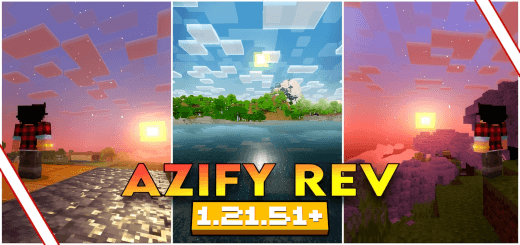
AziFy Revive Shaders with an amazingly detailed and beautiful game world for Minecraft Bedrock.
AziFy Revive Shaders — a visual overhaul for Minecraft Bedrock that boosts clarity, color, and atmosphere so your worlds look detailed and straight-up gorgeous without changing how you play.
AziFy Revive gives your Minecraft Bedrock world richer colors, stronger lighting, and plenty of reasons to stop for a screenshot. Water, skies, shadows, and moving plants all contribute to a look that makes familiar places worth visiting again.
The water is a good place to start exploring the changes. Reflections and improved underwater visuals give rivers, lakes, and coastlines more detail, making a trip along the shore an opportunity to see the shader at work. Try revisiting somewhere you’ve already built, especially if you have a house or dock beside the water. You might find a view you never paid much attention to before. Underwater areas get visual improvements too, so take a look beneath the surface when you have a safe opportunity. If you enjoy building around water, this could give you an excuse to finish that waterfront project you’ve been putting off.
Above ground, dynamic clouds and waving plants add movement to the landscape. Combined with the more vivid colors, they can make an ordinary walk through your world more interesting to watch. Sun bloom gives bright sunlight a glow, while sharper shadows help define buildings and terrain. Take a look at the same location at different times of day before deciding how you feel about it. A house that looks pleasant in daylight might become your favorite screenshot spot near sunset. You could also experiment with a few viewpoints around your base, particularly where the building, sky, and surrounding vegetation fit together in one scene.
The pack includes glowing ores and metallic reflections, giving you more to notice away from open landscapes. Head underground and see how the lighting changes the appearance of a mining area, or inspect materials around a build to find details you might otherwise miss. Visual changes also extend to the Nether and the End, so there’s a reason to revisit places beyond the Overworld. If you like recording tours, consider showing several environments rather than staying beside your base. A short journey through different locations can demonstrate more of the shader’s look than a single sweeping view.
AziFy Revive is available for Android, iOS, and Windows, but it needs a compatible shader loader or the required patches to display its effects. The right setup matters, so check compatibility with your platform and game version before expecting the full appearance. Once that’s sorted, spend some time playing normally as well as looking for screenshots. Walk your usual paths, visit a farm, return to an old building, and see whether the colors and lighting suit the world you’ve made. You may decide to adjust a few decorative details, build somewhere new, or leave everything as it is and enjoy the view. Sometimes the best place to test a shader is the home you’ve already spent hours making.
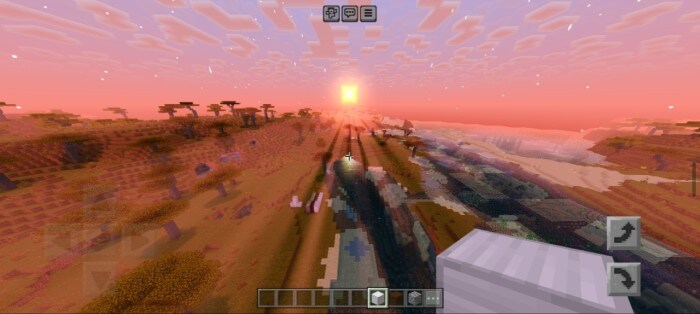
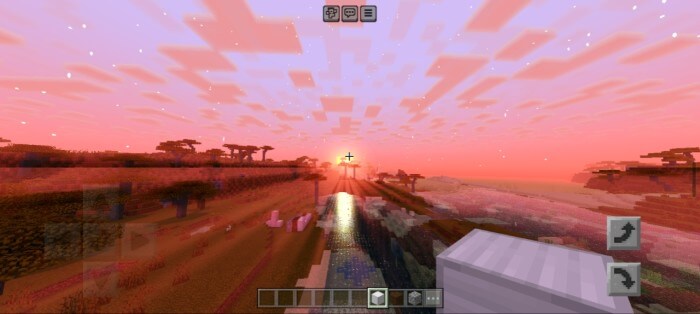
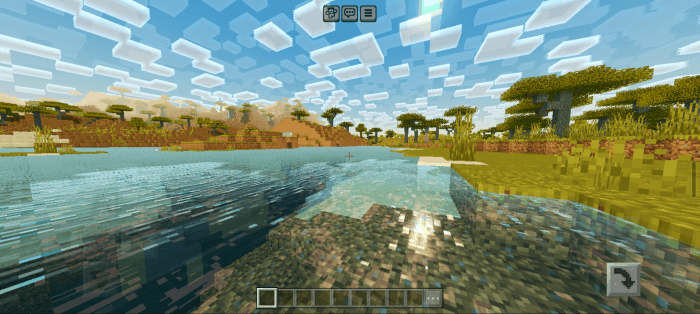
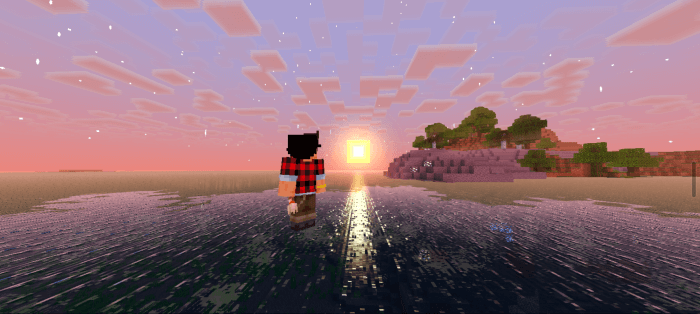
Out in the plains at sunrise, the palette sits warm and your starter house actually looks like a place you want to come back to. In caves, torches give you that tight, cozy pocket of light that makes mining feel focused and deliberate. During a stormy raid, the mood stays dramatic but readable—you can still track mobs and hold corners instead of fighting a gray smear. Ocean runs hit different too; coastlines pop, and underwater scenes feel inviting instead of flat. Even the Nether gets a glow-up: travel routes are easier to parse, and fortress silhouettes stand out so you can plan a push without second-guessing every turn.
Building with AziFy Revive Shaders on is just fun. Wood tones stack nicely, stone textures layer without muddying your palette, and nighttime screenshots of your town actually look like something you’d show off. There’s no weird learning curve—enable the pack, hop into your world, and keep playing. If you want Minecraft Bedrock to look beautiful while staying faithful to vanilla flow, AziFy Revive Shaders nails that sweet spot: detailed where it counts, gorgeous when it matters, and zero friction between you and the next adventure.
Installation:
- Download Shader;
- Use Minecraft PE
- Open the downloaded .mcpack to install;
- Select Shader in settings;
- Done.
Comments (1)