SmooTea Shader | Low End Shader
- 17-01-2026, 13:07
- 5 267

SmooTea Shader | Low End Shader — clean visuals without frying your FPS (Minecraft Bedrock)
If your device wheezes the second you install most shaders, SmooTea Shader is the cozy middle ground you’ve been looking for. It’s a low-end shader for Minecraft Bedrock that actually respects your hardware, smoothing out the look of the game without turning your phone or old laptop into a space heater. You still get the vibe upgrade—warmer light, softer skies, nicer color—but the frame rate stays solid, even in big worlds. Your favorite survival world doesn’t need to look like a movie set to feel fresh. SmooTea Shader gives Minecraft Bedrock a softer visual style, with lighter effects aimed at players who want a change of atmosphere without asking too much from their device.
The first thing you may notice is the sky. SmooTea uses simple clouds that add texture overhead without turning every view into a dramatic weather scene. The color treatment is gentle, too: grass, water, and distant scenery get a different mood while the world keeps its familiar blocky character. That makes the shader a good match for a long-running survival save where you want your home and surrounding biomes to look a little different, but still recognize every path and building when you step outside. Try visiting a familiar overlook or crossing a stretch of plains at a different time of day; those ordinary views can be a good way to notice the changes.
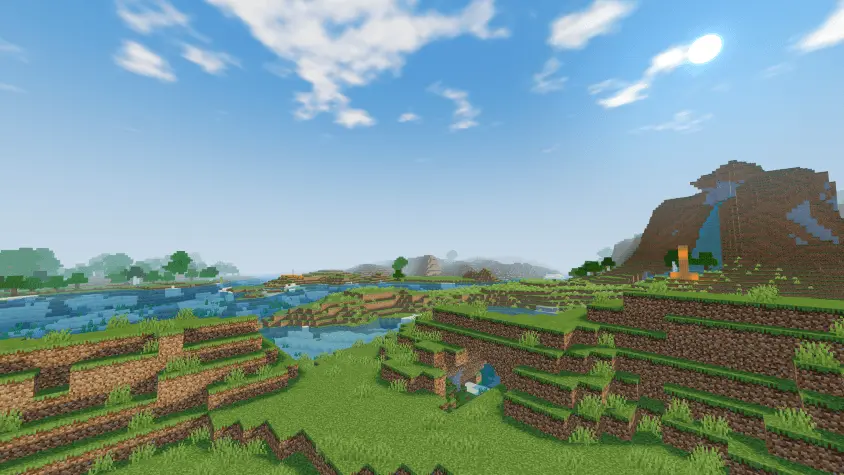
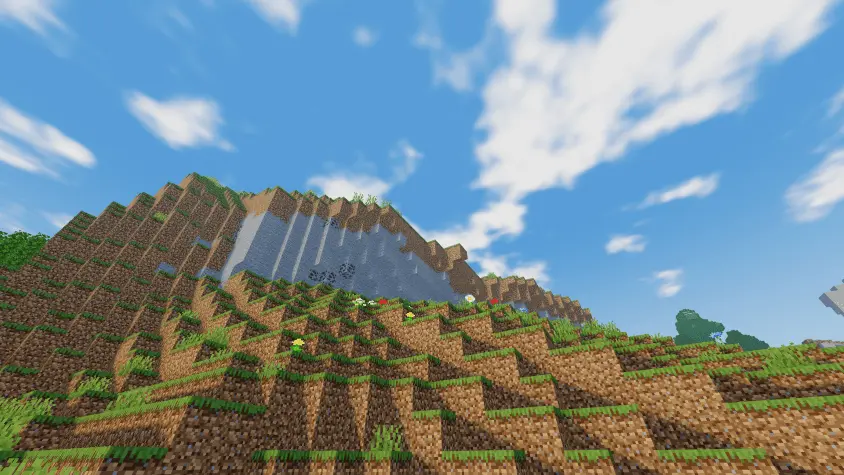
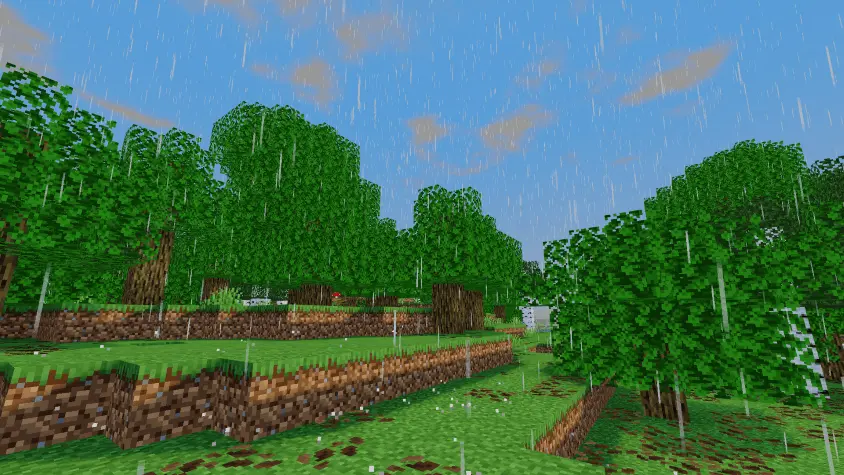
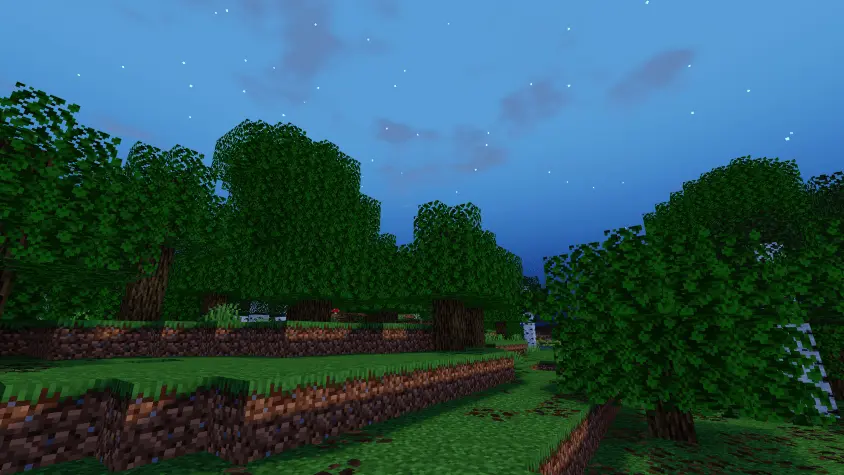
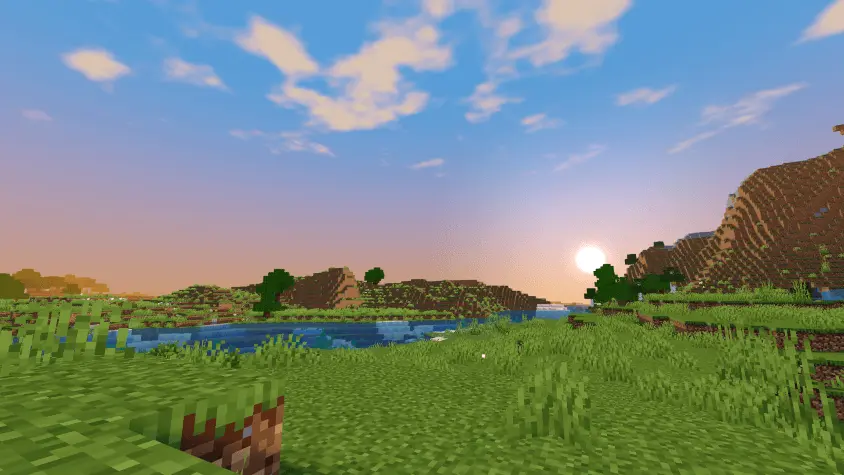
Lighting is another part of the appeal. Torches add a warmer touch to caves and enclosed spaces, so a mining trip can feel a little cozier once you’ve lit the route. Bring that idea back to the surface and it works just as well for a workshop, a bridge, or a small house at night. Place light sources where they make sense for your build, then take a walk around and see how the scene feels. A torch beside a doorway or a light in the corner of a storage room can give you a useful reference point when comparing the shader with your usual setup. The pack also offers a subtle 3D effect and glowing ores, adding visual details for players who enjoy noticing changes while they explore.
SmooTea is designed with lower-end devices in mind, which is useful if you play on a phone, tablet, or older computer and don’t want the heaviest visual effects. That doesn’t guarantee the same frame rate for everyone: render distance, world size, device hardware, and other packs can all affect performance. Try it in a familiar area first and see how the game feels while you move around. A short walk through your base and a trip into a cave will give you a better idea of the experience on your own device. Custom Bedrock shaders may also need an unofficial shader loader depending on the platform, so the setup isn’t necessarily as simple as enabling an ordinary texture pack.
For builders, SmooTea gives everyday projects a new atmosphere without demanding that the whole world be redesigned around it. A small garden, a village street, or a favorite lakeside base can be enough to show off the gentler colors and sky. Exploration benefits too: a quiet walk home after mining can become a good moment to take in the landscape. You might find yourself stopping for a screenshot somewhere you’ve passed dozens of times, simply because the light and colors feel different. If you want a Minecraft shader that leans toward subtle changes and considers lower-end hardware, SmooTea is worth trying in a world you already know.
Out in the open, the simple FBM clouds sell the sky without going full cinematic; they drift just enough to make plains and oceans feel alive. The simple coloring pass is the secret sauce: grass isn’t radioactive, water isn’t black ink—everything lands in that sweet spot between vanilla and stylized, so biomes keep their identity while screenshots look cleaner. Caves are where it clicks for survival players. Torch lighting adds a soft glow that rolls off blocks instead of that harsh vanilla cut, so mining feels moodier and easier on the eyes. Drop a torch, watch the amber bloom settle, and you can read the walls without cranking brightness.
What I like most is how “pick-up-and-play” it is. No labyrinth of sliders, no weird artifacts with common texture packs, and it behaves well at night and in the rain—just a gentle upgrade that makes bases, farms, and city builds photograph better. If you want a Minecraft Bedrock shader that freshens the world and still runs on low-end hardware, SmooTea Shader hits the balance: more fun, more adventure, zero meltdown.
Comments (0)