Flower Camouflage for Trolling Skin Pack
- 25-09-2025, 19:12
- 1 022

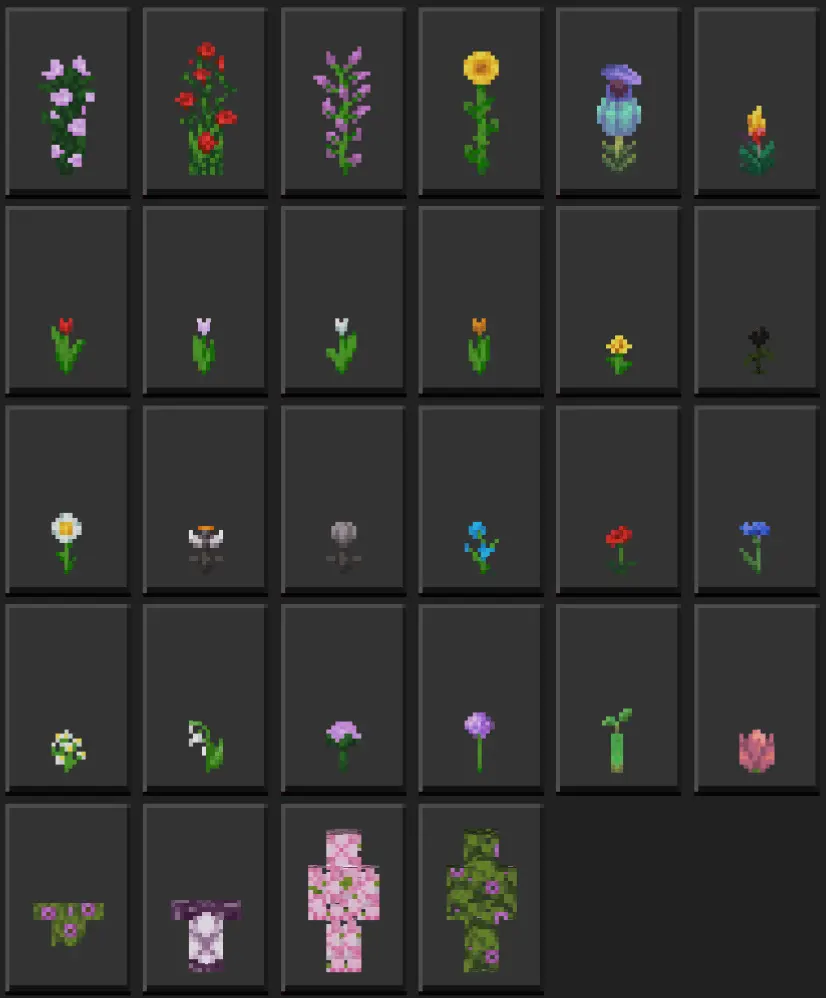
Flower Camouflage for Trolling Skin Pack is a floral stealth kit for Minecraft Bedrock that lets you disappear in plain sight. Every skin is built around Minecraft’s latest flower textures, so the colors and shading feel right when you drop into a plains field or a flower forest. You’ve got classics like tulips, daisies, poppies, and towering sunflowers, plus a bonus single peony skin that’s perfect for those hedge-line ambushes. The whole point is simple: look like the terrain, stand still at the right angle, and let curiosity do the rest.
In survival hubs and realms, the pack turns gardens into hiding spots. Post up along village planters, tuck into a patch of poppies near the path, or go full sunflower in tall rows where heads poke just above the leaves. In minigames, it’s a blast for hide-and-seek: crouch to tighten your silhouette, face the same direction as the real flowers, and match the light so you don’t pop. When you move, do it in tiny taps—one block at a time—so you stay “part of the scenery� until it’s time to spook a friend or slip away.
The villagers in my Minecraft trading hall have absolutely no respect for personal space. I'll be trying to check something in my inventory, and three of them will suddenly crowd around me like I'm handing out free emeralds. The other day, I was experimenting with some Bedrock content near the village when a farmer decided to stand directly where I was working. I moved. He followed. I moved again, and another villager took his place. Eventually, I gave up and went outside the walls to find somewhere quieter. Funny enough, I ended up enjoying that little change of location. I had more room to look around, fewer distractions, and a much better view of everything. Sometimes you don't need to spend ages adjusting your setup to enjoy a new addon. You just need to get away from the six villagers who apparently think your workshop is their living room.
Equipping is instant in the Bedrock dressing room, and the set plays nice with vanilla builds because it’s based on the newest textures. You’re not fighting clashing palettes or weird outlines; the skins read like actual flora from a few steps back. Whether you’re pulling harmless trolls, staging funny screenshots, or just adding a nature vibe to your look, Flower Camouflage for Trolling Skin Pack lands exactly where it should for Minecraft Bedrock: easy to wear, surprisingly effective, and way too fun in any world with flowers.
How to Install Skins in Minecraft Bedrock
- Download a .png skin (64×64 or 128×128).
- Open Minecraft Bedrock.
- Go to Profile (hanger icon) → Edit Character.
- Tap Owned → Import → Choose New Skin.
- Select your .png file.
- Pick a model: Classic (Steve) or Slim (Alex).
- Confirm to equip and play.
Comments (0)